Many gamers feel anxious when they initially launch their new gaming PC, only to see their high-end graphics card temperatures exceeding 80°C. However, in most cases, this is normal and by design, as cards are typically engineered to manage fan noise. Yet, my experience with the RX 9070 XT revealed that it developed a significant hotspot issue after a few months, which was more serious than the GPU temperatures indicated at the outset.
I Purchased the “Wrong” AMD RX 9070 XT, Leading to a Significant Hotspot Problem
It Initially Seemed Fine
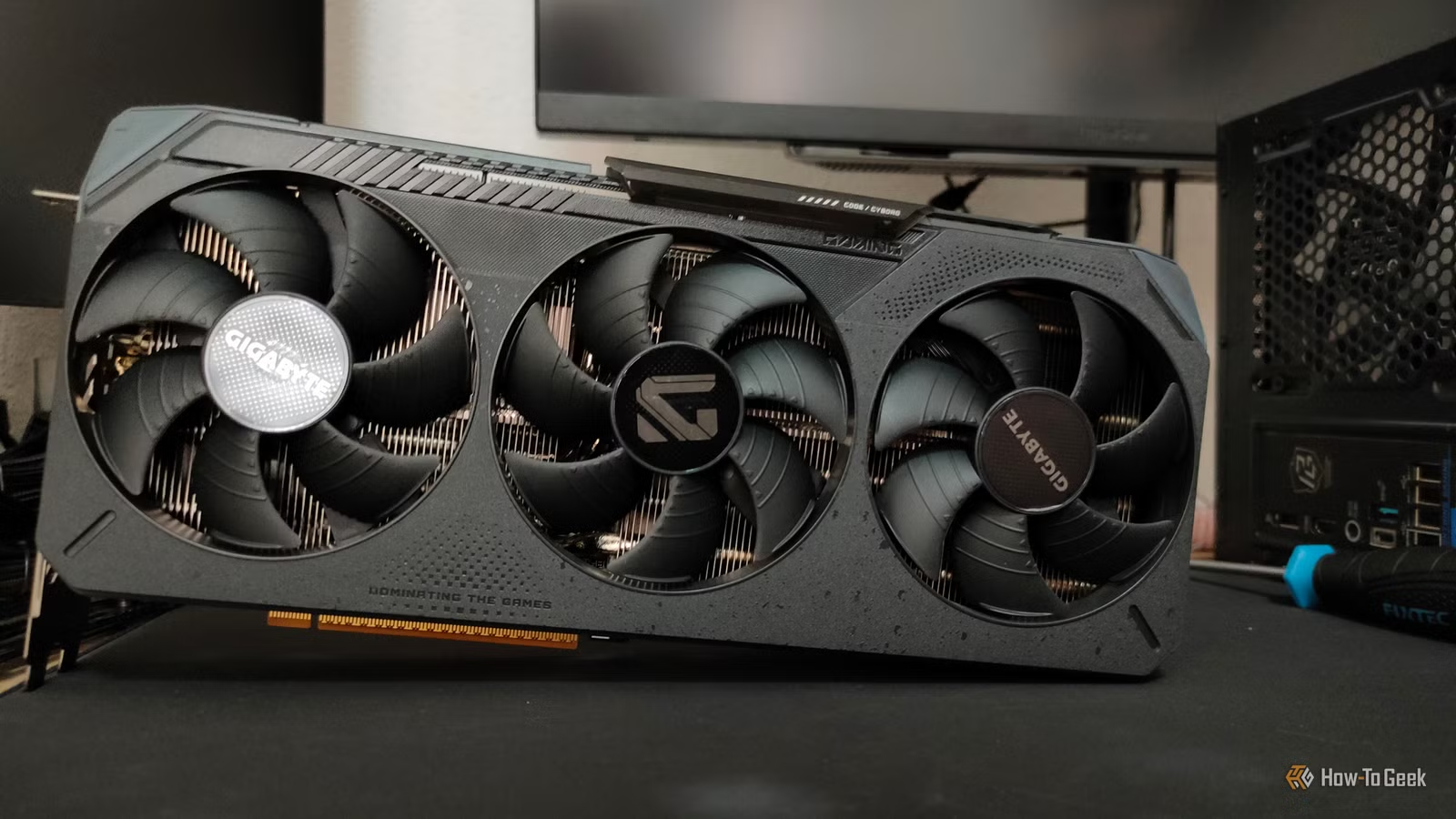
On New Year’s Eve, I acquired the Gigabyte RX 9070 XT Gaming OC as a replacement for my RX 6800 XT, especially with rising RAM prices that threatened to inflate GPU costs as well. I chose this model because it featured a 3×8-pin PCIe power layout instead of the controversial 12VHPWR connector, prioritizing price over additional features. Having had a reliable experience with a Gigabyte card previously, I felt reasonably confident in my choice.
At first, everything functioned well. During the winter months, with my room staying cool, I had no issues running the card with a modest GPU and VRAM overclock, along with a +10% power limit increase. However, as summer heatwaves raised the temperature in my room, the card began producing a noticeable amount of fan noise, and I encountered sporadic crashes that became more frequent over time.
My $750 Graphics Card Developed a Hotspot Problem
It Wasn’t Just Running Hot
The first clue that something was amiss came in June while I was playing Mafia: The Old Country. My hotspot temperatures soared to around 100°C, while the GPU die maintained a relatively cool 60°C. Initially, I dismissed it as an anomaly tied to that particular game. However, as I progressed through other demanding titles like Forza Horizon 6 and Black Myth: Wukong, the situation worsened. The GPU temperature rarely exceeded 65°C, but hotspot readings consistently ranged from 100°C to 110°C, and crashes became more frequent. Lowering the power limit offered minimal temperature reduction.
After some investigation, I learned that the substantial ~45°C difference between the GPU die and hotspot could be attributed to “thermal paste pump-out.” Several threads from other users of the same card echoed my concerns, while alternative models operated at much cooler temperatures. A friend’s OCCT test on his XFX RX 9070 XT revealed a much more manageable 19°C temperature delta under similar conditions.
While AMD states the maximum safe junction temperature is 110°C, this allows manufacturers to claim such temperatures are “normal.” Although high-end GPUs like the RX 9070 XT often exhibit a broader temperature gap between the GPU and hotspot, a 20°C difference is more typical under full load, making my 45°C gap particularly alarming.
Repeated heating and cooling cycles can cause the GPU die and heatsink to expand and contract at differing rates, gradually pushing traditional thermal paste away. This phenomenon is known as “thermal paste pump-out,” which can lead to poor thermal contact and elevate hotspot temperatures. It explains why my card initially performed well but gradually developed a growing hotspot delta.
Graphics Card Manufacturers Are Moving Away from Traditional Thermal Paste
GPUs Are Improving
While my Gigabyte RX 9070 XT employs conventional thermal paste, several manufacturers have transitioned to phase-change thermal pads. Cards like the ASRock RX 9070 XT Steel Legend and PowerColor Red Devil RX 9070 XT utilize Honeywell’s PTM7950 phase-change material, lauded within the DIY community. These pads change from a solid state to a softer, semi-liquid state as temperatures rise, offering enhanced resistance to hotspot formation. They may even perform better over time due to improved thermal transfer as the material conforms to the surfaces involved.
While some thermal pastes are designed to resist pump-out, not all conventional ones are, especially with direct-die cooling as seen in laptops and GPUs. Typically, an integrated heat spreader on a CPU distributes heat more efficiently; however, in direct-die cooling, uneven expansion can lead to significant temperature differences if thermal paste is displaced from specific areas.
My Plan to Replace the Thermal Paste with a Phase-Change Pad
This Is Where Things Get Risky
Although I could initiate a return process for my faulty card since it’s under warranty, the hassle doesn’t seem worth it. Even if I persuaded the retailer to replace it, I would likely wait a week or two for the new unit, which would probably develop the same thermal paste issue as well. Instead, I’ve opted to order Honeywell PTM7950 from a retailer, which should arrive in a few weeks. I also plan to replace the subpar thermal conductive gel on the VRMs and memory chips.
While I’m accustomed to disassembling GPUs and replacing their thermal interface materials in the past, this is the first time I’ve purchased a high-end card new. It’s disappointing that I must take the risk of disassembling and potentially damaging it to resolve a problem that seems not to afflict many other RX 9070 XT models.
Thermal Paste Isn’t the Only Factor Behind High Hotspot Temperatures
Hotspots Are More Complex Than They Seem
While large temperature deltas often stem from thermal paste pump-out, other factors may also contribute. Uneven mounting pressure from the cooler can lead to improper contact between the die and heatsink. A more alarming possibility is “pitting,” a rare defect characterized by microscopic craters on the silicon die caused by contamination during manufacturing. I sincerely hope that this isn’t contributing to my overheating problems!
Investigate What’s Under the Cooler Before Purchasing Your Next GPU
Many graphics cards can develop significant temperature differences between the GPU die and hotspot due to thermal paste displacement over time. Fortunately, this issue can generally be avoided. Before investing in a new graphics card, ensure you examine models that utilize phase-change thermal pads and scour long-term reviews to understand how hotspot temperatures behave over time. A little research could save you from needing to disassemble your GPU later on.