Transforming the driving experience.
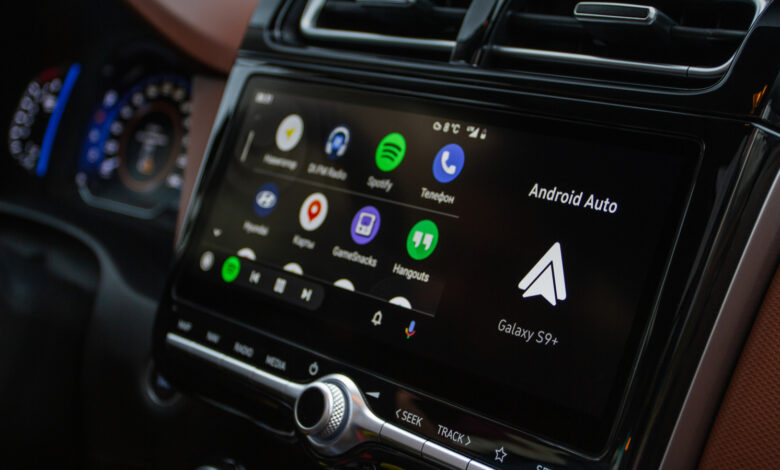
Long drives can be challenging, filled with traffic jams and rough roads. Handling messages, selecting music, and navigating new routes adds to the stress. Android Auto is designed to simplify this experience by providing easy access to maps, messages, and calls. Recent updates have introduced Gemini, Google’s latest AI assistant, which is easily accessible without needing to dig into settings.
Gemini brings a more conversational tone to interactions, allowing for seamless chats. You can clarify movie discussions by asking about cast members, handle your messages, or search for nearby eateries with ease.
Your AI Companion for the Journey

Gemini is now being rolled out to Android Auto users globally, taking over from the previous Google Assistant. If you haven’t switched to Gemini yet, it’s easy to do. Navigate to the settings to enable it, which will allow Gemini to manage your interactions within Android Auto.
What distinguishes Gemini is its conversational flow, allowing natural dialogue instead of rigid commands. You can inquire about dining options along your route and ask additional questions without having to repeat restaurant names.
Gemini can also condense lively group chat conversations, summarizing notifications instead of reading them one by one. It can draft responses, provide estimated arrival times, and translate texts in more than 40 languages, all while keeping your hands on the wheel.
Additionally, Gemini can serve as a personal DJ. You can request music in a general way, such as asking for “something upbeat” or “chill music,” and it will curate a playlist based on your preferences.
With integration into Gmail, Calendar, and note-taking apps, Gemini can retrieve emails with directions or recite your schedule for the day. It can even engage you in stimulating conversation, helping with brainstorming, or preparing for interviews while you drive.