Google’s Latest Android Revamp Addresses Motion Sensitivity, Enhancements in Accessibility, and Beyond

On Tuesday, Google unveiled five new updates aimed at enhancing the accessibility, functionality, and customization of Android smartphones. These features were detailed in a blog post and address issues such as motion sickness, navigation for visually impaired users, tracking lost items, and introducing new personalization options for Google Messages.
While some updates position Google to compete with Apple, which has already implemented similar capabilities for iPhone users, others utilize Gemini technology to introduce unique improvements.
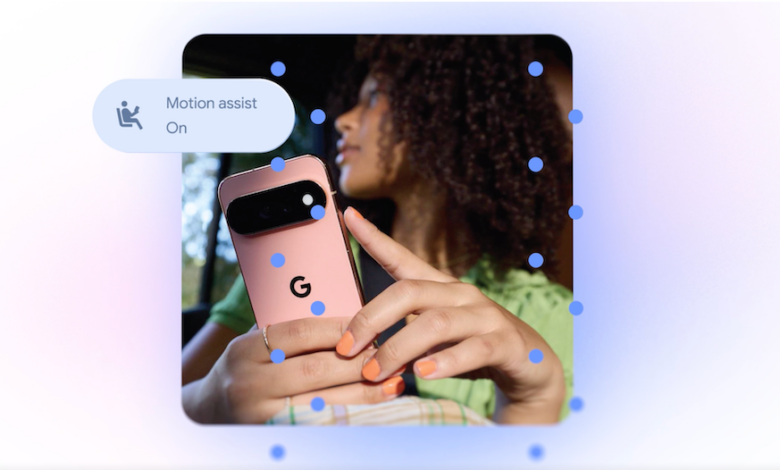
One of the standout features, “Motion Assist,” is crafted for those who suffer from motion sickness while using their devices in transit. It overlays a bubble on the screen that moves in sync with the vehicle’s motion, helping to bridge the gap between visual and physical sensations.
This isn’t a completely original idea; Apple launched a comparable feature called “Vehicle Motion Cues” in 2024, which employs animated dots around the screen’s perimeter to reflect a vehicle’s movement.
Users can configure the “Motion Assist” feature to activate automatically, add it to Quick Settings, and adjust the bubble’s appearance, including its shape, color, and transparency. Google announces that this feature is accessible to those using Android 17.
Google is also launching “Guided Vision,” specifically designed for blind and low-vision users. This feature integrates the device’s camera with Gemini, assisting users in reading small texts, scanning dark menus, or identifying objects around their homes.
Additionally, it can provide voice instructions if the camera is not aimed properly, guiding users to reposition, pan, or center the camera. This functionality will be available on devices running Android 9 or newer in regions where Gemini is implemented.
Another update introduces a feature that enables users to remember the locations of important items. Within a “remembered items” section in Find Hub, users can inform Gemini where they have placed an item—for instance, stating that their passport is in a bedroom drawer. They can also attach images for easier identification later.
Moreover, Google is integrating Google Keep with Google Messages, allowing users to share and modify grocery lists, travel notes, and more directly within their chat conversations.
In addition, Google Messages will now feature enhanced personalization options. Users will be able to tailor individual chats with different backgrounds, images, and colors, with text bubbles adapting to match these settings.
Apple had introduced a similar background customization feature in Messages last year.