In the realm of home networking, two prominent brands stand out: eero and UniFi. Each caters to distinct user needs, and I’ve experienced both extensively. Currently, I prefer UniFi for my homelab because it best meets my requirements. Here’s an explanation of my choice and why I moved away from eero.
Eero is user-friendly
Its design is intuitive
My journey began in 2017 with the eero Pro, which I appreciated for its user-friendly setup and sleek aesthetics. The ease of use was a significant factor during my initial foray into networking, particularly since I was mostly focused on gaming and DIY computer builds. At the time, I had minimal networking needs and mainly utilized port forwarding for Plex, making eero an ideal choice.
However, as my networking demands evolved, I found eero’s simplicity lacking for my current homelabbing activities. While I still appreciate its straightforward design and have often recommended it to friends and family, I now find myself suggesting UniFi instead due to its more comprehensive features that better align with my requirements.
UniFi is feature-rich
But with complexity comes a learning curve
I first encountered UniFi in the mid-2010s, viewing it as an enterprise solution—an avenue I was not ready to pursue for my home. Fast forward to 2020, after buying my first house, I was still using the eero Pro but was disappointed with the speed it delivered. I temporarily switched back to my AT&T router while evaluating options.
My interest piqued when a friend offered to trade me an AmpliFi Alien router. This consumer-grade option from Ubiquiti opened my eyes, and it didn’t take long for me to dive into the UniFi ecosystem, especially after the Dream Router 7 was launched in early 2025. Since then, I’ve never looked back.
UniFi is undeniably more complex than eero. If eero represents a simple user interface like Windows, then UniFi is akin to the extensive customization of Arch Linux. Eero serves as a basic setup, while UniFi offers a vast array of products and configurations.
UniFi provides the flexibility to tailor your network to your needs. If you prefer ease of use, options like the UniFi Express 7 or the Dream Router 7 are available. For those seeking more enterprise-level solutions, the Dream Machine line caters to that market.
This framework focuses on specific aspects like wireless access points and security cameras, designed for large deployments that can also function effectively in smaller settings.
One aspect I cherish about UniFi is its robustness in offering control over network management. Unlike eero, which limits users mostly to mobile app management, UniFi emphasizes web-based setup, providing far greater configuration options. I can manage Wi-Fi bands, create multiple VLANs, and set up to eight SSIDs on a single access point.
My homelab thrives with UniFi
Managed networking is an area eero lacks
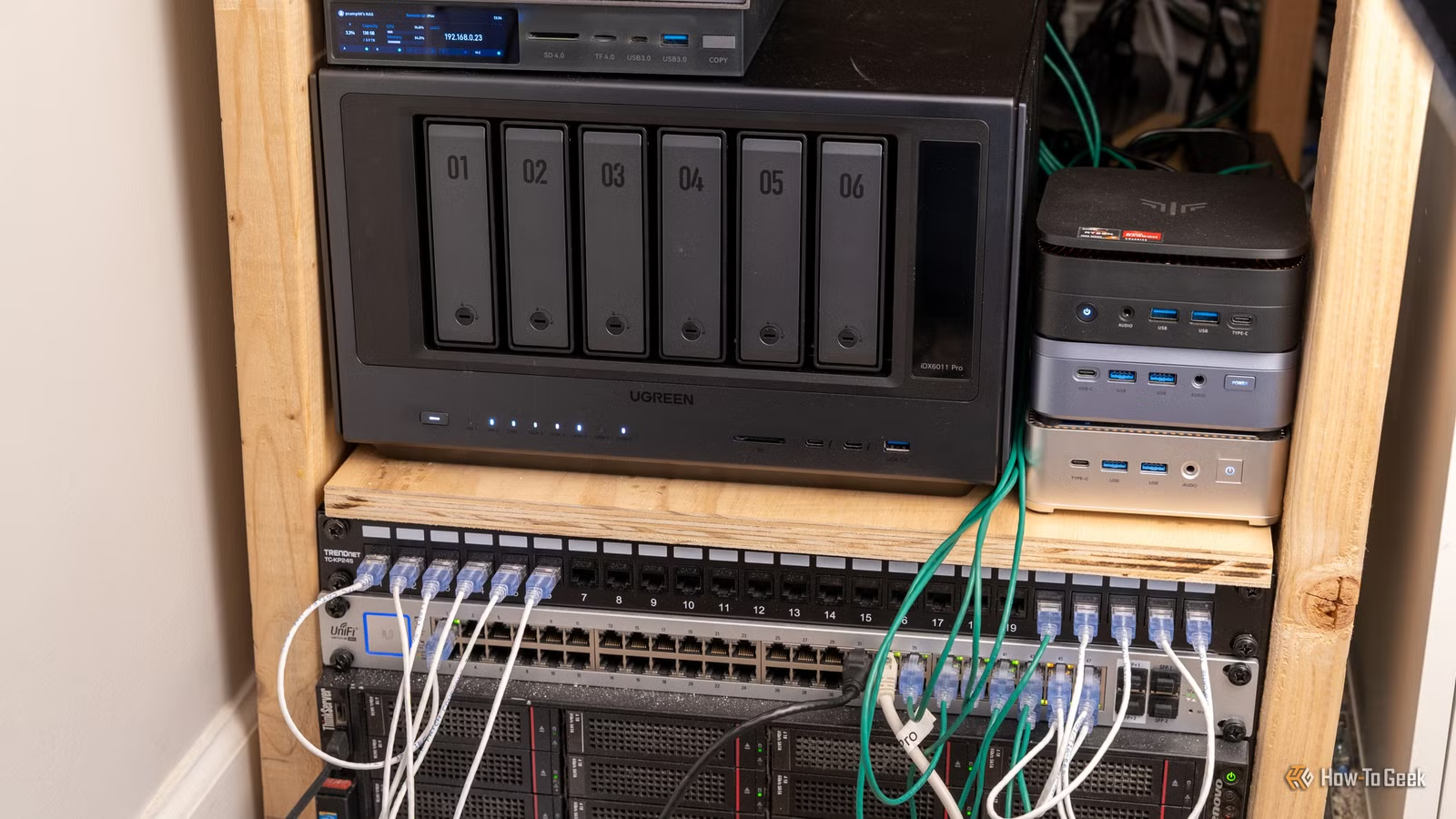
Ultimately, my homelab relies on the advanced features that UniFi provides. One critical benefit is the ability to direct any external port to a specific internal port, ensuring seamless management of different services, something that’s vital for my setup. Eero has recently added similar capabilities, but this wasn’t the case during my previous experience.
This functionality is especially important for port forwarding various services that utilize standard ports. My work often involves platforms like Unraid, where managing ports effectively is essential. UniFi’s managed networking features, including VLAN support, allow me to isolate systems connected to my network, significantly enhancing security.
As I handle IT tasks at my church, having the option to create segregated networks prevents potential issues arising from untrusted devices. This setup ensures that when encountering compromised systems, they only have access to the internet, safeguarding my local network from threats.
Moreover, the firewall capabilities on UniFi surpass those of eero, giving me the option to explore advanced security configurations that are not possible with eero.
The standout feature of UniFi is its vast scope of possibilities; almost any networking task you’re likely to encounter can typically be addressed with UniFi.
Proper networking is essential for a homelab
The right networking setup is key for any homelab endeavor. While simpler systems can support basic networking needs, a solution like UniFi is indispensable for my current requirements. I couldn’t envision my homelab functioning without it.