Transform Your Weekend: 3 Innovative Home Assistant Projects for Interactive 3D Floorplans (Oct 16-18)

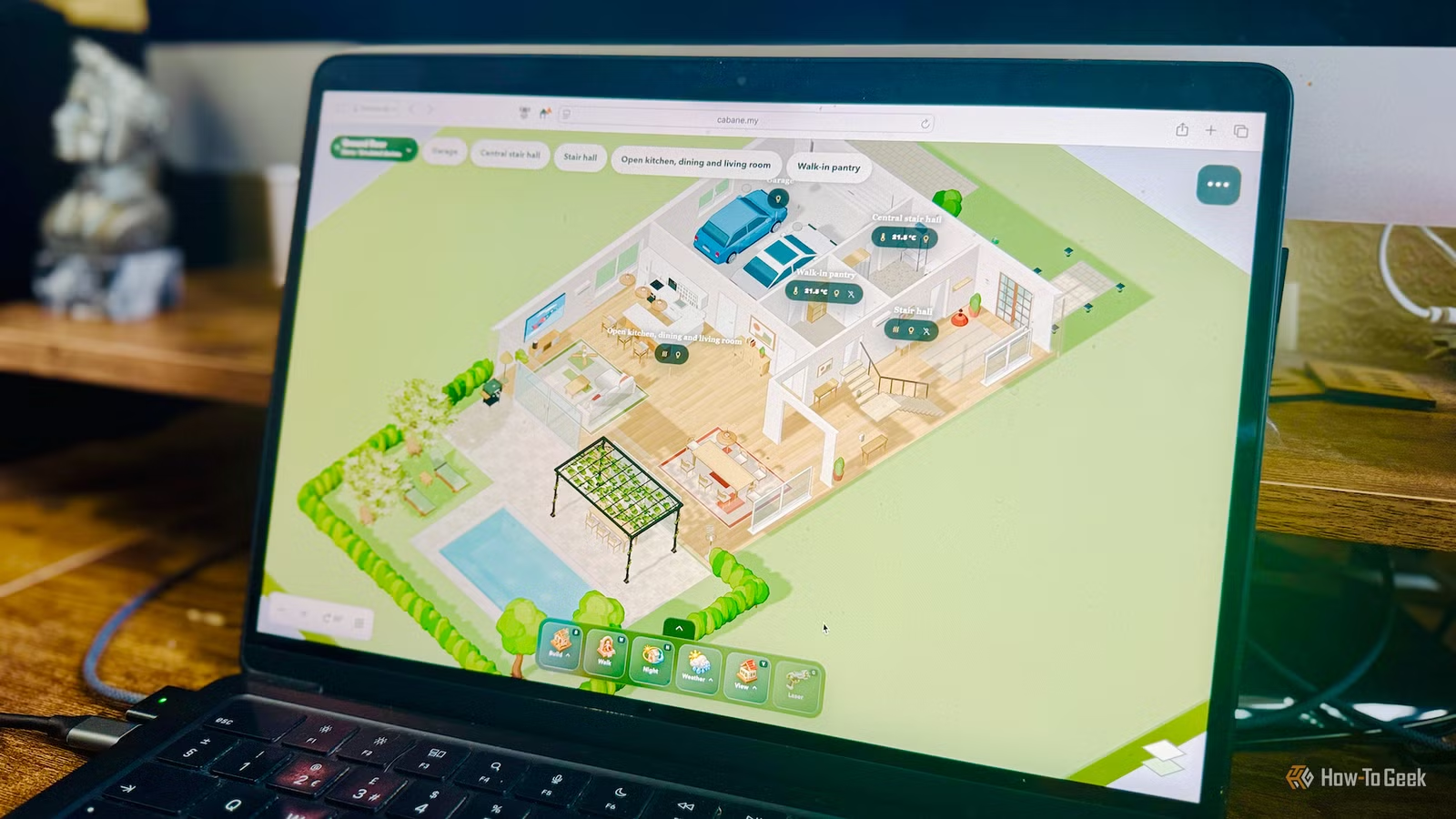
I’ve always preferred smart homes that operate with minimal manual intervention, relying on automation for most tasks. Yet, I have a lot of appreciation for the dynamic 3D floor plans that some users have developed. There are several tools available that can assist you in crafting your own Home Assistant floor plan dashboard.
Construct a Virtual Representation of Your Home with Cabane
Explore Your Virtual Home in a Gaming Style
Among the offerings I’ve encountered, Cabane stands out as a remarkable tool. It functions as a 3D home-building application that links with Home Assistant. Instead of merely showing a static model, it creates an interactive virtual version of your home.
You can construct your home incrementally by designing rooms, adding furniture, and placing smart devices where they belong. Each device corresponds to a real component within Home Assistant, so if you interact with a light—like turning it on or adjusting its brightness—it responds immediately.
In addition to the ability to rotate and zoom into various rooms, users can walk through their virtual home using WASD controls and their mouse, interacting with devices as they go. Although it may not be the fastest way to activate a light, it’s definitely one of the most engaging methods.
To integrate Cabane with Home Assistant, you can use HACS or the web version that connects to your local instance. It’s recommended to explore the demo home model first to evaluate its capabilities before investing time in creating your own.
The creator has mentioned that AI tools were utilized in the development of Cabane but has plans to release an open-source version that will enable users to host Cabane themselves and include custom models.
Design a Live 3D Floor Plan with NextFloor
Bring Your Devices and Weather Conditions to Life
NextFloor is a free and open-source integration for Home Assistant, allowing you to create a 3D model of your home. You can design floor plans and rooms, add furniture and smart devices, all rendered in 3D. While Cabane operates via external integration, NextFloor functions directly within your Home Assistant instance, providing a 3D dashboard without needing to rely on external applications.
The visual style of NextFloor is more of a wireframe compared to the more artistic representation of Cabane. It comes with numerous assets, including various furniture sizes from popular brands and even vehicles that display their charge level.
Additionally, NextFloor offers features such as displaying real-time weather conditions and heat maps indicating temperature variations within your home. TVs can reflect current programming, and users can track motion throughout the house over the past 30 minutes.
The creator has acknowledged that NextFloor was developed using AI and is still in its early stages, meaning it might have some imperfections. The open-source nature of the project allows you to scrutinize the code if desired.
Create a Floor Plan Dashboard Without YAML
Develop an Interactive Dashboard from an Existing Floor Plan

The aforementioned projects enable users to create a 3D representation of their home by building it room by room. However, the HA Floorplan Card takes a contrasting approach.
This tool allows users to upload an existing floor plan image and easily drag and drop smart home entities as desired. Various other applications can create 3D floor plans, but this one claims to have its foundation in Samsung SmartThings; no exporting is required—just an image of your chosen layout for the dashboard.
Along with positioning entities on your floor plan, users can outline custom zones where lights will project, illustrating the area illuminated when a lamp or ceiling fixture is activated. For example, placing a light in the bathroom allows you to draw a zone that encompasses the entire space, simulating the effect of light activation.
This project, unlike its predecessors, offers a static view, meaning you cannot rotate the floor plan for different perspectives. It serves as a quick and straightforward means to create an interactive dashboard from a 3D floor plan image for managing smart home devices.
The creator has indicated that much of the coding was accomplished by Gemini, and the project is open source, inviting scrutiny of the code if interested.
Building a 3D Smart Home Dashboard Has Never Been Easier
In the past, creating a 3D dashboard could be quite daunting, discouraging many users, including myself. However, these recent projects significantly simplify the process of constructing an impressive, interactive dashboard for your home. While it may not enhance the efficiency of interactions with your devices, it is sure to captivate visitors.