Maximize Your ESP32: Utilize Spare Pins in Your Bluetooth Proxy for Multiple Sensors Instead of Buying New Ones

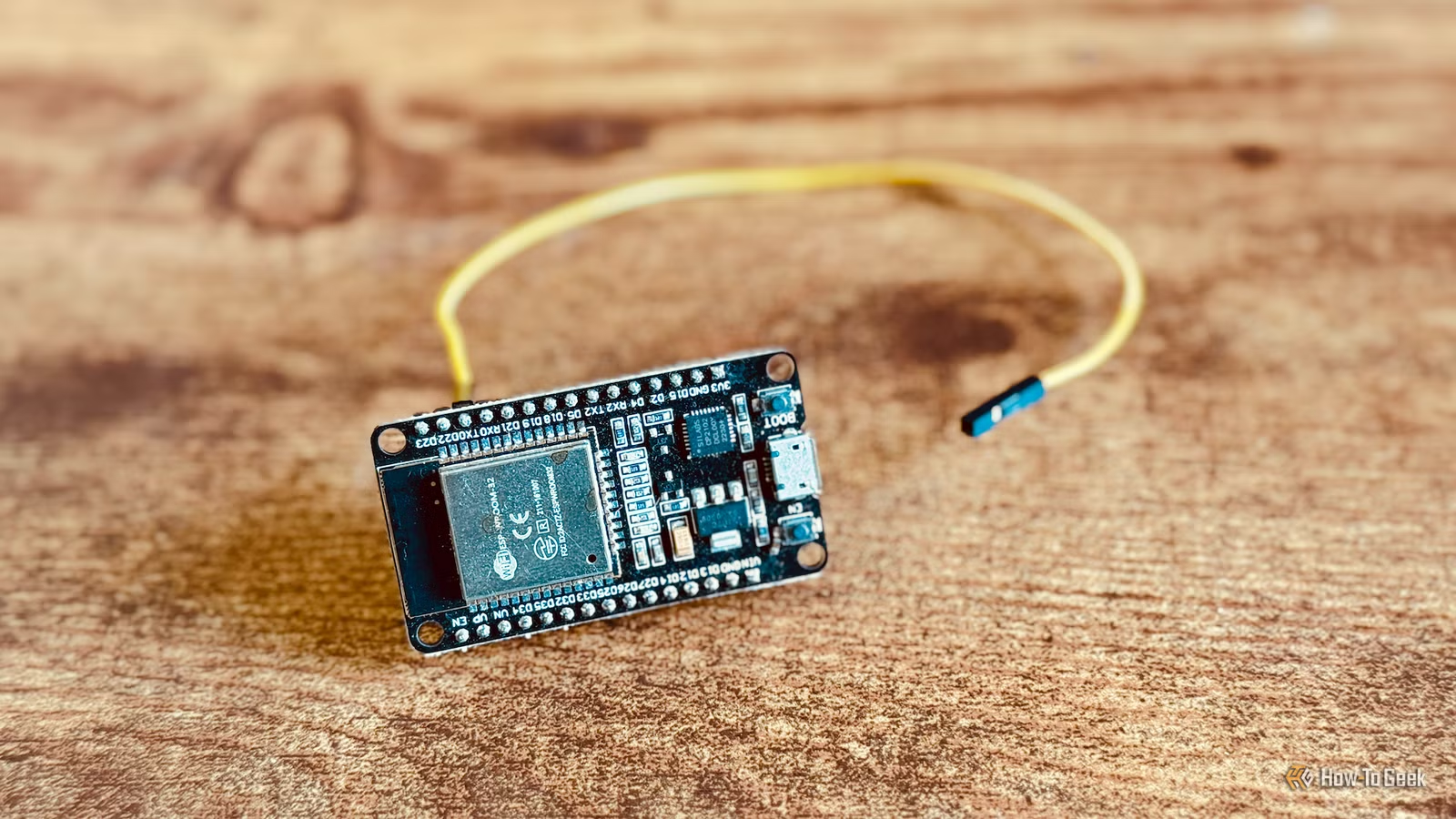
ESP32 boards are known for their affordability, often leading enthusiasts to use a separate board for each project. However, this habit may overlook the versatile capabilities of these boards, which are designed to manage multiple tasks simultaneously.
The Versatile ESP32
Maximize Your Investment
Using an ESP32 as a Bluetooth proxy is one of the most straightforward projects you can undertake. This allows you to bridge communication between Bluetooth devices and your home automation server, even from a distance. The ESP32 manages Bluetooth connections while transmitting data back to the server via Wi-Fi.
As many ESP32 boards come with integrated Bluetooth and Wi-Fi features, no extra hardware is typically required. Platforms like ESPHome offer simplified processes to load the necessary code onto your ESP32 to enable it as a Bluetooth proxy, making the setup quick and easy.
Just because your ESP32 functions as a Bluetooth proxy doesn’t mean that’s all it can do. It remains a general-purpose microcontroller with a wealth of additional capabilities waiting to be utilized.
Expand Your Setup
Integrate Sensors Easily
Many ESP32 boards are equipped with general-purpose input/output (GPIO) pins, enabling interaction with various external hardware. These pins can perform functions ranging from simple switch detections to more complex communications with sensor modules.
Setting up an ESP32 as a Bluetooth proxy does not require utilizing these GPIO pins, which means much of its potential might go untapped by doing so. By using ESPHome, you can configure your ESP32 to handle multiple tasks simultaneously.
Incorporating the bluetooth_proxy component into your ESPHome setup allows you to add further components as well. This means you can connect sensors via the GPIO pins, thereby enabling your ESP32 to act as both a Bluetooth proxy and a sensor hub.
Enhancing Functionality
One ESP32 for Many Tasks

I’ve personally leveraged ESP32 boards around my home as Bluetooth proxies. For instance, I use one to connect to a SwitchBot that is otherwise out of range from my automation server. Additionally, I have several others integrated with a Bermuda system that assesses Bluetooth signal strengths, allowing me to identify the location of my devices.
Initially, these boards served solely as Bluetooth proxies, but I discovered they could do more. I attached inexpensive soil moisture sensors to some of them, transforming them into monitors that alert me via my home automation system when plants require watering.
This showcases just one way to enhance the functionality of an ESP32 serving as a Bluetooth proxy. Various sensors, including those for temperature, humidity, and presence, can be added, broadening the utility of a single board significantly.
Check Your Board’s Capabilities
Be Cautious When Connecting
While you can certainly connect multiple sensors to your ESP32, not every available pin is suitable for all uses. Different boards may offer differing configurations and usable pins.
Some specific pins may dictate how the ESP32 boots, and attaching sensors to these pins could interfere with its startup process. Therefore, it’s essential to know the function of each pin and the logic level they support; most ESP32 GPIO pins operate on 3.3V, with caution advised if using sensors that require higher voltages.
Referencing pinout diagrams can help you identify which pins are suitable for sensor connections, ensuring you meet the voltage and wiring requirements before proceeding. Generally speaking, proper configurations are straightforward but necessitate careful planning.
Optimize Your ESP32
If your ESP32 boards are only performing a single task, there’s a potential to maximize their utility. While there’s a limit to how much they can multitask, adding simple sensors often won’t hinder their primary function.