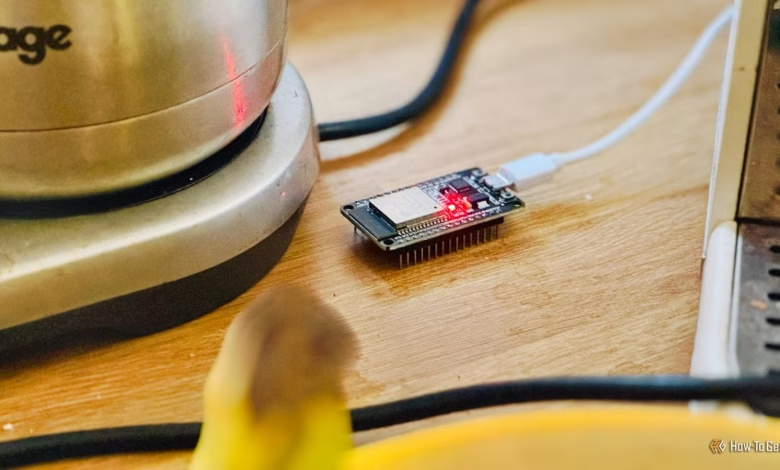
If you’ve ever considered creating your own smart home gadgets but felt overwhelmed by the technical details of microcontrollers or coding, there’s good news. Using ESP32 boards and the ESPHome platform, I have successfully constructed various smart home devices without writing any code.
Benefits of ESPHome
Transforming an ESP32 into Versatile Devices
The ESP32 is an affordable, compact microcontroller equipped with built-in Bluetooth and Wi-Fi capabilities, making it ideal for crafting smart home gadgets. You can connect various components—including sensors, buttons, and LED strips—directly to the ESP32’s pins without needing to solder. Unlike single-board computers such as Raspberry Pi, which operate a full-fledged operating system, the ESP32 utilizes dedicated firmware to manage the board and connected peripherals like sensors.
This firmware is typically written in C++, but the fantastic part is that you won’t have to code it yourself. ESPHome is a free, open-source framework that produces the firmware for you. Simply specify the hardware you’re using and define the device’s functionality, and ESPHome handles the rest.
Starting with Pre-Made Projects
Simple Setup with Clickable Options
The easiest way to dive into ESP32 projects is to take advantage of ESPHome’s ready-made projects. These come with pre-configured firmware, allowing you to jump right in as long as you have the necessary ESP32 hardware. My first project was a Bluetooth proxy, enabling communication between Bluetooth devices and Home Assistant, thus extending coverage throughout my home.
Bluetooth has a limited range, meaning devices far from the server can cause communication issues. By placing a Bluetooth proxy close to a Bluetooth device, you can use Home Assistant over Wi-Fi to relay information to and from the Bluetooth device.
Building a Bluetooth proxy is straightforward: connect your ESP32 to your computer via USB, then follow the project’s instructions on the ESPHome website, which will install the appropriate firmware. Other easy projects include voice assistants, media players, and proxies for infrared and RF signals.
Creating Custom Devices with Device Builder
Select Components Without Coding
Ready-made projects are user-friendly because their configurations are pre-determined. For custom builds, however, you need to define which ESP32 model you have, what sensors or various components are connected, and what functions you want the device to serve.
Traditionally, this required crafting a YAML configuration, which, while easier than coding in C++, still presents a learning curve that may deter some users. Fortunately, ESPHome’s visual Device Builder offers a simpler alternative.
In Home Assistant, the Device Builder lets you visually create configuration files. It allows you to compile configurations by dragging in elements like core settings, attached components, and automation stages, automatically generating the necessary YAML file.
For instance, by selecting your ESP32 model and adding a block for a temperature and humidity sensor, you can establish a simple automation such that if humidity exceeds 80%, the on-board LED lights up. The Device Builder will then compile this into firmware for the ESP32.
For more complex projects, compiling firmware may be better suited for a more powerful machine, such as a laptop or desktop.
Home Assistant Integrates Everything
Offloading Automation Logic
Although it’s possible to construct on-device automations through the ESPHome Device Builder, it’s not a necessity. Thanks to ESPHome’s compatibility with Home Assistant, you can seamlessly incorporate your created devices into this smart home software. Components of your ESP32—a range of sensors, buttons, LEDs, etc.—will appear as controllable entities within Home Assistant.
This arrangement enables you to create intricate automations that dictate how your custom smart home device should function without requiring those automations to reside on the ESP32 itself. ESPHome manages the hardware connections while Home Assistant takes charge of the logical operations.
This separation simplifies the process of modifying your device’s behavior. Instead of editing a YAML file or recompiling firmware, you can effortlessly adjust settings directly within Home Assistant. ESPHome and Home Assistant complement each other exceptionally well.
No Programming Skills Needed
For those hesitant to invest heavily in smart home devices that might not meet all of your needs, building your own is a viable solution. With ESPHome and Home Assistant, there’s no requirement for proficiency in C++ or even YAML coding—anyone can embark on exciting projects without writing a single line of code.