6 Creative Strategies Homelab Enthusiasts Use to Cut Costs and Bypass Pricy Equipment

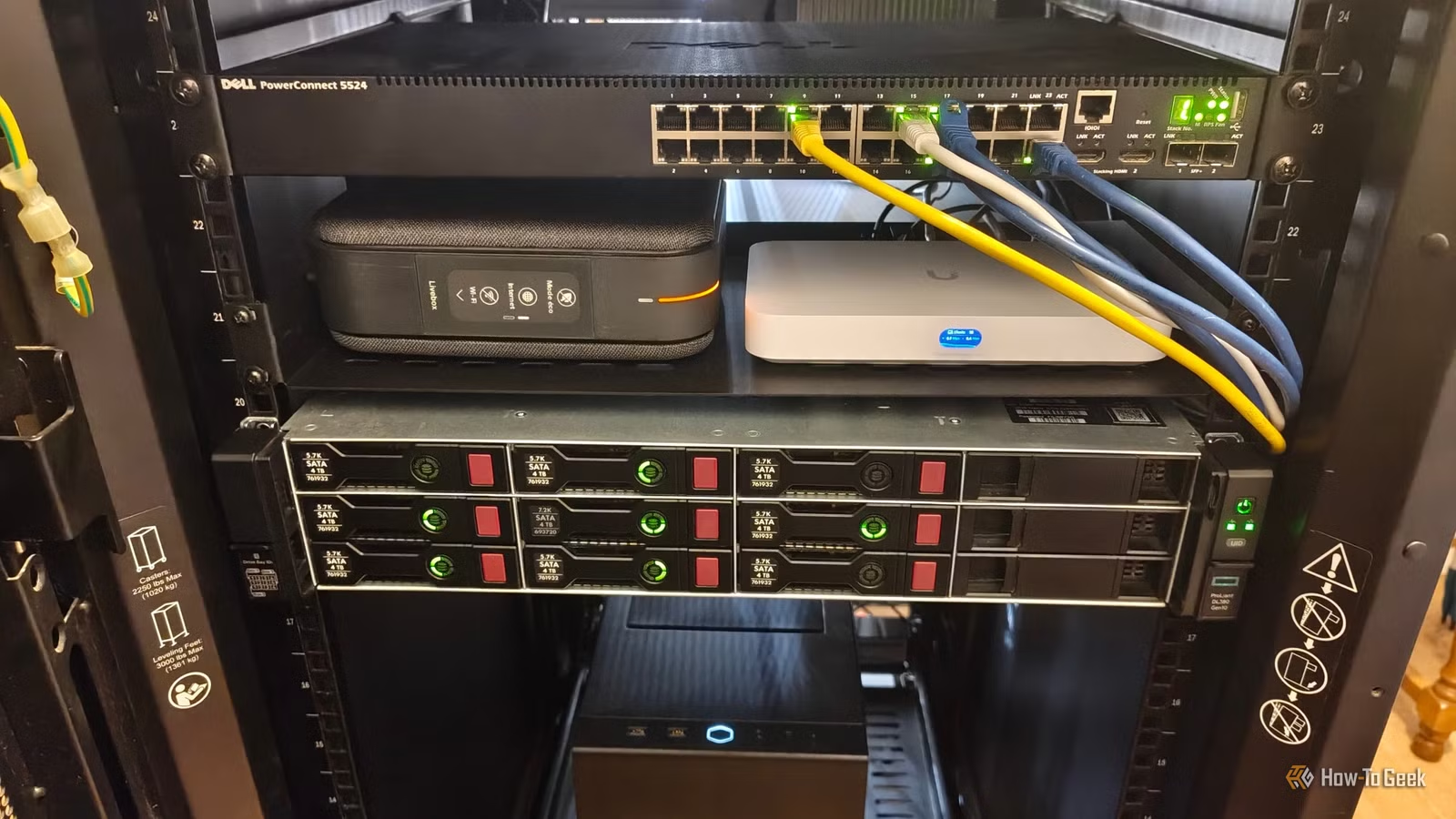
Creating a home lab can quickly add up in costs. What starts as a spare computer often evolves into a virtualization server, a dedicated NAS, a managed switch, and ultimately, a full rack of devices that continuously draw power. For many enthusiasts, finding ways to explore without constantly investing in new hardware is crucial.
Luckily, keeping expenses in check doesn’t mean compromising on quality. There are various strategies to enhance your home lab experience while minimizing costs, from reselling used equipment to addressing power management concerns.
Smart Hardware Purchases
Sell Old Gear for Your Next Upgrade
One significant factor often neglected in home lab finances is resale potential. Hardware doesn’t have to be a lifelong investment. You can buy a server or mini-PC, use it for a year or two, and then sell it as your needs shift. The funds you recover can assist in your next upgrade.
The key is to buy gear that has good resale value. Older business desktops, enterprise-grade servers, and used networking devices can be solid choices, provided you research their market value beforehand. Keep original packaging, document the setup, and avoid modifications that could reduce resale appeal. Remember, though, this isn’t a surefire way to profit, as older enterprise hardware can depreciate quickly, and shipping or repair costs might reduce the resale amount.
Power Management
Schedule Downtime for Idle Services
Not all home lab services need to be running 24/7. Development environments, test machines, game servers, and experimental setups can often be turned off when not in use.
For instance, you might configure a development server to power down overnight and restart before the workday begins. Depending on the system, you can automate this through tasks or tools like Wake-on-LAN to remotely turn on machines without keeping them running all day. The energy savings depend on how long the system is turned off. If a machine uses 100W and is off for eight hours, that’s a reduction of 0.8kWh daily.
Reduce Idle Power Consumption
Assess Power Usage of Your Network Gear
While older enterprise gear can be cheap, its power consumption is often overlooked. A used server might deliver significant processing power, yet an outdated managed switch might offer more features than necessary.
Start by measuring idle power consumption rather than simply assuming high running costs. A plug-in power meter can help you understand how much energy a server or switch uses at rest or under load. For devices linked directly to a power distribution unit, a rated power meter can provide awareness of energy costs.
Evaluate whether your equipment performs essential tasks. For example, an oversized switch with many unused ports can be reconsidered. Disabling these ports can enhance network management and security, although savings on electricity may not always be evident.
Seek Retired Equipment from Businesses
Find Hardware Before It Hits the Secondhand Market
While buying used equipment is common advice, it’s beneficial to seek out businesses that regularly upgrade their hardware. Many replace computers, switches, and servers that may still be suitable for home lab use.
Check with local IT service providers, small businesses, and computer repair shops. Express your interest in their outdated equipment. You might score great deals or even find items otherwise slated for disposal.
However, be cautious—free doesn’t always mean valuable. A retired server may require costly components or upgrades to become functional. The best deals are for machines that meet your needs without incurring significant costs to restore.
Simplify Before Expanding
Consolidate Workloads
The urge to create a multi-node cluster can be strong when diving into virtualization. Such projects are often enriching but can also increase hardware costs, energy use, and maintenance burdens.
Before adding new nodes, determine if a single machine can handle your workloads. Many lightweight containers and virtual machines can coexist on a well-equipped host. For example, one server can run a home automation tool, monitoring setup, development environment, and other utility services, with a NAS providing storage. You don’t always require a separate machine for each function.
There are valid reasons for multi-node setups, such as learning distributed storage or ensuring service continuity during maintenance. However, build a cluster only when there’s a clear need that justifies the extra expense, rather than merely because it seems appealing.
Assess Power Needs
Tweak Settings Before Investing in New Hardware
Your current gear might be adequately efficient, but sometimes configurations lead to unnecessary energy consumption. Issues like firmware settings and power-management mishandling can prevent systems from entering low-power states.
Begin by recording the system’s idle consumption and measure it under typical loads. Look into BIOS settings, OS power management features, and monitoring tools for adjustments that could cut down on excess energy use.
Tools like options in Linux can help pinpoint inefficiencies, and making small changes can significantly lower utility bills over time, especially for constantly running servers.
Collaborate with Fellow Homelabbers
Joining forces with others on expensive or complex projects can reduce individual costs. Pool resources for tools like network testers or thermal cameras for diagnosing problems. Bulk buying can also be more economical; splitting the cost of used components often comes out cheaper than individual purchases.
Local groups can connect you with individuals who have the skills or equipment you need, reducing the burden of acquiring everything yourself. However, keep in mind potential disagreements that can arise in shared projects. Finding trustworthy partners can lead to significant savings on expensive gear.