What’s the Lifespan of a PlayStation 5 DualSense Controller? Here’s What You Should Know!

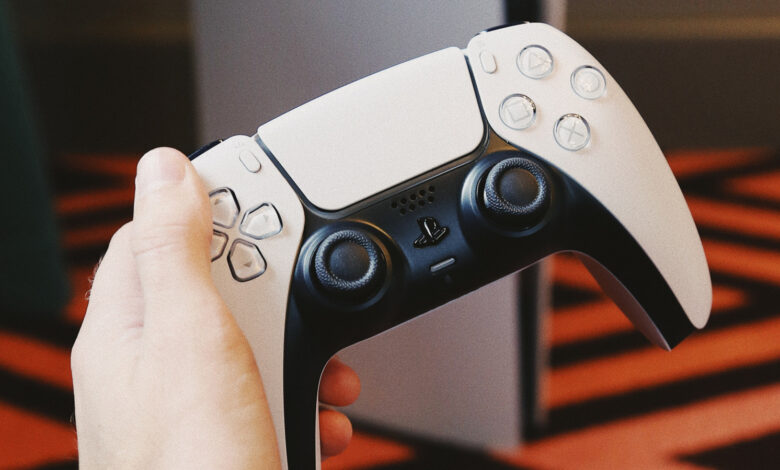
While your PlayStation 5 console might endure for a long time, its controller is more likely to require a replacement sooner. When should you prepare for this?
Your concerns about the lifespan of your PlayStation 5 likely extend to how long its DualSense controller will last as well. With whispers of a new PlayStation 6 on the horizon, you may be wondering how much longer your current controller can hold up, especially in a gaming landscape where issues like stick drift can quickly ruin a device.
Essential considerations for the longevity of your DualSense include its battery life, warranty period during which Sony provides free repairs, and the potential onset of stick drift. Let’s explore these crucial aspects regarding your PS5 controller’s durability and battery-related concerns.
What is the lifespan of a PS5 controller’s battery?

Teamjackson/Getty Images
Unfortunately, the battery life isn’t as impressive as one might hope. On a full charge, the PS5 DualSense controller typically sustains usage for about 6 to 12 hours. In comparison to other mobile gaming controllers, it’s clear that Sony’s controller tends to drain faster than desired. But what contributes to this rapid depletion?
The internal 1,560mAh lithium-ion battery drains relatively quickly due to various energy-consuming features of the DualSense. The light bar, speaker, adaptive triggers, and haptic feedback play a significant role in this. Games that utilize these features extensively will naturally lead to faster battery depletion.
In first-party titles like Astro Bot and Returnal, which heavily utilize the controller’s advanced features, expect a battery life closer to the lower end of that range. If you enjoy marathon gaming sessions, consider purchasing a second DualSense to ensure you have a backup charged and ready. Alternatively, keep a long charging cable within reach.
Regarding the premium DualSense Edge, priced at $200, it features a smaller 1,050mAh battery, leading to a lifespan of roughly 5 to 10 hours. This is due to its additional functionalities like rear paddles and removable stick modules, which require a different battery configuration.
What causes stick drift in PS5 controllers, and how can it be resolved?

Dave Meikleham for Engadget
Beyond battery life, it’s important to discuss the implications of stick drift on your DualSense controller’s lifespan. Stick drift occurs when the analog sticks register movement even when not being touched, which can create significant issues in gaming experiences, especially in racing or shooting games. This problem is common among various controllers and, unfortunately, there’s no foolproof solution.
Wear and tear, as well as moisture from hands getting into the controller, typically contribute to stick drift. If you play extensively, your controller might develop this issue sooner than someone who plays casually. Regularly cleaning the analog inputs with rubbing alcohol or compressed air can help mitigate stick drift. Updating the controller’s firmware when available can also prevent potential software issues.
If stick drift occurs within the one-year warranty period, Sony is obligated to repair or replace your controller. After that, repairs may have to be sought through third-party services, and you’ll likely weigh whether to repair or replace the controller, as repairs can be costly once the warranty expires.
Which controller lasts longer: PS5 or Xbox?

Dave Meikleham for Engadget
When comparing battery life, the Xbox Wireless Controller has a clear advantage over the DualSense. The Xbox controller typically operates on AA batteries, which can last around 30 to 40 hours. In contrast, the PS5’s controller lasts significantly shorter, with only 6 to 12 hours on a full charge.
Both controllers are vulnerable to stick drift, but you’ll find that the DualSense requires more frequent charging. Even Microsoft’s rechargeable battery pack offers much better longevity, with usage times of about 25 to 30 hours on a full charge. Therefore, if you’re diving into the latest PS5 games, ensure you have a charger or an extra controller nearby.