USB-A vs. USB-B: Unpacking the Need for Different Shapes Despite Simultaneous Invention

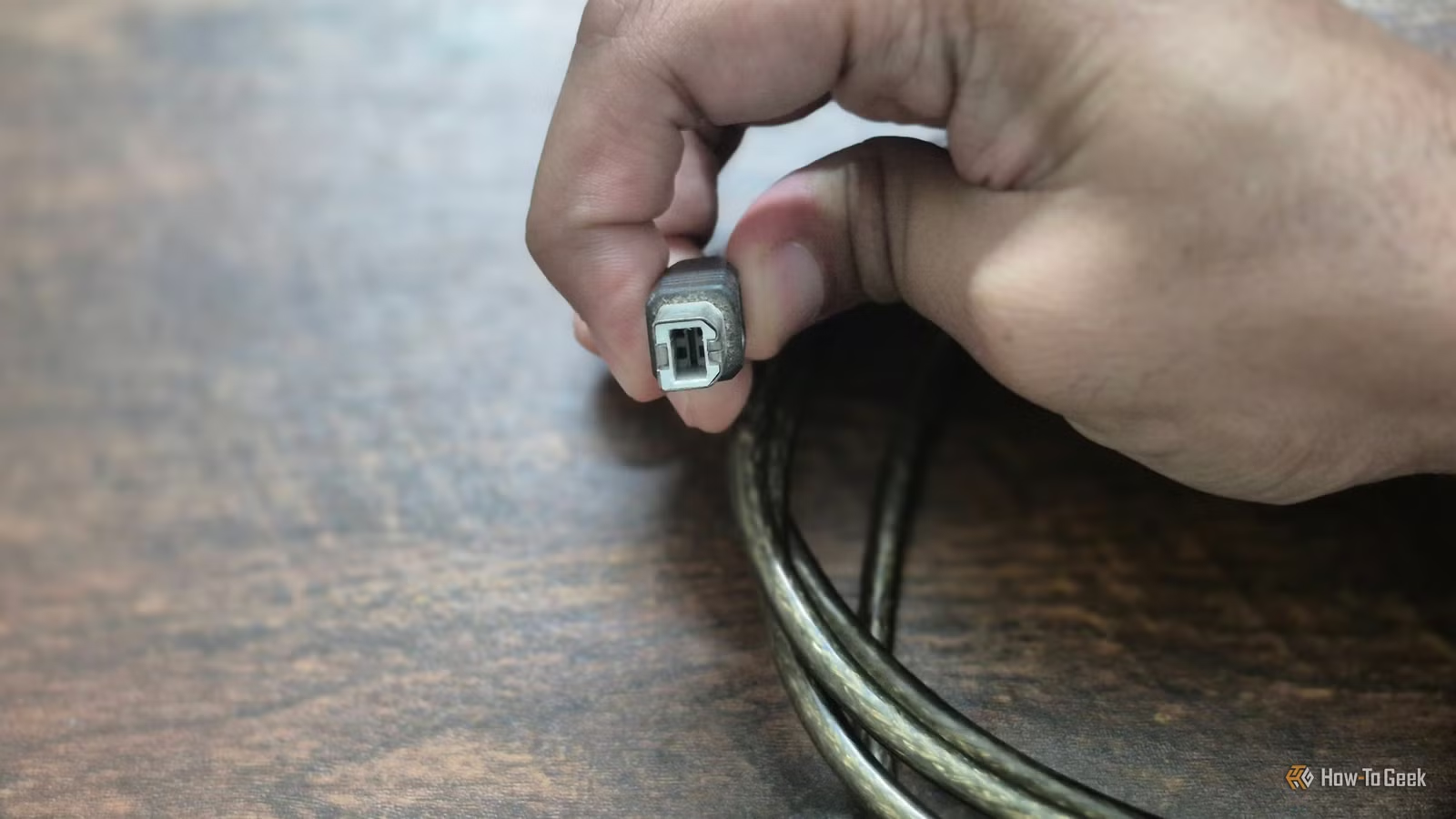
USB ports have become as essential as electric sockets and water taps. Before the contemporary USB-C standard came into play, we were well-acquainted with the larger USB-A ports. There is also the lesser-known USB-B, which usually goes unnoticed in everyday conversation, as few people mention plugging into a “USB-B port” on their laptops.
Historically, USB-B ports were predominantly used with desktop accessories like printers, though they can still be spotted on some modern devices like Arduino boards. While USB-C was introduced much later, both USB-A and USB-B were established around the same time—a fact that raises questions about their differing designs.
The Evolution of the USB Standard
Design Influenced by Initial Limitations
USB stands for Universal Serial Bus and was first launched in 1996 to facilitate connections between various electronic devices. It replaced numerous older ports, like serial and parallel connections, which are now seldom seen. The intent behind USB was straightforward: to unify the connections for devices like mice, keyboards, and printers, eliminating the need for multiple distinct ports.
Moreover, USB cables can transfer both power and data, although, unlike modern USB-C cables, data and power flow in only one direction. This limitation necessitated clear distinctions between the two ends of the cable so users would know which end to connect to their devices. Consequently, the designs of USB-A and USB-B differ significantly: USB-A is a broad, flat rectangle, while the original USB-B plug featured a square shape with rounded corners. Subsequent updates also introduced various colors for USB plugs, though their meanings are less clear.
Common Use of USB-B Connectors
A Name Less Commonly Used
Even if you’re unfamiliar with the term USB-B, you’ve likely encountered its connectors. In the realm of USB connections, most folks recognize USB-A and USB-C, while USB-B remains less discussed. However, USB-B ports have been nearly as prevalent as USB-A ports over the years.
USB-A connections are typically found in host devices, such as desktops, laptops, and TVs, supplying power to connected accessories. For example, a computer can power a wired mouse or charge devices like smartphones, albeit slowly.
On the opposite end of the cable—prior to the introduction of USB-C—there would often be a variant of USB-B, intended for client devices. USB-B ports were usually featured on printers, external hard drives, and fax machines, which allowed for removable cables, in contrast to keyboards and wired mice that typically come with attached cables. However, USB-B wasn’t the most widely used version.
Adapting to Smaller Devices
Familiar Variations You Might Remember
During the 2000s, when I finished high school, USB-B ports were too bulky for devices like iPods and other MP3 players. While iPods utilized a proprietary cable, many other players used a mini-USB connection, known technically as USB mini-B. Moreover, external hard drives also shrank, needing a smaller version than traditional USB-B ports. Over time, we transitioned to micro-USB ports to accommodate the growing trend of compact devices, including smartphones—though the full name rarely made it onto packaging.
USB mini-A and micro-A ports also existed but were less common. Most mini-B and micro-B cables were designed to pair with standard USB-A connectors, which remained prevalent on computers until the advent of USB-C.
Despite shifts toward USB-C, full-size USB-A ports remain resilient and have returned to some high-end laptops that had previously eliminated them. Consequently, many devices now come with dual-ended cables featuring USB-C on one side and USB-A on the other.
Are USB-B Ports Making a Comeback?
As devices become increasingly slim, the feasibility of USB-B or USB mini-B ports diminishes, especially with the current trend toward USB-C. Even USB micro-B, now considered outdated, feels like a regression since it involves facing the plug in the correct direction. The transition to USB-C has removed that hassle, leading to limited appeal for older designs.
Although USB-C has encountered its own set of challenges, it has not entirely met its promise of being an ideal connector. As we see a rise in wireless technology for data transfer and charging, the conversation is shifting from which ports are necessary on devices to whether ports themselves are even required.