Unveiling Secrets: The Open-Source Tool that Exposes Hidden Features of Your Android Apps

Initially designed as a mobile operating system, Android has evolved significantly over time. However, tools for system administrators are still catching up, making certain aspects of app information less accessible compared to desktop systems. Luckily, there’s an open-source application that provides comprehensive details about your apps.
App Manager Provides Detailed Information About Your Android Apps
Easily Find the Information Google Keeps Hidden
With Android installed on billions of devices, it’s true that most users don’t care about the granular system details of their apps. Despite this, it shouldn’t be challenging to obtain such information. You don’t have to be a developer to want to know where an app resides in your phone’s storage; yet, unless you’re willing to use ADB via a PC, you’ll need third-party applications to get this information.
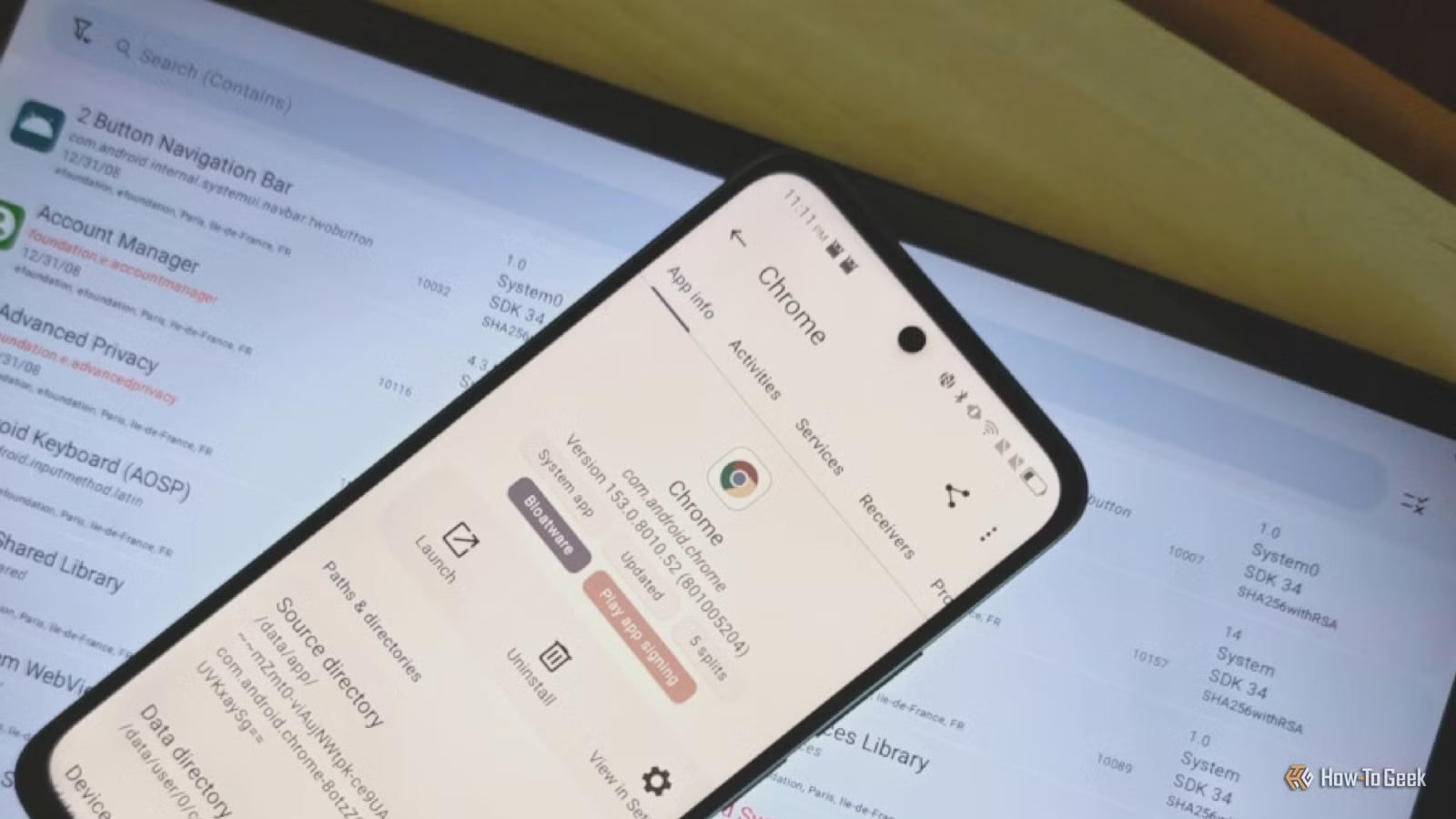
Among the various tools available, App Manager stands out for its simplicity. Just open the app, select an app or process from a comprehensive list, and access detailed insights. Some of the information might be tough to find elsewhere, but App Manager consolidates everything into one easy-to-navigate interface.
This app reveals the location of an app along with its data storage options, the installation date, and data transfer statistics (both uploads and downloads). If you have multiple app stores, it can identify where an app was sourced. As App Manager isn’t listed in the Play Store, you’ll need to use alternative app sources such as F-Droid.
App Manager Boosts Your Privacy Awareness
Knowledge is Empowerment
While App Manager itself does not actively protect your data or combat malicious actors, it empowers you to make informed choices. By clicking on an app, you can immediately see if it has any trackers associated with it, denoted by an orange “Trackers” label. Tapping this label will reveal the specific trackers linked to that app—many of which often include various Google services that aren’t flagged as trackers explicitly.
Although other applications, like the Aurora store and /e/OS custom ROM, provide tracker notifications, App Manager is among the most user-friendly options available. In addition to tracker details, the app offers insights into the links an app can access and whether its signing keys—indicating potential modifications—are likely housed on Google servers. Moreover, it can highlight whether an app is considered bloatware, distinguishing between system and user apps, thus informing you which can be uninstalled or merely disabled.
App Manager Doesn’t Need Root Access, but Some Features Require It
Understanding System Folders Requires Root Access
While simply knowing where an app and its data are stored is helpful, this information has limited utility without root access—necessary for exploring system folders or restricting specific apps’ internet access. Fortunately, other secure methods can provide some functionality without compromising your phone’s integrity or needing a PC.
Tools like Shizuku and its variants can simulate wireless ADB access, giving you effective root-like capabilities. You might also consider using firewall apps like NetGuard to control individual app network access. Additionally, App Manager can guide you in identifying apps that could benefit from running within a secure folder—an increasingly available privacy feature on many Android devices.
App Manager is Ideal for Advanced Users
For seasoned Android users who already know how to uncover most of the information provided by App Manager, having it all organized in one place is still invaluable. This app serves as a useful resource for both experienced users and Android beginners seeking detailed app information for the first time.