Unlocking the Power of ChatGPT: A Guide to Its Enhanced Conversational Voice Mode

ChatGPT’s voice interaction just became a lot smoother.
AI tools like ChatGPT are evolving consistently, enhancing their features, accuracy, and speed with each iteration. Although generative AI isn’t flawless and shouldn’t be deemed an infallible information source, many users have found that voice interactions can streamline communication. Initially, ChatGPT’s 2023 Voice Mode functioned through three distinct systems: speech recognition, language processing for response generation, and text-to-speech for output.
With the introduction of Advanced Voice Mode, a single integrated model was implemented, significantly enhancing the user experience. The GPT-Live model is now utilized for voice interactions, resulting in a more natural conversational flow. OpenAI describes it as a “full-duplex” system, enabling simultaneous listening and speaking. This eliminates previous frustrations where brief pauses were mistaken for the end of a user’s message, leading to premature responses from ChatGPT.
Users can expect ChatGPT to occasionally interject with brief affirmations, mimicking human conversational cues. Additionally, GPT-Live is capable of delegating complex inquiries to more robust models, such as GPT-5.5, when necessary.
Engaging with GPT-Live

The GPT-Live voice model is accessible via the ChatGPT application on both Android and iOS, as well as through web browsers. Users with ChatGPT Pro, Plus, and Go subscriptions can utilize the full GPT-Live-1 model, while those on the free tier have access to the GPT-Live-1 mini version. The new model takes over as the default, replacing the previous turn-based system. To initiate a voice session, simply tap on the Voice icon depicted as a waveform next to the input box. First-time users may be asked to allow microphone access.
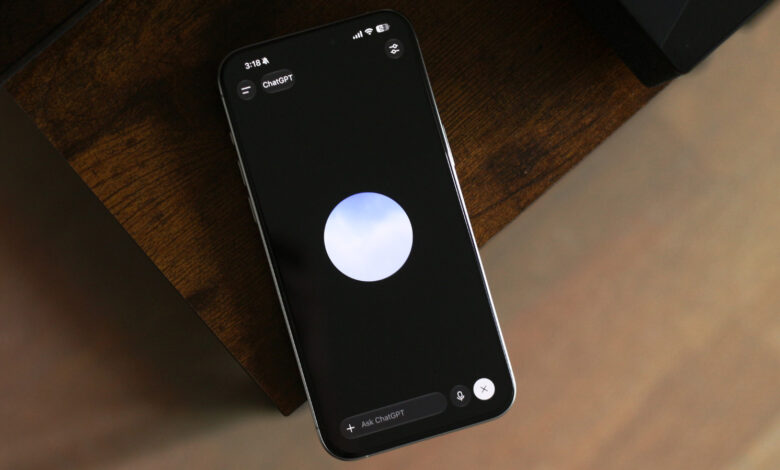
Once in voice mode, a floating orb will appear on-screen, signaling you can speak naturally. Tapping the settings icon allows users to adjust the voice model’s responsiveness, offering Instant, Medium, and High options. However, customization is limited for free users. Notably, ChatGPT Voice stays activated even if you navigate to other apps or lock your device.
While this version improves the voice interaction experience, GPT-Live currently lacks support for screen or video sharing. Users can revert to the older model via the settings menu, where they can also select a different voice, change the language, or set ChatGPT Voice as the default upon app launch.
Strengths of GPT-Live

Initially, my preference for typing led me to overlook the enhancements made to ChatGPT’s Voice feature. However, after several extended conversations, I was pleasantly surprised by how quickly I acclimated to speaking with an AI. GPT-Live no longer interrupts mid-sentence, allowing for a fluid exchange without waiting for it to finish talking. During longer discussions, it felt as though GPT-Live could predict my next comments.
The responsiveness of GPT-Live also makes it a useful tool for live translations. Throughout a conversation, users can scroll to view a transcript of the dialogue. If GPT-Live determines that a visual response would be beneficial, it can present an interactive element alongside its spoken reply.
By default, GPT-Live operates at an “Instant” intelligence setting, effectively addressing routine inquiries with quick responses. It can still refer more complex tasks to advanced models in the background while maintaining conversational flow. For regular discussions on intricate topics, switching to “Medium” or “High” levels may introduce slight delays, but they do not hinder the natural rhythm of the conversation.