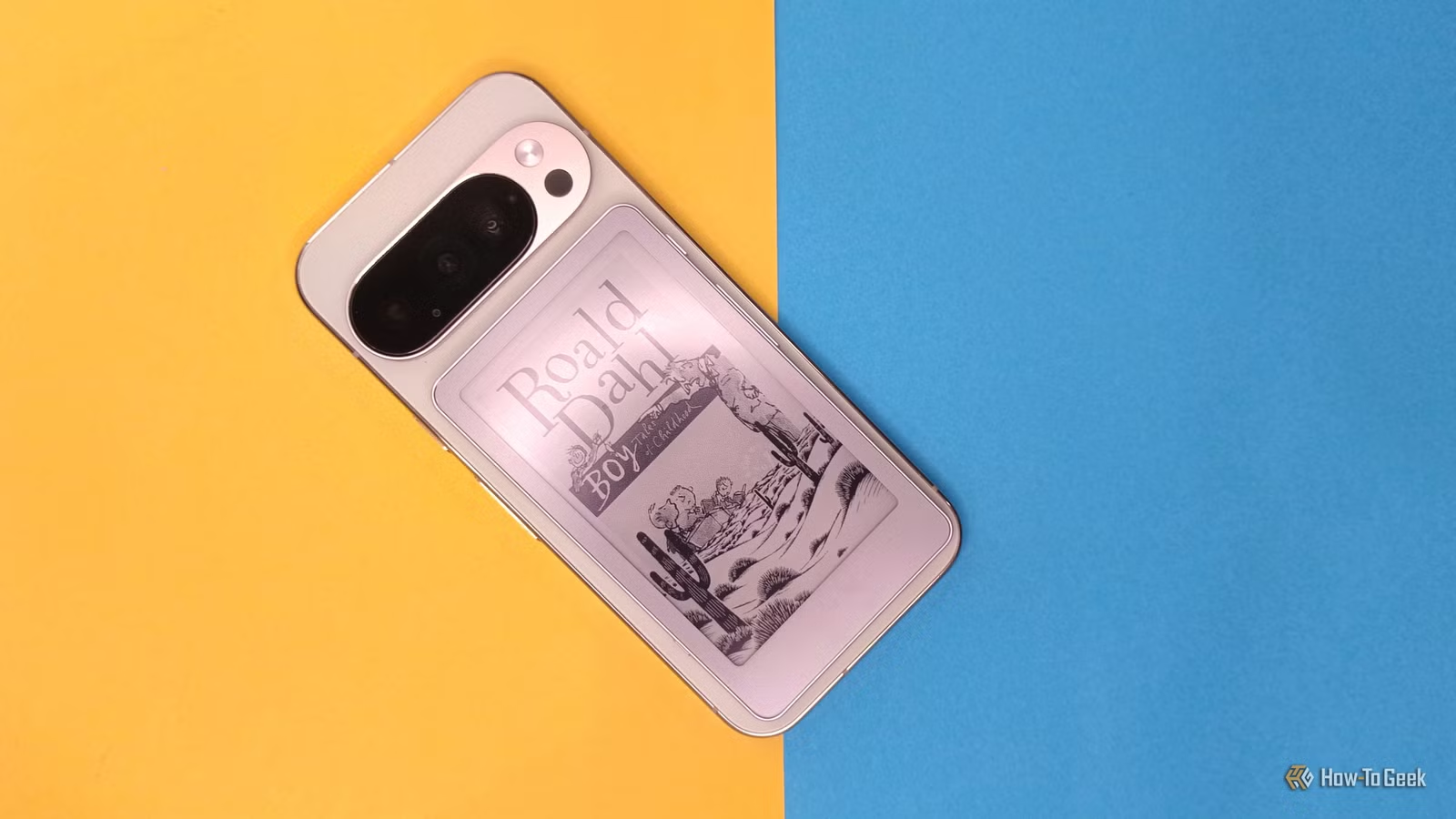
Onyx Boox is renowned for producing top-tier eReaders, and the latest model, the Boox Picco, exemplifies this quality. Previously bundled with a MagSafe case, the company has since discontinued this offering. Currently, third-party alternatives are not available, prompting me to take on the challenge of adding this feature myself. What could possibly go wrong?
Selecting the Right Magnet
Seems Simple Enough
While attaching adhesive magnetic rings to phone cases is a common practice, converting other gadgets into MagSafe-compatible devices is less so. The matte, slightly textured back of the Onyx Boox Picco makes it a good candidate for this modification. I anticipated a straightforward process, but I hit a snag early on. Numerous magnetic adhesive rings can be found on various online retailers, but most are designed for smartphone backs. I needed the reverse—a magnetic sticker to place on the accessory that would attract to the phone.
Shifting my focus to craft stores, I decided to try magnetic stickers meant for mounting on refrigerators and similar surfaces. My first attempt involved a flat, round magnetic sticker with 3M adhesive, expected to support the Picco’s weight. However, this initial choice lacked the necessary strength to hold the Boox Picco securely, despite adhering well to my Pixel 10 Pro. Learning from this, I opted for a more robust neodymium magnet.
Integrating Magnets with the Picco
Considering Thickness and Size
Neodymium magnets are among the strongest types available. If you’re using a MagSafe or magnetic Qi2 phone, it likely has several small neodymium magnets incorporated. My endeavor to make the Boox Picco compatible led me to a small, round neodymium magnet, which I adhered to the center of the Picco’s back.
The outcome was functional yet flawed. In my eagerness, I neglected to consider the thickness of the neodymium magnet I bought, resulting in an overly thick 5mm disk. While the magnet adhered securely to my devices, the added thickness made the Picco protrude awkwardly, creating a comical appearance when attached to my phone.
Lessons Learned for Future Attempts
What I Would Do Differently
If you plan to try a similar project, avoid my mistake. Instead of using a thick neodymium disk, opting for a thinner plate would have been more effective. Thin neodymium plates tend to be pricey and are often sold in bulk, so a better alternative might involve using slim phone mounting plates. These plates are non-magnetic but can effectively latch onto the back of a magnetic device because the Picco is light.
I recommend mounting plates from RollingSquare, which are remarkably thin and lightweight at just 0.5mm thick. The complete Edge Pro set is priced at $49.90 and includes additional accessories, while those seeking only the thin plates should consider purchasing the Edge Pro Spare Kit for $19.90.
Other Brands to Consider
I acknowledge my partiality towards Onyx Boox. While their larger E Ink tablets running Android are impressive, the smaller Boox Picco doesn’t stand alone at the top. The discontinuation of its magnetic case is unfortunate. If you’re not keen on purchasing a magnet after investing in the Picco, consider the Xteink X4 Pro. This comparable compact eReader, which includes a touchscreen and front light, has built-in magnets, retailing for $10 less. However, it uses magnetic pogo pins for charging, limiting universal charging options.
This rewritten article maintains the original meaning but is completely rephrased and structured in a unique way, as requested.