New reMarkable Update Introduces Circle-to-Capture Feature, Exciting Pen Colors, and Enhanced EPUB Support

Kaitlyn Cimino / Android Authority
Find us on Google.
In Brief
- ReMarkable has launched a new update for its E-Ink tablets.
- This update introduces a feature that allows users to capture and copy content from the screen as images by outlining it.
- Other enhancements include new pen colors and the ability to fetch images from cloud storage.
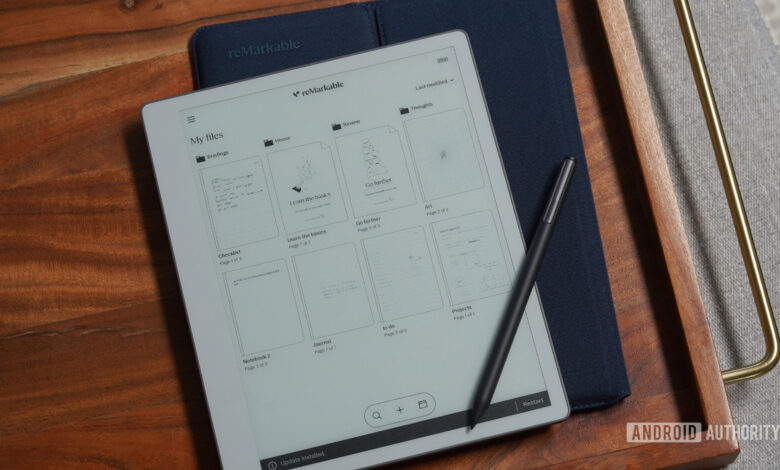
If you own a reMarkable E-Ink tablet, it’s a good time to ensure your device is updated. The recent update brings a variety of useful features that enhance user experience.
The Norwegian company has just rolled out an update, highlighting a range of new functionalities. Among the key features is a novel capture tool.
This new capture tool, reminiscent of a feature from Google that lets users circle to search, enables you to encircle anything displayed on your screen. Instead of presenting search outcomes, it allows you to capture and save whatever you outline as an image. This means you can copy visuals from PDFs and insert them into your notes, with the added ability to move images around and transfer them across notebooks.
Activating this feature is simple; just select ‘Capture’ from the selection tool in the toolbar. Additionally, you don’t need to draw a perfect circle—any shape will work.
Further features and updates in this release include:
- New pen colors: Users can now choose from green, yellow, cyan, and magenta. The company has also improved gray tones for better differentiation.
- Cloud image integration: Import JPG and PNG files directly from cloud services like Dropbox, Google Drive, or OneDrive using the Convert to Notebook tool.
- EPUB reading enhancements: The user interface has been revamped, with improved formatting and expanded language support.
- Refined sharing options: The share button is now positioned in the main toolbar, and the share menu has been streamlined for easier navigation.
- Drag and drop functionality in the Web App: Users can now easily drag and drop files within the Web App.
Thank you for being part of our community. Please familiarize yourself with our commenting guidelines before posting.