Liquid Metal: The Allure and Risks of Integrating This Controversial Thermal Solution into Your PC

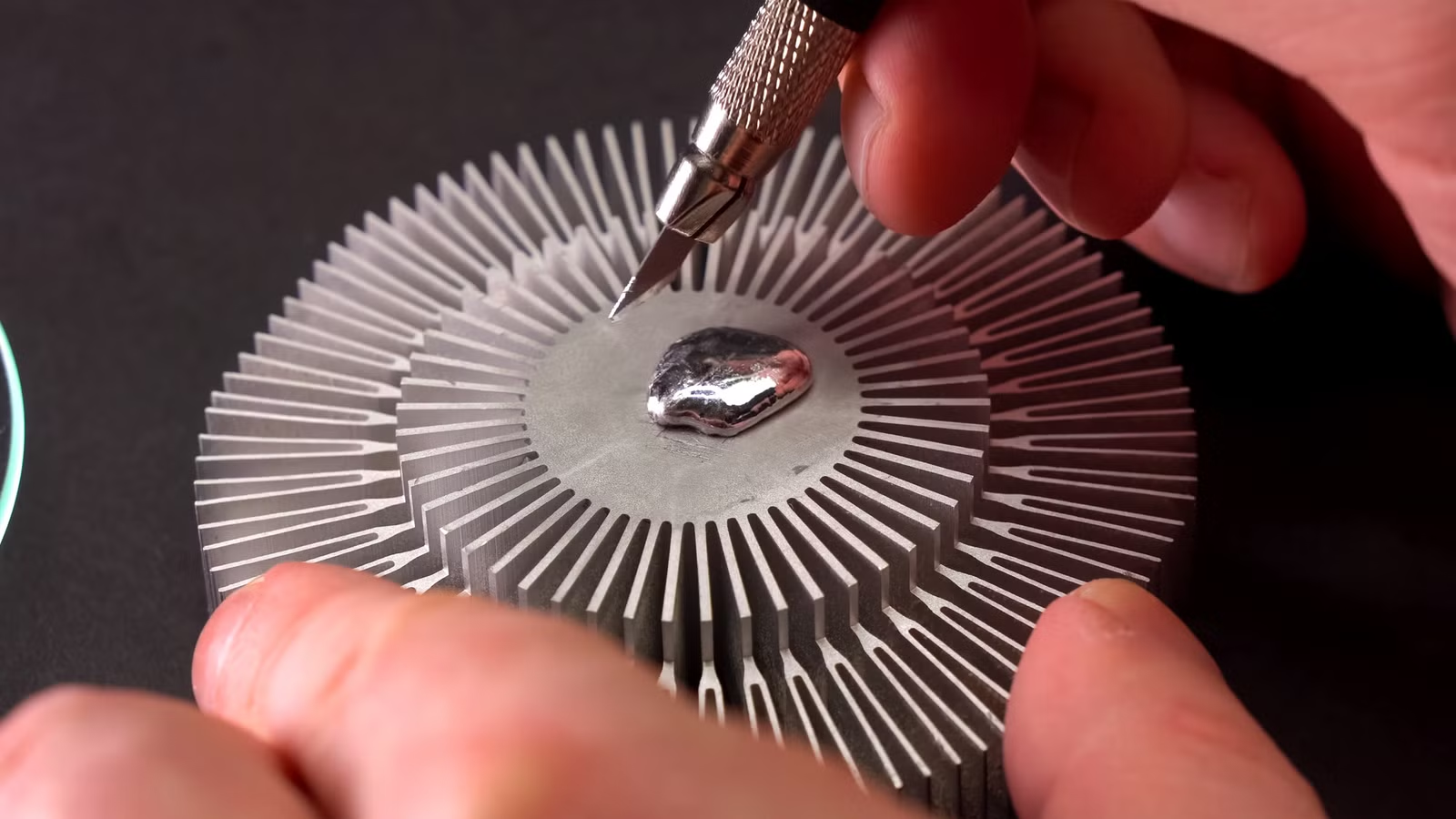
Overclocking enthusiasts are known for their relentless pursuit of performance gains, often resorting to unconventional cooling methods for their processors.
One commonly adopted technique is liquid cooling, which has become a standard choice for many PC builders today. This technology originated from adventurous overclockers who fashioned DIY CPU coolers using parts from motorcycle radiators and aquarium pipes. Similarly, liquid metal has emerged as a cutting-edge thermal interface material, initially an extreme measure to enhance cooling efficiency. Now, it’s commonly found in high-end gaming laptops and even popular consoles like the PlayStation 5, straight from the factory.
This raises the question: is liquid metal a safe upgrade for DIY enthusiasts? The answer is not so simple. Although it can be applied safely, the potential for mishaps is considerably greater compared to typical thermal paste or thermal pads.
The Cooling Benefits Are Significant, but Proceed with Caution
A Bit Too Effective, You Might Say
To clarify, liquid metal is highly effective. It boasts significantly better thermal conductivity than traditional thermal grease, which leads to improved heat transfer between the processor (either CPU or GPU) and its heat sink. Under load, this can result in temperatures dropping significantly. For instance, tests have shown liquid metal can decrease temperatures by around 10°C compared to conventional thermal paste, particularly when applied internally. Some high-end GPUs even come pre-installed with liquid metal cooling, a technology famously used in the PlayStation 5’s cooling system.
So, where’s the danger? The problem lies in the nature of liquid metal; if even a small amount accidentally drips where it shouldn’t, it can severely damage your PC.
A Single Drop Can Create Catastrophic Issues
Beware of the Electrical Risks
Unfortunately, liquid metal’s excellent thermal conductivity comes with the drawback of high electrical conductivity. If liquid metal bridges two electrical circuits, it can lead to significant problems.
This is why applying liquid metal isn’t as straightforward as applying thermal grease. While making a mess with non-conductive grease can be annoying, it usually doesn’t pose a serious risk. In contrast, liquid metal requires utmost care and precision during application. Companies like ASUS utilize specialized brushes and barriers to ensure controlled application, minimizing the risk of leakage.
According to Thermal Grizzly’s guidelines, just a pinhead-sized drop should be placed in the center of the spreader and heatsink, then spread into a thin layer manually.
Improper Cooler Materials Can Lead to Lasting Damage
Once Done, There’s No Turning Back
Furthermore, there are strict warnings regarding compatible cooler materials in Thermal Grizzly’s guidelines. Under no circumstances should liquid metal be used with aluminum coolers; the contacting surface must be copper. Tests have shown that liquid metal can corrode aluminum within a day, rendering it inoperable.
While budget coolers and many stock CPU coolers use aluminum for cost-saving, switching to copper-based coolers will yield superior cooling results, even without liquid metal.
This Isn’t a Home Garage Operation
Some argue that if manufacturers are shipping products with liquid metal, it must be safe. However, these companies invest heavily in developing secure and precise application methods to avoid issues during the warranty period.
This leads to another concern: servicing. For someone inexperienced, changing paste on a cooler might seem manageable. However, tackling liquid metal on devices like the PlayStation 5 can be daunting, often best left to professionals.
Consider Liquid Metal as Your Final Upgrade
In my perspective, liquid metal should be the last consideration when chasing lower temperatures or trying to maximize overclocking potential. Other upgrades usually offer a more substantial improvement without the associated risks.
Perhaps I’m overly cautious, especially considering the cost of replacing a CPU or GPU if things go awry. I’m not convinced that the risk or maintenance issues of liquid cooling justify the minimal performance gains. If you decide to go ahead with liquid metal, weigh the risks against the potential rewards, especially if you haven’t exhausted more traditional cooling options.