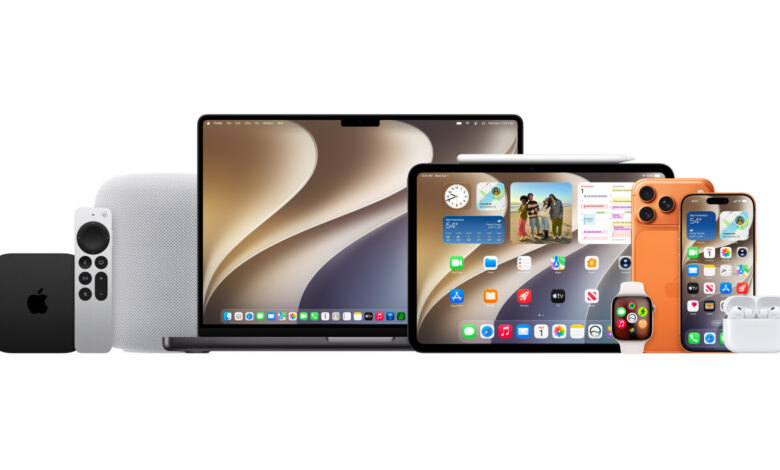
Experience the new Siri AI alongside broad system enhancements.
Siri and Apple Intelligence

The centerpiece of iOS 27 is the highly anticipated Siri AI. This upgraded version evolves from a simple voice-command interface to a sophisticated AI assistant capable of engaging in natural dialogue, comprehending follow-up questions, and performing complex tasks within applications. Users of newer Apple devices can even personalize how expressive Siri’s voice sounds. A dedicated Siri app is now available for tracking your interactions.
The Siri AI public beta is available for all devices equipped with Apple Intelligence. In the initial developer beta stages, access was limited, so users may need some patience. Currently, the new Siri operates only in English and is not accessible in the EU at this time.
Features related to Apple Intelligence go beyond just Siri. The Photos app has been enhanced with advanced editing capabilities, including Spatial Reframing for adjusting photo composition post-capture. The Extend feature allows cropping images beyond their original dimensions, alongside an improved Clean Up tool for removing unwanted elements. Additionally, the Image Playground can now create higher-quality visuals, featuring photorealistic styles.
Performance Enhancements and Additional Features
Even for those not interested in AI, the iOS 27 update introduces noteworthy performance improvements. Apple claims apps launch up to 30% faster, new photos appear in the Photos app up to 70% quicker, and AirDrop transfers can occur as much as 80% faster. Although specific metrics are unverified, early testing shows a significant boost in responsiveness.
Moreover, Safari now automates the organization of tabs into groups, streamlining your workflow. It also includes a Notify Me feature that tracks webpage price fluctuations or restocks. The Passwords app has enhanced capabilities for identifying weak passwords and automatically updating them. In the Shortcuts app, you can create new automations using natural language descriptions.
The update also addresses criticisms of last year’s design overhaul, Liquid Glass, by improving legibility and providing a slider for customizing the effect.
If you’re enrolled in the iOS 27 beta, a public beta for AirPods is also available, which introduces a custom equalizer, an adaptive audio slider, and a refreshed settings menu.
watchOS 27, macOS 27 Golden Gate, and iPadOS 27

Siri AI will also be integrated into watchOS 27, providing support for answering inquiries while exercising or during movement. The new Dynamic App Grid makes it easier to access frequently used apps. A new single-tap gesture allows users to select a widget in the Smart Stack for additional information. Menstrual tracking now includes support for menopause and perimenopause. Upgrade to Workout Buddy brings new data insights, the ability to operate independently of an iPhone, and Spanish language support.
In macOS 27 Golden Gate, Siri AI is presented as a tool for productivity. Users can call on the assistant through Spotlight, utilize it for screen analysis, or seek writing assistance. Additional design improvements include uniform toolbars, edge-to-edge sidebars, and refined window shapes and icons.
For iPad users, iPadOS 27 incorporates all the mentioned iOS 27 features, though there are fewer exclusive offerings this year. Visual Intelligence can analyze screenshots with the Apple Pencil, simply by circling the area of interest. File transfer speeds between iPads and SSDs are now reportedly up to five times quicker, comparable to Finder on Mac.
Installation Guidelines
It’s important to remember that these are early software versions and may contain bugs, battery issues, and other challenges. Users are encouraged to provide feedback through the Feedback app to assist in refining the software before its official launch. If you prefer a more stable experience with new features, consider waiting for the second or third public beta.
For those unfamiliar with installing pre-release software, enrollment in the Apple Beta Software Program is required. After registering, you can download the beta software by going to Settings > General > Software Update, then selecting the “27” public beta for your device under the Beta Updates section.