Unlocking video streaming on your dashboard: Is it worth it?
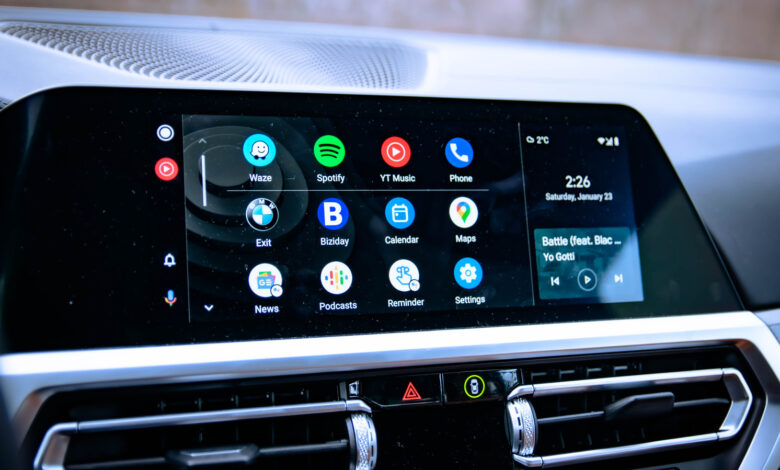
Android Auto is designed to simplify driving, yet some users crave more functionality. If streaming YouTube or mirroring your device’s screen is on your wishlist, you’re not alone. Fortunately, sideloading is an option that lets you install apps not officially sanctioned for Android Auto, granting access to features the system doesn’t typically support. This method avoids complex tasks like rooting, but it does involve trade-offs in terms of security, reliability, and driver safety.
Google restricts what runs on Android Auto to minimize distractions for drivers. This means no YouTube videos, web browsing, or screen mirroring, which, while sensible, leaves many users feeling their dashboard has untapped potential.
How can you sideload apps on Android Auto?
Although sideloading apps on Android Auto is straightforward, it requires several steps to set up.
-
Begin by enabling Developer Mode on your smartphone. Navigate to Settings > About and tap Build number rapidly seven times until you receive a confirmation that Developer Mode is enabled. This will permit the installation of third-party apps.
-
Next, activate Developer Mode for Android Auto. Go to Settings > Connected Devices > Android Auto, scroll down and tap Version and permission info about ten times in rapid succession. After that, open the three-dot menu at the top, select Developer settings, and enable Unknown sources to allow app loading from your device to Android Auto.
-
Now, you’ll need to download Android Auto Apps Downloader (AAAD) from a trusted repository, which will facilitate the installation of popular apps.
-
You can also explore repositories for well-known apps such as CarStream for YouTube playback, AAMirror for screen mirroring, and Fermata Auto, which supports video playback, IPTV, and browsing.
-
What are the potential risks of sideloading apps on Android Auto?
While the ability to install unofficial apps is appealing, it brings significant drawbacks that should be carefully considered.
Safety is a primary concern. Although there are official ways to access YouTube, such as audio-only playback, video viewing while driving is discouraged and often illegal. Such features should only be utilized while the vehicle is stationary.
Malware risks are another issue. Sideloading apps bypasses Google’s security checks, resulting in a higher susceptibility to malware. Research indicates that sideloaded sources have over 50 times the malware risk compared to apps available through Google Play. To mitigate this, Google plans to introduce measures to restrict unverified app sideloading, enforcing developer identity verification starting in late 2026 in select regions before expanding globally.
For many drivers, the standard Android Auto functionality meets all their needs. While sideloading can be intriguing, it might be better as an occasional experiment rather than a routine practice. If you venture into sideloading, ensure you download apps from reliable developers and use any video features with caution, exclusively when parked.