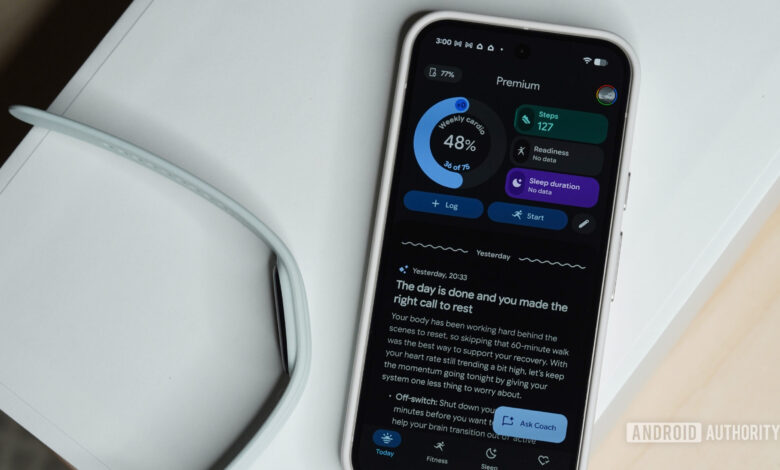
The Google Fitbit Air is facing significant complaints from iOS users regarding issues with syncing and pairing. Numerous individuals have expressed similar frustrations on platforms such as Reddit and Google’s support forum, indicating that this problem is widespread rather than just affecting a few users.
These connectivity issues have been reported since early October, with more complaints persisting into November. While the specific problems can differ between users, they primarily involve the Fitbit Air failing to sync data with iOS devices, along with frequent error messages.
One notable account comes from a user who bought the Fitbit Air in August. This user reported that the device functioned well for about six weeks before it suddenly stopped syncing data with Google Health. Attempts to sync the device resulted in the Google Health app freezing on the “Connecting your Fitbit Air to the app” screen, ultimately displaying Error 16.
The user mentioned that they tried various troubleshooting steps, including uninstalling and reinstalling the app, unpairing and re-pairing the device, fully charging it, and resetting it. None of these actions resolved the problem. After contacting Google support, they were informed that the issue was acknowledged and under investigation. Since then, the user has not received any further updates, leaving their Fitbit Air unused.
It’s just sitting there unused now. It really makes me doubt the reliability of Google hardware.
Additional complaints mirrored the error code and similar issues. Another user noted a problem with pairing the tracker:
My Fitbit Air has stopped syncing with Google Health on my iPhone. After disconnecting it and trying to reconnect, I got a “Something went wrong” message during setup.
This user also contacted Google and was informed that it was a recognized software issue. Another individual shared their experience after transitioning from an Android device to an iPhone:
Since switching from a Pixel to an iPhone 17, my experience with Fitbit has been disappointing. The sync process seems to happen rarely, if at all. Whenever I access Google Health, my data is missing, and I have to refresh repeatedly, which often takes a long time. On Android, refreshing was almost instantaneous.
Some users have found that resetting their device by pressing the button on the back of the charging dock for 10 seconds resolved their issues. However, this solution hasn’t worked for everyone, indicating that it may not be a reliable fix for all users.