

Edgar Cervantes / Android Authority
In Summary:
- WhatsApp Web is rolling out support for end-to-end encrypted voice and video calls, alongside features such as Call Transfer and Waiting Room.
- To make or answer calls on the platform, users must currently download the WhatsApp desktop application.
- New features such as QuickHD for video calls and noise suppression to reduce background noise are also being introduced.
WhatsApp Web has been a valuable resource for users aiming to continue their chats via a desktop browser. However, essential functions like voice and video calls have been missing from this platform, requiring users to rely on the dedicated WhatsApp desktop app for those features. This is about to change with a significant update.
WhatsApp’s new Web Calling feature will allow users to initiate and receive audio and video calls directly from their browser, as shared by Meta in a recent blog. This update will include a dedicated Calls tab to view the entire call history while introducing functionalities like reactions and screen sharing, all while ensuring end-to-end encryption remains intact.
In a move to compete with applications like Google Meet, WhatsApp is incorporating features such as Waiting Room and Call Transfer. The Waiting Room feature enables the host to decide who joins a call and at what time, necessitating the use of an approval toggle when generating a WhatsApp call link.
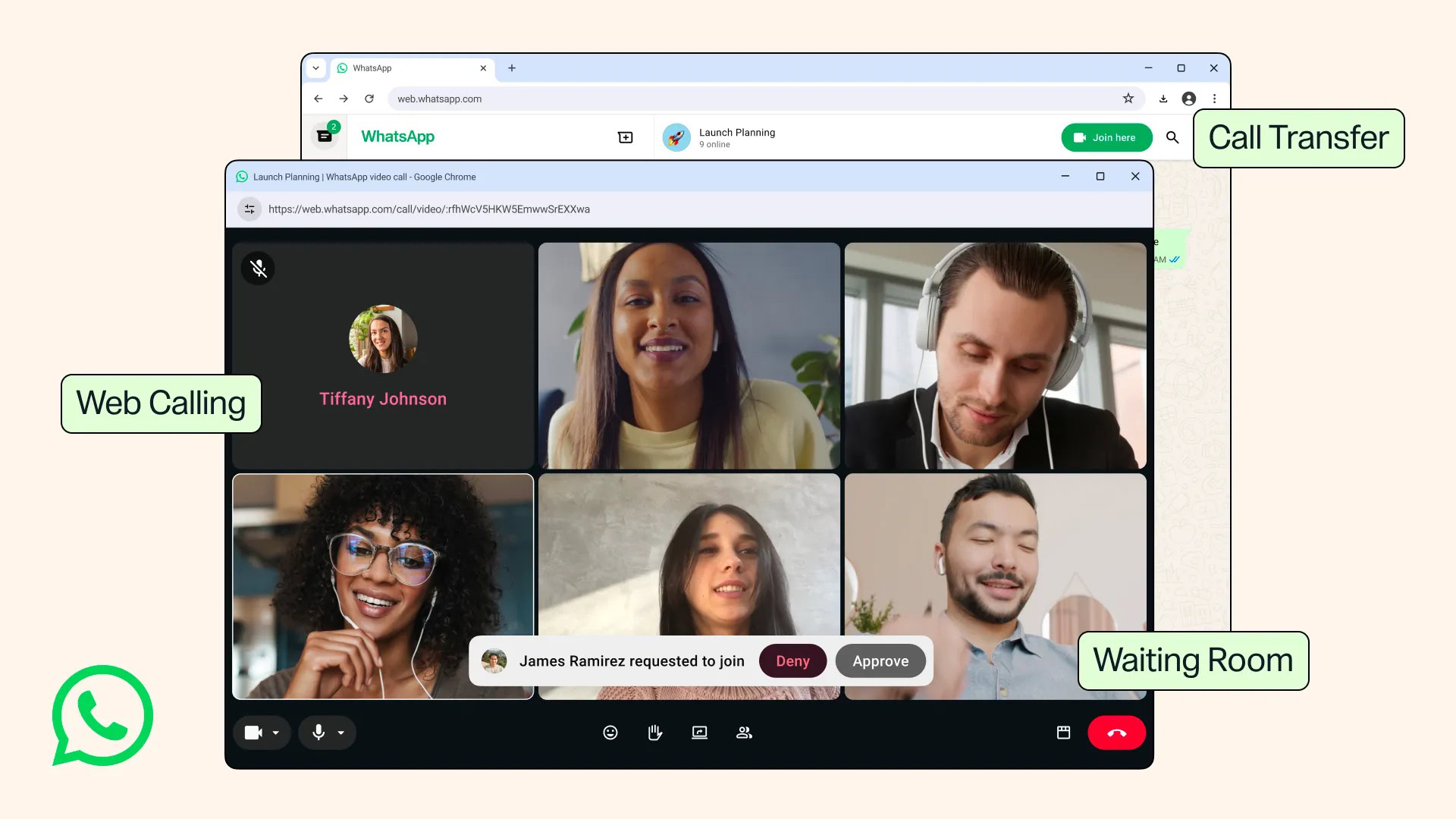
Additionally, WhatsApp is launching a Call Transfer feature, allowing users to switch calls effortlessly between various compatible devices and platforms, including smartphones, tablets, WhatsApp Web, and the desktop application.
To enhance call quality, WhatsApp is introducing noise suppression, ensuring users’ voices can be clearly heard even amid noisy surroundings. This feature can be controlled directly within the call settings, eliminating the need to sift through the app’s main settings.
To further enhance the user experience, WhatsApp is rolling out QuickHD, which promises to deliver HD video shortly after the call begins. Nevertheless, it’s unclear how effective this feature will be in areas with poor internet connectivity, and it remains to be seen if it can be turned off. The precise rollout timeline for these updates has not been disclosed, with WhatsApp stating that they will gradually become available for users.
While these new features are sure to elevate user experience, many are puzzled as to why it took so long for the platform to integrate essential communication tools like video and voice calls into the web offering.
We appreciate your engagement with our community. Please review our Comment Policy prior to posting.




