Unveiling the Pixel 11 Pro’s HiLight: Eye-Catching but Lacking These 5 Key Features

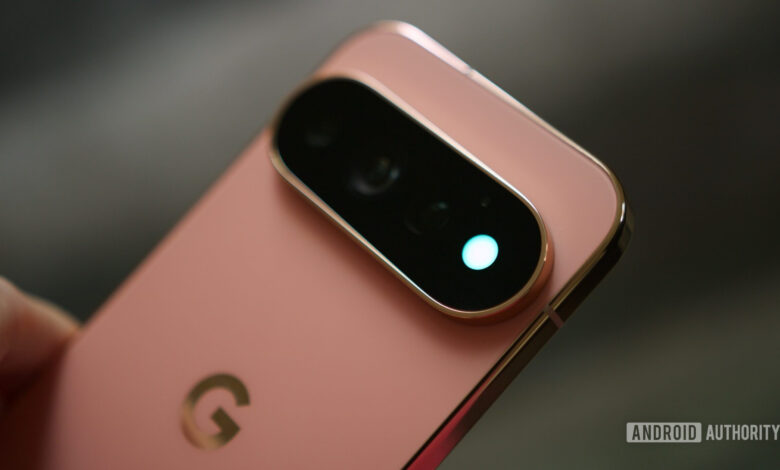
There was a time when notification LEDs were a common feature on smartphones, a nostalgic aspect that many users still miss. I recall the red light on my BlackBerry that would indicate when I had a notification, prompting me to check my phone immediately. Although this feature has largely disappeared, some brands are attempting to revive it. One such example is Google’s HiLight feature on the new Pixel 11 Pro series, which has piqued my interest.
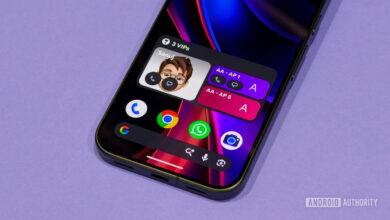
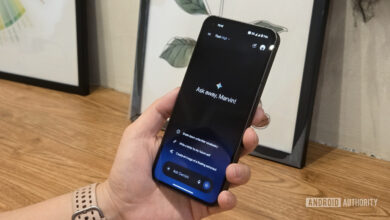
The HiLight function currently illuminates when I receive a call from a favorite contact and shows activity from the Gemini assistant. While these features are a nice addition, they seem to scratch the surface of what could be implemented. If Google has introduced this vibrant light on the back of the device, there’s so much more it could potentially do. With that in mind, I have several ideas for future enhancements.
User Feedback on HiLight
What do you think about the HiLight feature on the Pixel 11 Pro?
64 votes
Love it, it’s a modern notification LED.
8%
Like it, but it needs more customization.
59%
Meh, I don’t miss notification LEDs.
20%
Prefer Nothing’s Glyph lights.
13%
Different Colors for Different Notifications
The current implementation for call notifications is a good start, but I wish HiLight could extend its functionality to identify which application is trying to get my attention. Imagine being able to assign various colors for different apps—Instagram could glow pink, WhatsApp green, and standard text messages white. This setup would make it effortless to understand the nature of incoming notifications at a glance.
This could be particularly beneficial during work hours. Custom colors for messaging platforms like Slack and Teams would quickly indicate if a notification warrants my attention. If I see the pink light for Instagram, I know I can proceed without distraction.
By gaging the light’s color, I could avoid unlocking my phone unnecessarily, thus preventing those moments of endless scrolling.
Assigning Unique Colors to Important Contacts
Taking this further, it would be fantastic to customize HiLight colors for individual contacts. This feature could help distinguish notifications from different senders. For example, I could assign a distinct color, like a rainbow glow, for my mother. Whenever I see that light, I would know immediately it’s her message without second-guessing whether it’s something important or just another group chat notification.
This can apply to partners, children, or anyone whose messages should be prioritized. For someone like me, who can get easily distracted by conversations, knowing who has messaged me before even picking up my phone would be a game-changer.
Integration with Other Google Devices
The HiLight feature could potentially enhance the connectivity experience within the Google ecosystem. I often place my phone face-down, making it easy to miss notifications about connected devices. The light could serve as a quick status indicator, for instance, by briefly glowing when my Pixel Watch or Pixel Buds connect to my phone.
This feature could extend to other devices like the Pixelsnap charger. For instance, a quick pulsing light could confirm successful charging once the phone is placed on the charger. These subtle interactions could streamline my daily tech use.
Battery Notifications
Another way the HiLight could be helpful involves low battery alerts. I have a habit of neglecting to charge my phone and often realize it only when I’m about to head out. HiLight could alert me with three noticeable blinks in red when the battery drops below a certain threshold, nudging me to plug it in before it runs out.
Countdown Timer for Photos
Finally, I would appreciate the HiLight being used as a countdown for taking photos. When setting a timer for group photos, it’s often unclear when the picture will be taken. HiLight could address that issue by flashing three or four times, speeding up as the shutter closes. This would allow everyone to know exactly when the photo is being captured.
Such a feature could improve group shots considerably, and with frequent picture-taking, I would likely use it all the time.
Final Thoughts on HiLight
While Google’s HiLight feature on the Pixel 11 Pro series is a commendable attempt at reviving the idea of notification LEDs for modern smartphones, it feels like there’s so much more potential to explore. Although some solutions already exist—like the open-source HiLight Studio app, which allows for greater customization—the built-in feature should be more robust. HiLight stands out, and it has reignited my interest in notification lights. However, it needs to fulfill its potential fully.