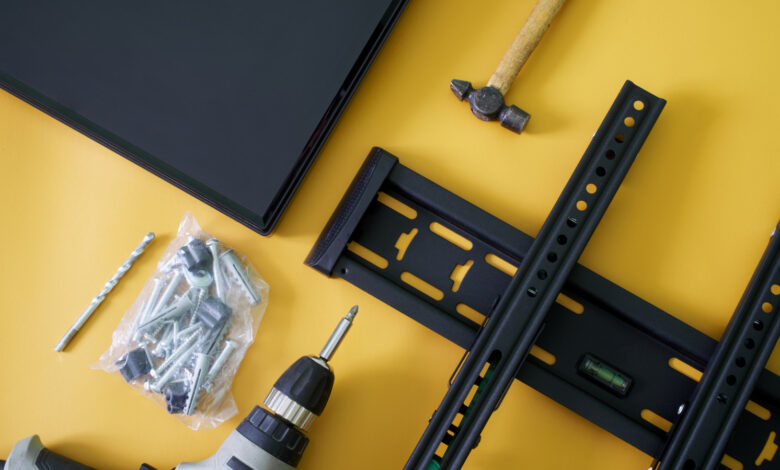
VESA dimensions indicate the alignment of mounting holes, but it’s essential to verify both the mount’s weight capacity and the necessary hardware.
Fortunately, VESA 400 × 400 isn’t just another resolution to understand. The term VESA, which stands for Video Electronics Standards Association, refers to the standardized spacing of mounting holes on the back of TVs or displays. A VESA mount is not a single type of bracket; rather, it accommodates one or more of these standardized arrangements.
Understanding VESA Sizes like 200 × 200
Inspect the back of any wall-mountable television, and you’ll notice threaded mounting holes arranged in either a square or rectangular pattern. The VESA pattern specifies the distance between these holes, measured in millimeters.
The first figure indicates horizontal spacing, while the second denotes vertical spacing. For instance, a TV with a 400 × 200 pattern means the holes are spaced 400mm apart horizontally and 200mm apart vertically. A 200 × 200 pattern implies equal spacing of 200mm in both dimensions.
It’s critical to note that VESA numbers do not reflect the TV’s resolution or screen size. While larger TVs frequently utilize larger mounting patterns, the screen size alone cannot determine the specific pattern for a model. Verifying the exact model provides a more accurate reference than relying on screen dimensions.
Additionally, it’s not necessary to find a mount that matches your VESA size exactly. Many mounts are designed to accommodate multiple VESA patterns, so ensure your TV’s pattern is included in the mount’s list of compatible sizes.
Locating Your TV’s VESA Pattern
The simplest way to determine your TV’s VESA pattern is to consult its manual or the manufacturer’s support website, where they usually list mounting specifications in millimeters.
If you’re unable to find this information, you can measure the holes directly. Measure from the center of one mounting hole to the center of its corresponding hole horizontally, and repeat the process vertically. Express the result in the format horizontal × vertical, in millimeters.
For instance, if the horizontal measurement is 400mm and the vertical measurement is 200mm, then the TV uses a 400 × 200 VESA pattern. Always measure in millimeters to directly compare with the mount’s specs.
Matching VESA Patterns is Just the Start
Finding a VESA pattern that matches your TV means the bracket can align with its mounting holes, but it doesn’t guarantee that the mount can support the TV’s weight. Therefore, it’s crucial to check the mount’s weight capacity next.
Ensure that the maximum weight supported by the mount exceeds the weight of your TV. A mount can fit the correct VESA pattern but still be inadequate for a heavier TV.
Also, verify the hardware requirements specific to your TV, as VESA compatibility does not imply standardization for how the mount attaches to the wall. After confirming both the pattern and weight limit, refer to the TV manufacturer’s instructions for the appropriate mounting screws and follow the guidelines from the mount manufacturer for installation.