
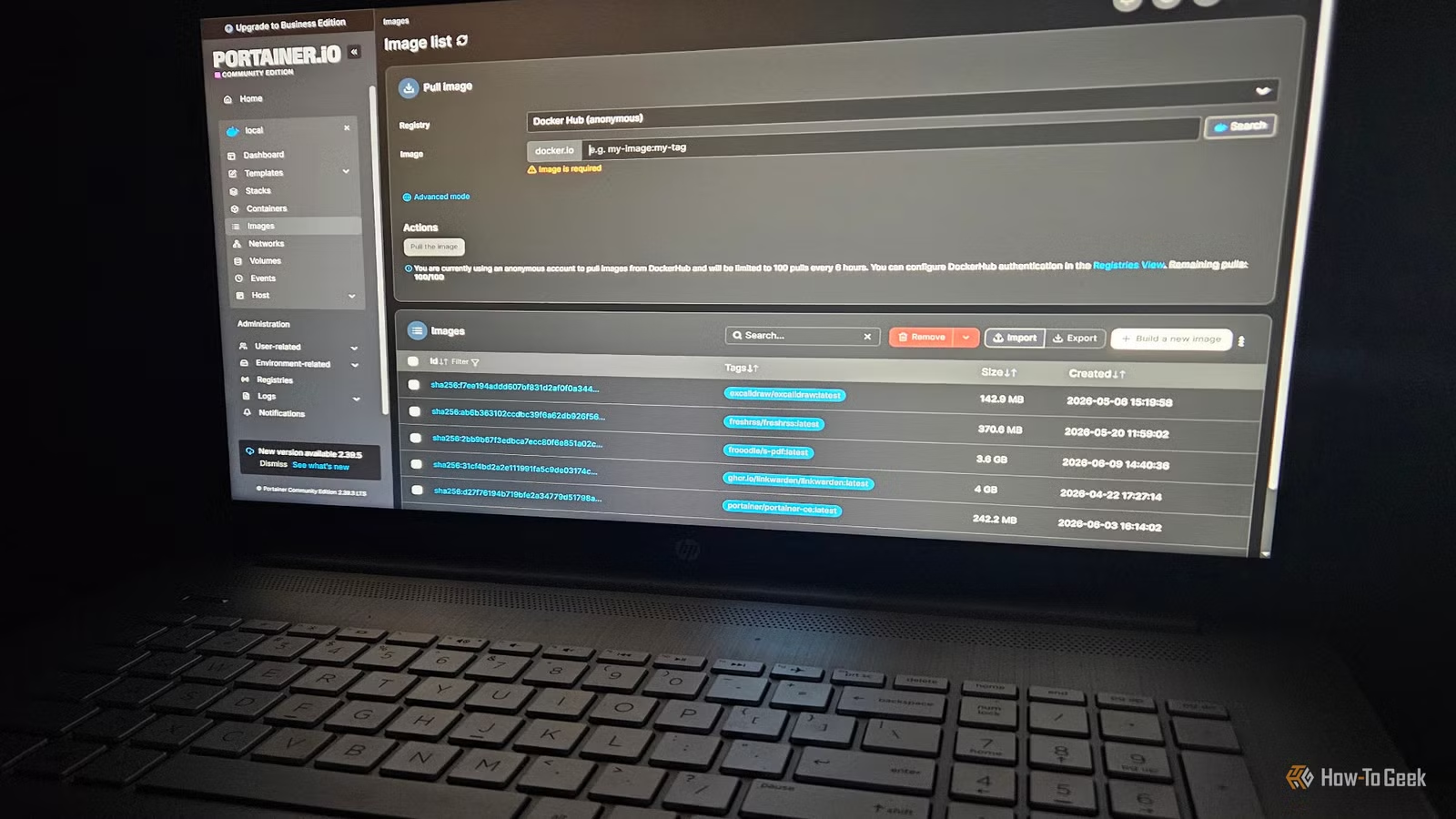
Initially, my experiences with Docker were challenging, largely due to my decision not to use a container manager. Although I currently rely on Portainer daily, my first encounter with Docker was overwhelming without a proper management tool.
I spent a week without a Docker manager
The first few containers were managed one by one
When I first started using Docker, I was fascinated by its functionality. It was easy to create containers that encapsulated everything an application needed, allowing for quick adjustments and deployments. However, as I experimented with various containers, issues began to arise.
My hard drive space began to dwindle faster than expected, and some containers experienced performance issues or refused to start altogether. After updating one container, it became problematic, leading me down a path of frustration.
Mismanagement of Docker led to complications
Overlooking orphaned containers caused significant problems
During my week without a container manager, I faced several challenges while managing Docker solely through the Terminal. I usually run 3-6 containers daily, and I soon learned that deleting a container does not clear its associated image or data. I often neglected to delete old data alongside updates, complicating my data management.
Poor data management within Docker can quickly consume hard drive space and create significant headaches. Unused volumes and hidden build caches contributed to the clutter. I even devised a script to remove excess volumes.
To address the situation, I used the docker system df command to analyze my system’s status and identify reclaimable resources. I discovered numerous floating images and unnecessary containers, which I pruned using docker system prune --all. Caution: this command removes all stopped containers, unused networks, and excess images. I learned to use this command with care!
I also executed docker builder prune to clear the build cache and reassess my container usage, manually removing those I didn’t use frequently, knowing I could reinstall them later.
However, this whole process proved lengthy and cumbersome. Using Portainer significantly enhanced my data management experience.
A container manager is like a virtual assistant for Docker
It alerts you of issues without being intrusive
With Portainer, I can monitor my container activities easily, check published ports, track container health, and view stack locations. One of the standout features is its ability to show me which ports are currently in use, a valuable insight when I run multiple containers simultaneously.
The Up/Down status feature is invaluable, as it prevents accidental deletions of inactive containers during purges—a mistake I’ve made more times than I’d like to admit. Observing their status helps me make informed decisions.
Docker stacks, which relate to Docker Swarm, facilitate management across multiple devices. In Portainer, the Stacks interface essentially serves as a visual representation of Docker Compose files, giving insight into their operational status.
Volume Management in Portainer allows for easy addition or removal of volumes, streamlining the process and helping avoid accidental deletions of crucial data.
Ultimately, the GUI provided by a container manager offers quick insights into container health and simplifies using the web terminal. I’m grateful that I made the switch to a management tool.
Portainer isn’t the only option
Alternative container managers are also available
While I have spent a lot of time working with Portainer, there are other container managers out there, such as Lazydocker. Although I haven’t tried it, it appears to have a streamlined interface and a less resource-intensive approach to container management.
It’s appealing that Lazydocker is open-source, similar to Portainer’s community edition, and its lighter resource footprint—being a TUI tool rather than web-based—adds to its attractiveness.
Whether you opt for Portainer or explore Lazydocker, employing a container manager seems to be an essential aspect of effectively using Docker.
If you use Docker, utilizing a container manager is advisable
My week without a Docker manager was challenging, and having one is now integral to my workflow. I would strongly advise against starting with Docker without utilizing a container manager; it’s simply a foolish decision.




