Summary:
- DuckDuckGo announces its browser can now block most video advertisements, including those on YouTube.
- This feature is automatically enabled for users on iOS, Mac, and Windows, with Android users set to receive it soon.
- The ad-blocking tool utilizes filter lists from the open-source community uBlock Origin.
YouTube has consistently challenged methods that allow users to view videos without advertisements. Despite their efforts, new solutions continue to emerge, with the latest being provided by DuckDuckGo.
DuckDuckGo recently posted on its blog that its browser can effectively block most video ads, including those on YouTube. The company states that this capability hinges on the use of uBlock Origin’s open-source community filter lists. DuckDuckGo adds that it has implemented its own rules to enhance compatibility and minimize issues. However, they caution that utilizing this feature could lead to increased buffering, though videos will play smoothly once they fully load.
How do users block ads on their Android devices?
Poll results:
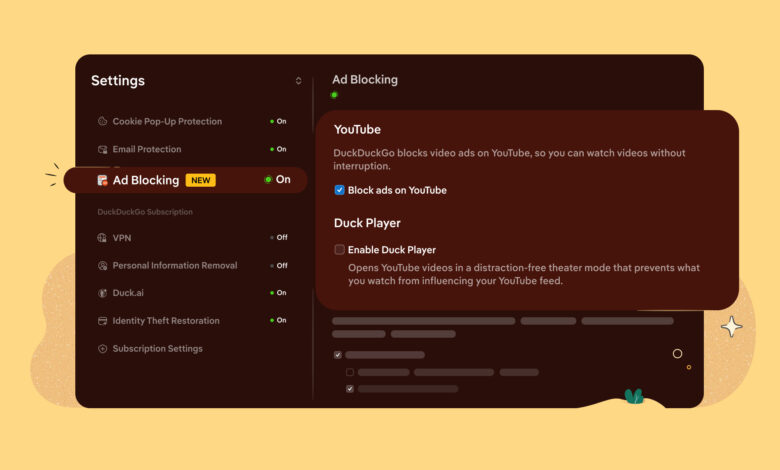
For users on iOS, Mac, and Windows, the ad-blocking feature will come enabled by default. DuckDuckGo also indicated that the automatic activation for Android users would follow soon. Meanwhile, users can manually activate or deactivate the feature by navigating to Settings and then Ad Blocking.
It’s important to note that this ad-blocking capability functions solely within the DuckDuckGo browser; users still need to watch ads if accessing videos through the YouTube app.
Additionally, Google Search has seen a decline in traffic as users turn to DuckDuckGo for a browsing experience that avoids enforced AI tools. This newly introduced functionality seems to be a direct counter to Google’s offerings.
Thank you for being a part of our community. Please review our Comment Policy before engaging.