Debunking 3 Foldable Phone Misconceptions I Had Before Purchasing a $1900 Moto Razr Fold

Folding smartphones have been in the market for nearly ten years, and many commonly held beliefs about them have been proven wrong. My experience with the Motorola Razr Fold has dispelled several myths regarding foldable devices that I, like many others, once accepted.
Myth #1: Folding phones must have inferior cameras
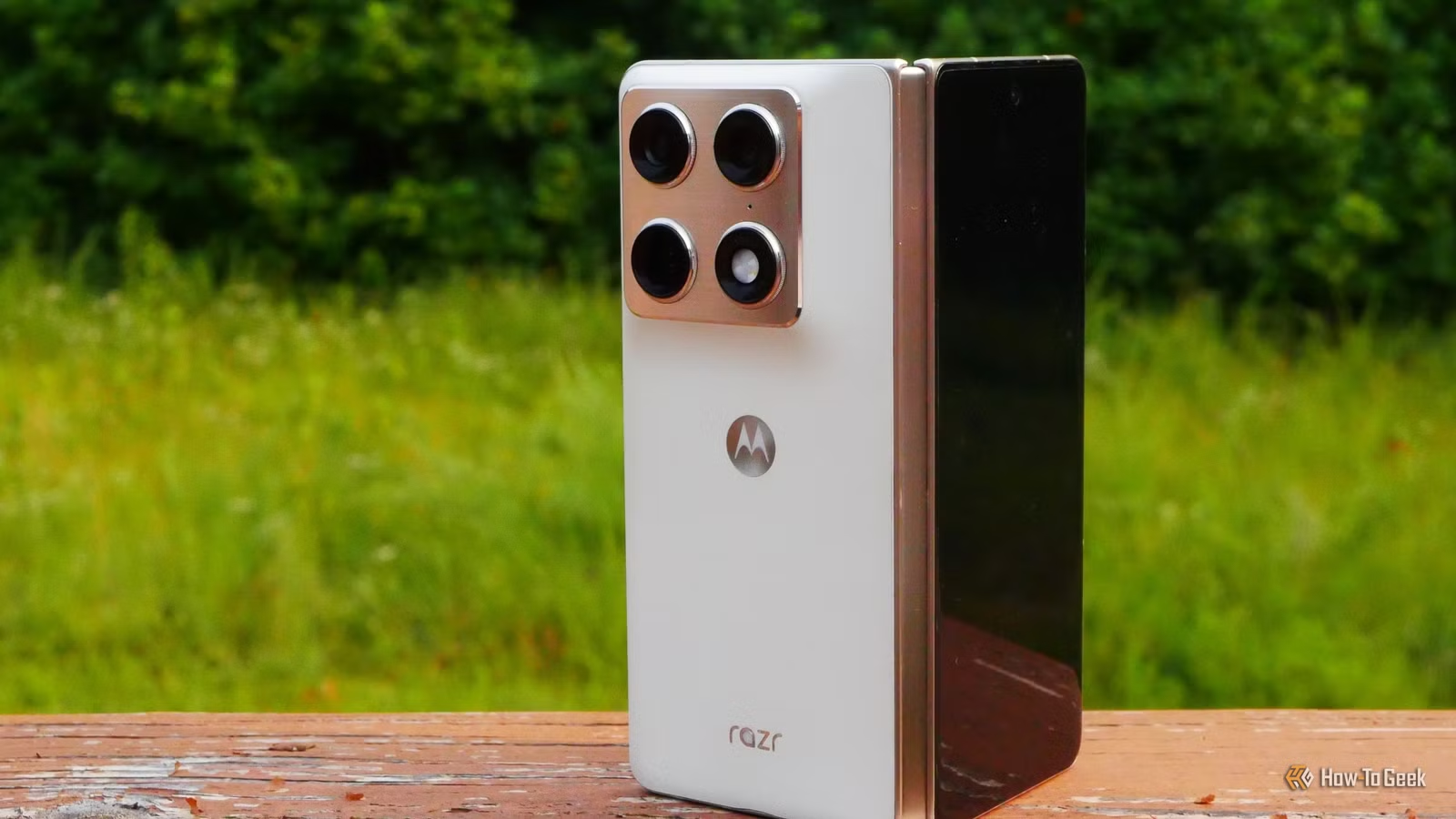
The Razr Fold features cameras that match Motorola’s standard flagship offerings
Folding smartphones like the Samsung Galaxy Fold have typically been priced around $2,000, which is comparable to high-end flagship phones. Buyers who invest this much generally expect top-notch camera technology, yet it’s often said that foldables lack the space for the advanced camera systems available in traditional models.
This has held true for many previous folding devices available in the U.S., but the Motorola Razr Fold defies that notion. This device is equipped with a Sony LYTIA 50MP f/1.6 main camera, along with a 50MP f/2.4 telephoto and a 50MP f/2.0 ultrawide lens—identical to the hardware found in Motorola’s top-tier slab phone, the Motorola Signature.
Some may argue that the Razr Fold’s camera quality is lower than competitors, yet this is not the case. Renowned camera reviewers at DXOMark have rated the Razr Fold’s camera higher than previous models from Samsung and Google, both in foldables and traditional phones. Based on my experience, using the Razr Fold has allowed for seamless zooming without noticeable quality loss—quite a relief after using the Samsung Galaxy Z Fold series.
Myth #2: Folding phones lack room for larger batteries
The Razr Fold’s 6,000mAh battery surpasses that of the iPhone 18 Pro Max
My first foldable, the Galaxy Z Fold 5, had a 4,400mAh battery—less powerful than the Galaxy S23 Ultra. This trend continued with the Z Fold 6. However, the new Z Fold 8 Ultra includes a 5,000mAh battery, matching the capacity of the Galaxy S26 Ultra and showing that you don’t always need to compromise on battery life with folding models.
Yet foldables can do more than just catch up. While the Motorola Signature comes with a 5,200mAh battery, the Razr Fold offers a much more generous 6,000mAh. Thanks to advanced silicon carbon battery technology, my foldable has even more space for a large battery rather than less.
Using my Razr Fold as my primary device has been transformative; I rarely need to charge it during the day, even with heavy usage. This extended battery life also enhances the functionality of my lapdock, enabling the phone to power an external display for extended periods.
Myth #3: A folding phone must forgo stylus support to maintain a slim profile
The Razr Fold is slimmer than my previous foldable, yet supports a stylus
While I appreciated my Z Fold 6, I found it became bulkier when compared to the Google Pixel 10a. I had considered trying the slimmer Z Fold 7, but that device lost the S Pen, one of my favorite features, in pursuit of a thinner design. However, there’s an alternative way to incorporate stylus functionality without sacrificing device thickness.
The Razr Fold may not be the slimmest option available, but it is significantly thinner than my Z Fold 6, and it still supports an active stylus called the Moto Pen Ultra. Although this pen requires charging, its quick charge feature allows you to use it for hours with only a brief recharge. This charging solution is exceptionally convenient for someone like me who has accidentally damaged several S Pens in the past.
Emerging foldables are challenging more misconceptions
Despite having more complex mechanics, foldables are proving to be remarkably resilient. Recent devices like the Google Pixel 10 Pro Fold and the iPhone Duo showcase robust IP68 ratings, providing users with additional protection against dust and water. This is a significant development, and I hope to see similar advancements in future Razr models.