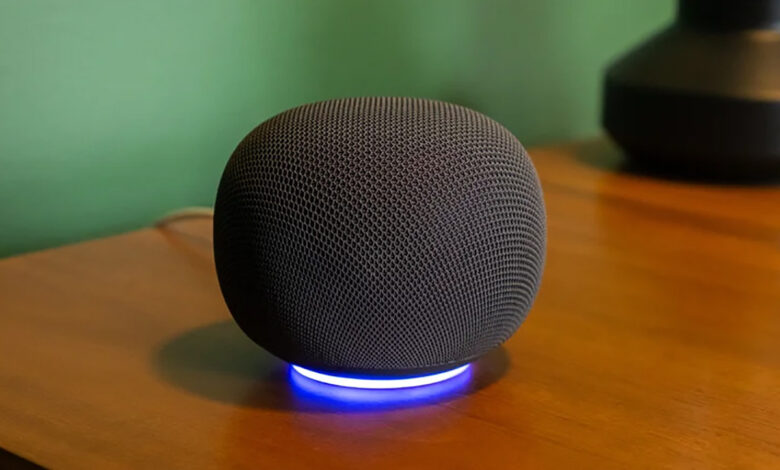
Voice Match enables tailored responses for each family member using Google Home.
In August 2025, Google revealed plans to enhance Google Home speakers and compatible devices through a Gemini update. This upgrade aims to foster a more conversational and context-aware user experience capable of understanding natural language. Additionally, improvements have been made to Voice Match and personal results. For instance, if you inquire about your calendar, the assistant will recognize you and tailor its answers accordingly.
To enable personal results, launch the Google Home app linked to your speaker and set up Voice Match (tap your profile image, then navigate to Home settings > Gemini for home assistant > Voice Match). Next, go to Home > Settings. Under Features, select Google Assistant > Personal results and choose the devices you’d like to include. That’s all there is to it!
With devices that support Google Assistant, now termed Google Gemini, your smart speaker can access your personal calendars, scheduled events, Google Keep, notes, lists, photos, and more. It’s also possible to share access, allowing each family member to create their own profiles.
Advantages of Personal Results
Once Voice Match and personal results are activated, the speaker will recognize your voice and offer individualized responses while keeping them hidden from others. Visitors or family members without profiles can still pose questions and set reminders, but they will receive generic responses. In contrast, you can check your calendar, inquire about your to-do list, or request your favorite music playlist. If the speaker frequently misunderstands you, consider relocating it to a quieter space or retraining Voice Match.
Be aware that deactivating Voice Match while keeping personal results active will expose your personalized responses to anyone interacting with the assistant. This concern may not arise if the speaker is situated in a personal space. However, for homes with multiple users where the speaker is placed centrally, additional configuration steps are necessary to ensure accurate person identification.
Personal Results for All
For everyone in the family to benefit from personal results, each person must set up Voice Match individually. This process accommodates up to six users, each required to connect their Google account to the device and activate Voice Match following the prescribed steps. Consequently, Google Home will discern who is speaking and deliver tailored responses based on voice recognition.
The synergy of personal results and Voice Match allows each family member to ask questions and receive unique answers. For example, a teenager could be alerted about an upcoming math test, while a parent might retrieve notes for grocery shopping ahead of a soccer game. A dad could look up the latest score for his favorite sports team, and a grandparent could ask to play their go-to dinner playlist. This feature is practical whether you want personalized responses just for yourself or for everyone in the household to enjoy their own customized assistant.