Taylor Kerns / Android Authority
Summary:
- Google Calendar is introducing an update permitting meeting organizers or their representatives to decide on receiving RSVP emails and automatic replies.
- This feature is particularly useful for organizers who prefer not to receive notifications for each attendee’s response.
- The update will be gradually available starting today for all Google Workspace users, Workspace Individual subscribers, and those using personal Google accounts.
Have you ever hosted an event using Google Calendar and felt overwhelmed by the torrent of RSVP emails and automatic replies? While it’s important to be informed about attendees, the constant influx of messages can clutter your inbox. This has long been a drawback of the application, but Google is addressing this issue with a recent update.
In a recent announcement, Google shared that a new setting is being rolled out in Calendar. This setting grants meeting organizers or their representatives the ability to choose if they wish to receive RSVP emails and automatic responses (like out-of-office notifications). This feature, referred to as “Get an email when guests respond,” will be located just above the description field when creating an event.
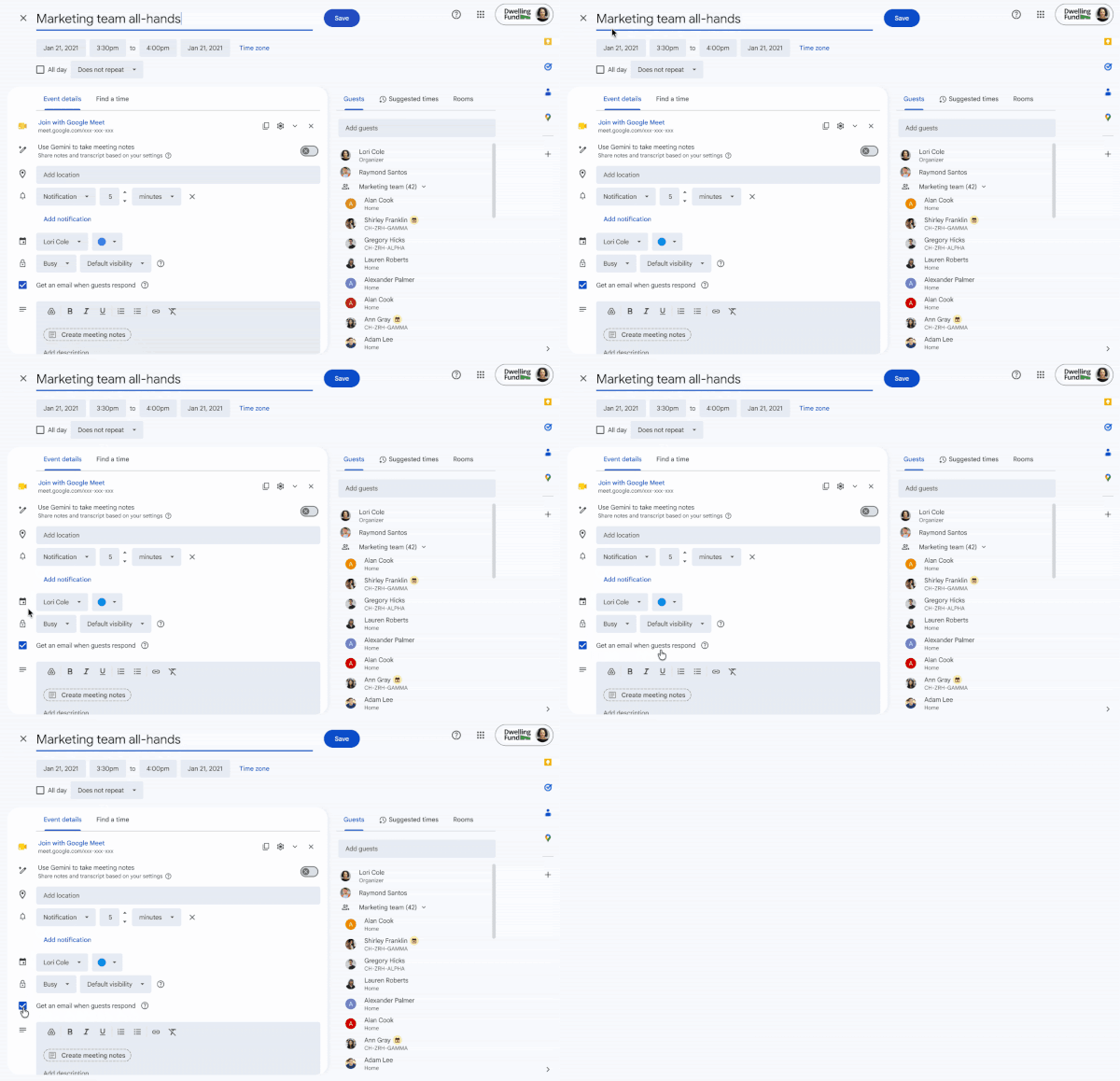
Google explained that this setting will be activated by default. If users prefer not to receive these responses, they need to uncheck the box. When the box is unchecked, the following applies:
- Organizers won’t get RSVP emails from those using Google Calendar, though their RSVP status will still be displayed on the event.
- There will be no RSVP emails from attendees using other calendar tools (like Outlook), and their RSVP status will also not appear on the Calendar event.
- No automatic reply emails will be sent to organizers.
This feature can be especially advantageous for larger meetings. Google also mentioned that for recurring events, this setting can only be applied to the entire series.
The rollout of this update begins today for users with rapid release, which could take up to 15 days to become visible. For those on a scheduled release, visibility will start on September 10 and may take 1-3 days. This setting will be made available to all Google Workspace users, Workspace Individual subscribers, and personal Google account holders.
Thank you for being part of our community. Please familiarize yourself with our Comment Policy before contributing.