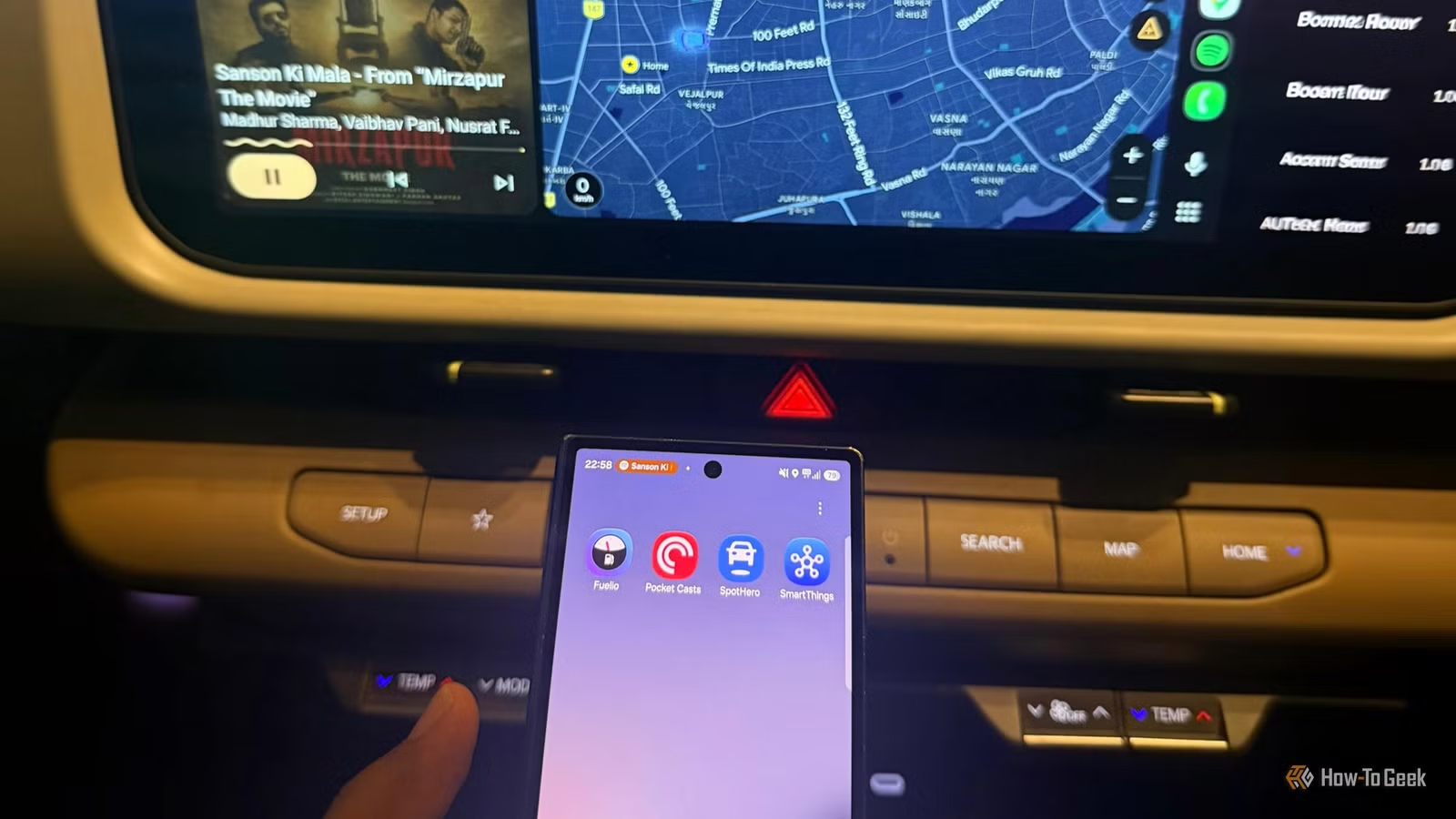
As a routine user of Android Auto, I often rely on a core set of applications: Google Maps for navigation, Spotify for music, and WhatsApp for quick messages. While these options suffice, I recently explored other applications that could enhance my driving experience beyond my usual habits.
My search led me to discover several noteworthy apps designed to bring practical utility to my time on the road, such as one for managing fuel expenses and another for locating parking spaces.
After testing out four specific apps, I found that each of them offers unique advantages for Android Auto users.
Here’s a summary of my findings.
SpotHero
Eliminate the “Where’s my car?” dilemma
Navigating to unfamiliar locations often involves a frustrating search for parking, particularly if I’m pressed for time. SpotHero simplifies this process by allowing me to find and reserve parking in advance, giving me access to available garages and lots close to my destination rather than scrambling last minute.
The integration with Android Auto allows me to view my reservations and navigate directly to the parking facility using my car’s display. Although I still need to make reservations and payments through the SpotHero app or website beforehand, accessing my reservation information while driving is invaluable.
Keep in mind, however, that SpotHero primarily caters to users in the United States and Canada.
Fuelio
Monitoring my fuel expenses
I rarely consider my fuel costs, but with frequent driving for errands and my daughter’s activities, I’m curious about my monthly spending. Previously, I wouldn’t have been able to provide even a rough estimate.
Fuelio enables me to log every fuel purchase directly from my dashboard, making it easy to track my fuel costs and mileage without needing to access my phone. I input the amount spent and the volume of fuel added, allowing me to analyze my expenditures over time. It’s also effective for comparing prices at different stations.
The app allows me to check nearby gas prices and review mileage or trip logs via my car’s display, with a streamlined fill-up interface. Although I still need to enter some details while parked, having these functionalities within Android Auto makes the app more convenient than a standard fuel tracker.
Pocket Casts
Transforming every drive into a listening experience
I thrive on audio entertainment during drives. While music is my usual choice, I sometimes grow tired of repetitive tracks. Podcasts can be a great alternative, but the challenge lies in selecting an episode without getting distracted by my phone. This is where Pocket Casts shines.
The app lets me explore my podcast library, select episodes, and manage my listening queue. Its Android Auto functionality provides access to playback controls straight from my car, making it simple to continue listening without needing to handle my phone. I appreciate having something engaging when driving across town or waiting in traffic.
Best of all, I don’t have to limit myself to either music or podcasts. If I want to delve into a topic that intrigues me, I can seamlessly switch to a podcast without sifting through countless songs.
Samsung SmartThings
Control my smart home from the car
You might not expect to see Samsung SmartThings in a list of Android Auto-compatible apps, but it certainly fits. Typically, I associate Android Auto with navigation, music, and messaging, not home automation. However, SmartThings allows me to control up to six compatible devices directly from my car.
I can turn on lights, start my robot vacuum, or even commence laundry cycles while on the go. This way, I can tackle a few chores before I return home. I don’t need to pull out my phone just to access these functionalities.
This unexpected feature adds a new dimension to how I leverage Android Auto.
Beyond Maps and Music
Initially, I didn’t anticipate discovering applications that would alter my Android Auto experience, but these options prompted me to rethink what I could access while driving.
I’m still determining which applications I will use most frequently, but I appreciate having alternatives to my usual choices. Explore these apps that resonate with your daily routine, and you might find something you didn’t realize you needed.