Unveiling the Mechanism Behind the Apple Watch’s Water Lock Feature: How It Operates

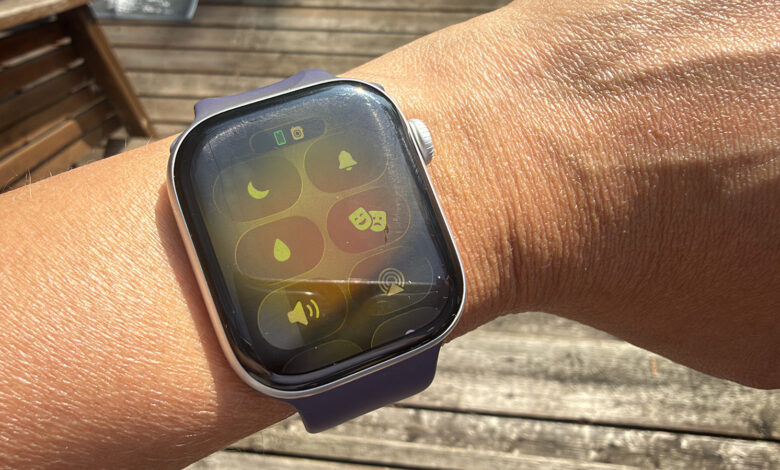
While many smartwatches offer water resistance, few are entirely waterproof. For safe swimming in fresh water, a watch with an IPX8 or IP68 rating (or higher) is recommended. However, there’s always the possibility of damage if the watch isn’t dried properly after being submerged. This is where the Apple Watch’s water lock feature proves invaluable. When activated, the water lock disables the screen to prevent accidental actions caused by water pressure and helps expel any trapped water from inside the device, allowing it to dry more efficiently.
This feature is particularly beneficial for those who swim, and I frequently use it on my Apple Watch Series 11, which activates automatically when I enter a pool or the ocean. For underwater enthusiasts, the feature is also effective while scuba diving, but only on the Apple Watch Ultra, Ultra 2, or Ultra 3 models, as standard versions are not designed for deep water use.
Understanding How the Apple Watch Water Lock Works

To enable the water lock manually, available on all Apple Watch models from Series 2 onward, simply press the side button to access the Control Center. Locate the water droplet icon (it may require scrolling to find). Once activated, the screen will not respond to touch. When you finish in the water, press and hold the Digital Crown to unlock the watch. This action will initiate a sequence to eject water, accompanied by sounds reminiscent of classic video game tones until the process is complete.
Inside the watch, an interesting mechanism is at work. By holding down the button, water is expelled from tiny speaker openings. The process is surprisingly efficient, with more water being ejected than one might expect, as it happens rapidly and the droplets are small. The watch will pause to reset and then repeat this action, explaining why a prolonged hold on the Crown is necessary to prevent unintentional activation.
The Importance of Using Water Lock on Apple Watch

When should you utilize the water lock feature? It’s essential for anyone who frequently swims or has access to a pool. In fact, it activates automatically during water-based exercises like swimming or surfing. As an added safety measure, you may want to manually engage it during situations where your wrist might get wet but isn’t fully submerged, such as in the shower or during a run in the rain. This practice will help remove any remaining water from the watch.
If water lock isn’t engaged? While the watch may withstand some exposure (assuming it has a robust water-resistance rating), there’s a risk of water accumulating inside, leading to potential damage. Even with high water-resistance, it’s important to remember that this capability diminishes with time. To extend the life of your smartwatch, especially in chlorinated pools, keeping water at bay is crucial. The next time you dive in, observe the water being ejected from the speaker when you engage the feature and appreciate the intricate process that keeps your device moisture-free.