The Essential Role of microSD Express Cards for Maximizing Your Nintendo Switch 2 Experience

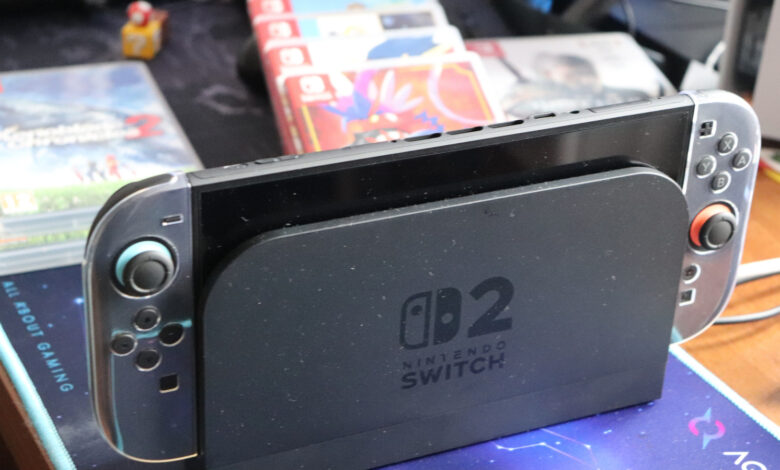
While the new Switch 2 offers more storage compared to its predecessor, it may not meet the demands of modern gaming.
The Nintendo Switch 2 includes 256GB of storage, with approximately 249GB available for game use after the system software is accounted for. This amount is sufficient to begin gaming, but in today’s competitive landscape, it falls short. The prices for physical Switch 2 games surpass digital versions of first-party titles, making this discrepancy frustrating for users looking to save space.
Game updates and downloadable content also take up valuable storage, with some physical games utilizing Game-Key Cards that necessitate installation directly onto the console. While most indie titles are compact, AAA games often require substantial storage space—examples include Final Fantasy VII Remake Intergrade at 90.4GB, Resident Evil Requiem at nearly 29GB, and Assassin’s Creed Shadows at 69GB.
Incorporating a microSD Express card can alleviate storage concerns, particularly for those leaning heavily towards digital gaming and who dislike the hassle of managing available space. However, many users who prefer indie games or a select few titles may find existing storage adequate for their needs for some time.
Choosing the Right Capacity for Your Game Library
The ideal capacity for your microSD Express card hinges on your gaming habits, as that is what primarily consumes storage. For instance, if you opt for a 128GB card and download Split Fiction (69.2GB), you will have used more than half of your available space with just one game. It can be both frustrating and expensive to later buy another card and transfer everything. Therefore, it’s wise to select a card that offers more storage than you currently require.
A 256GB card doubles your available space, providing a balanced option for most users. For those desiring additional capacity, while the Switch 2 supports cards up to 2TB, the largest commercially available microSD Express cards are currently 1TB.
Pricing can be steep, especially amidst current supply challenges. Expect to pay around $60 for a 256GB card, with 1TB cards costing several hundred dollars. Fortunately, leading brands like SanDisk, Lexar, and Samsung offer memory cards that perform similarly, so the focus should be on having the capability to store multiple games rather than drastically enhancing loading speeds compared to internal memory.
Can I Use Any MicroSD Card with the Nintendo Switch 2?
Regrettably, the answer is no. If you were considering using the microSD card from your original Switch, it won’t function in the Switch 2. You’ll need to acquire a microSD Express card, identifiable by the “Express” label or the “EX” logo. Be cautious not to mix this up with SanDisk’s “Extreme” branding, which is not the same.
The only purpose for your old Switch microSD card will be to transfer screenshots and video clips to the Switch 2’s internal memory; you cannot store games or save data on it.
Remember, game save data is retained within the Switch 2’s internal memory and cannot be transferred to a microSD Express card. Nintendo advises using a single card because trying to manage multiple cards with stored software can lead to complications. While it is possible to migrate data from a smaller card to a larger one in the future, Nintendo does not design the system for regular swapping of memory cards.