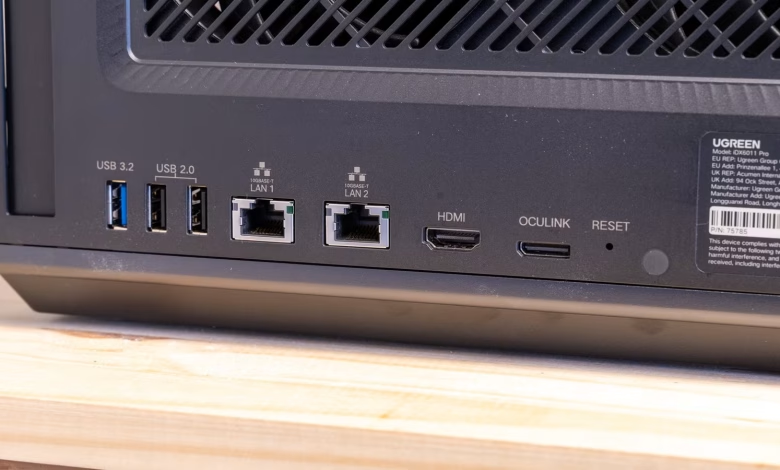
Enthusiasts of home laboratories frequently enjoy modifying their setups, particularly regarding storage options and network speeds. After a period of self-hosting, the upgrade considerations become second nature, leading to thoughts like, “What if I transitioned to a 10 gigabit network? Should I consider fiber optics?”
While skeptics caution that the benefits might diminish after a certain point, that’s often not the primary motivation for these upgrades.
Understanding 10GbE
The Ideal Choice for Homelabs
Many home internet plans cap at 1 to 2 gigabits per second, commonly known as “one gig internet” or “two gig internet.” Options beyond these speeds are generally scarce; however, there are numerous applications within a home network that could benefit from faster speeds.
One of the most accessible high-speed standards for home users is 10 gigabit Ethernet (10GbE), which provides transfer rates as high as 1.25 gibibytes per second—sufficient to transfer a 4K remux of a full-length movie in under two minutes.
Simple Setup for 10GbE
Even though the name “10 gigabit Ethernet” sounds complex, it’s not a new invention and isn’t particularly sophisticated. There are two primary types of 10GbE technology available. The fiber optic version has been around since around 2002, while the regular copper Ethernet version—10GBASE-T—dates back to 2006.
The copper variant is widely available and popular in DIY projects. Using Cat6a cables, which are standard Ethernet cables, you can easily achieve and maintain 10 gigabit speeds over typical home distances. For extra reliability, consider using shielded Cat6a cables, which can better resist electromagnetic interference that may weaken the signal. If you take your time, you can pull and terminate Cat6a with RJ45 connectors or wall plates on your own.
On the other hand, the fiber optic option, although pricier and typically requiring SFP+ connections, offers robust resistance to many types of interference. For those opting for fiber, purchasing pre-terminated connections is advisable as it can save both time and the hassle of using complex and costly termination tools.
Future-Proofing with 10GbE
When Premium Quality is Justified
The performance of 10GbE is considerably higher than average residential internet speeds, which is likely to remain the case. Yet, it has numerous applications in homelabs.
Many modern Network Attached Storage (NAS) devices and computers offer built-in 2.5GbE or 5GbE ports, meaning that even a single device could potentially use up half of a 10GbE connection. When performing tasks like streaming and transferring files at the same time, it is quite easy to saturate a connection set at 1, 2.5, or even 5 gigabits per second.
This trend will continue as current SSDs boast transfer rates reaching into the tens of gibibytes per second. Virtual machines are becoming increasingly demanding, and video streaming will not be getting any easier on bandwidth. If you’ve invested significantly in your homelab hardware to replace several commercial services, it would be counterproductive to constrain the entire system with slower networking.
The Joy of Homelabbing
Sometimes, It’s Just for Fun
Over the years, hobbyists and professional engineers have enjoyed pushing CPUs to their limits to see how fast they can clock them. Some of the most extreme setups involve liquid nitrogen or even liquid helium to achieve incredible speeds, often going as high as 9.2GHz. None of this is particularly practical.
Similarly, setting up your homelab with 10GbE—or even faster options using QSFP+ and fiber—doesn’t necessarily have to be practical. Perhaps the thrill comes from watching a 50GB file transfer across your network in mere minutes—I certainly get a kick out of it. Enjoying the process of getting everything to function correctly, learning about the hardware, and troubleshooting your setup is part of the experience.
Smart Upgrades Without Breaking the Bank
Strategize Your Purchases and Consider Used Equipment
If you’re contemplating a move to 10GbE, start by following these two guidelines:
- Be strategic in your purchasing decisions
- Don’t shy away from used equipment
If your goal is 10GbE, consider investing in a large spool of Cat6a. It’s only slightly more expensive than slower options, and it will enhance your network performance consistently.
As for other equipment, opt for a more thoughtful approach. Not all devices on your network will fully utilize the benefits of 10GbE. For instance, a storage server equipped with 80TB of mechanical hard drives would not show any improvement from upgrading to a 100GbE adapter, since the mechanical drives would remain the bottleneck.
Conversely, if you have a high-performance PC with a PCIe 5.0 NVMe drive system, it’s well-suited for a multi-gigabit Ethernet connection, and any future replacement should continue to benefit from upgraded speeds.
There’s little sense in investing extra for speeds that won’t be necessary. Moreover, explore the used market—government auctions can often yield cost-effective deals on enterprise-grade hardware, allowing you to acquire a robust 10GbE switch at a fraction of the price of a new unit.
Embrace 10GbE If It Interests You
The question isn’t whether 10GbE is excessive for mechanical hard drives; it is. The real consideration is whether you wish to build a network capable of matching that of a small business and whether you would derive enjoyment from that project. For many individuals, the answer is indeed affirmative, making it a valid ambition in its own right.