
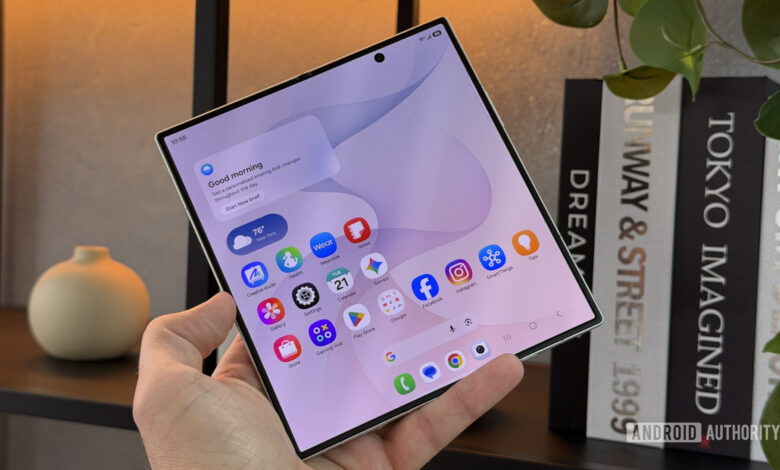
The Galaxy Z Fold 8 was recently launched, showcasing its impressive 8-inch display that greatly enhances productivity and entertainment compared to traditional smartphones.
This prompted me to compile a list of must-have apps for this innovative device. Although there are many applications that utilize the large screen and split-screen capability, here are my top five picks for day-one installation.
Which app category benefits most from a foldable’s big screen?
Obsidian
Obsidian is the first app that helps me stay organized with my projects, ideas, and writings, including fitness tracking and personal notes.
Using it on the Fold 8 Ultra enhances the experience significantly. The larger screen transforms Obsidian from a basic mobile app into something resembling its desktop counterpart, allowing better visibility of notes, especially complex documents.
Obsidian is the very first app I’d download on the phone.
The layout lets me keep the side menu for quick access to files while displaying notes optimally, minimizing swipes. I can also split the screen to view a research note next to my draft, making it an indispensable tool I would use daily.
Inoreader
Inoreader is an excellent RSS reader that aggregates my news interests into one seamless interface. The appeal of this app is further amplified on the Fold 8 Ultra, where the screen size aids readability and offers split-screen features for easier browsing between posts and articles.
This creates a desktop-like feel on mobile, reducing the need to jump back and forth between windows, making the reading process much smoother.
YouTube
While YouTube comes pre-installed on Android devices, its functionality shines on the Fold 8 Ultra. The larger display allows for effortless browsing of content and an enhanced viewing experience.
I can watch a video while scrolling through the comments at the same time.
Additionally, the dual-pane capability makes it easy to multitask, and Flex Mode allows the device to stand on its own, creating a convenient viewing setup.
Kindle
Though I own a Kindle Paperwhite, I often use the Kindle app on my phone while out and about. The experience on a typical phone is subpar, but the Fold 8 Ultra significantly improves it, allowing for a more enjoyable reading experience with a larger display.
The ability to view two pages side by side creates an authentic reading environment, making the Fold 8 Ultra a viable replacement for my dedicated e-reader when traveling.
KAMOOT
For outdoor enthusiasts, KAMOOT is a great navigation tool for planning hikes and adventures. It provides essential details about routes, making it easier to explore new areas without getting lost.
On the Fold 8 Ultra, the app allows for better visualization of the map with less zooming, showing the entire route and surroundings simultaneously. While route planning is free, navigation may require additional purchases beyond one designated region.
These are the top five apps I would download on the Galaxy Z Fold 8 Ultra. I’m eager to hear about your choices as well—please share in the comments!
Thank you for being part of our community. Please make sure to read our community guidelines before commenting.




