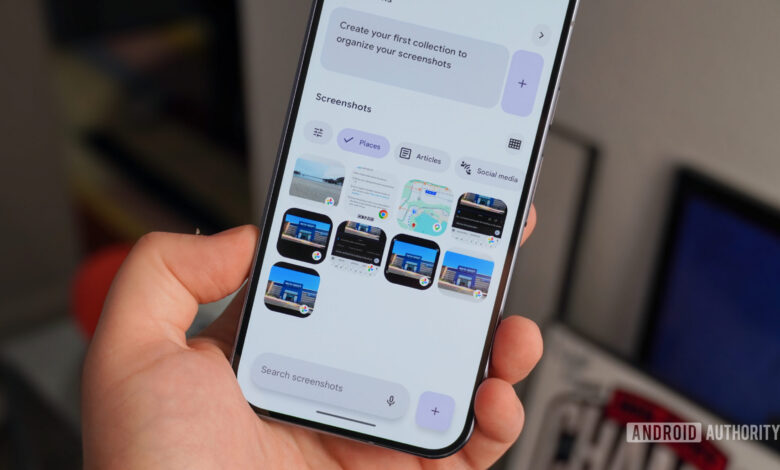
Concerns Arise as Google Pixel Screenshots Shifts to Cloud Processing
Google Pixel devices stand out mainly due to their software features, which include unique capabilities, regular updates, and extensive support for Android OS. Among these features is the integration of custom Tensor chips, intended to enhance on-device AI functionalities. However, recent changes have sparked concerns among users regarding privacy and processing methods.
A feature on the Pixel 10 Pro unexpectedly transitioned from local processing to cloud-based functions, prompting a re-evaluation of its reliability. The shift occurred without notification, leading to user speculation and concern.
Change in Processing: User Reactions
A poll regarding the updated feature revealed varied responses, with many users expressing apprehension about the implications of cloud processing on personal data security. The majority of respondents indicated that they preferred not to risk their privacy.
Experiences with the Pixel Screenshots Feature
Exclusive to the Pixel 9 and Pixel 10 models (excluding the budget A-series), the Pixel Screenshots app has been met with mixed reviews. While some users find it useful for organizing and extracting data from screenshots, others feel that its functionalities overlap with what is available in Google Photos.
In the past, the app’s on-device processing was a selling point for users concerned about privacy. The integration of the Gemini Nano AI model, which allowed all data to remain on the device, was well-received. However, concerns arose after the latest update transitioned some functionalities to cloud processing, raising issues about data security and privacy.
Google previously emphasized that Pixel Screenshots operated entirely on-device, ensuring user data wouldn’t leave their devices. Now that the app can process data in the cloud, many users are questioning the need for this change and its implications for their personal information.
Unexpected Shift in Functionality
Users were caught off-guard not through any official announcement or notification but from external reports highlighting the change. This lack of communication has frustrated many, as it undermines the trust that users had in the app’s original setup. The release notes following the update failed to mention the shift in processing methods, leaving users uninformed.
Privacy vs. Performance: A Fine Balance
While cloud processing may enhance the app’s capabilities, it also raises important questions. The previous version of Pixel Screenshots efficiently organized and analyzed screenshots using the Tensor G4 and G5 chips, all while keeping the data secure and local. This transition represents a move away from that privacy-centric approach.
Google’s inclination to shift features toward cloud processing isn’t new, as demonstrated by recent changes to the Magic Cue feature as well. However, this raises concerns about user privacy, as any reliance on cloud systems necessitates a level of trust in the security measures implemented by the provider.
Users Demand Better Control and Transparency
The recent change did not have to become a contentious issue. Implementing a toggle option between on-device and cloud processing would have provided users with the choice, alleviating concerns for those prioritizing privacy.
Currently, users must navigate app settings to disable the cloud processing feature, which is not intuitive for everyone. A more straightforward, user-friendly approach would enhance the overall experience.
Future Prospects for Pixel Screenshots
As pressure mounts for Google to expand the Pixel Screenshots feature to more devices, users are left wondering about the constraints imposed by hardware limitations. The need for a stronger focus on local processing capabilities resonates with many users who prefer data privacy over convenience.
In conclusion, as Google continues to innovate, it is crucial to balance performance enhancements with user trust in privacy. Providing options for users would not only improve experience but also restore confidence in the evolving features of Pixel devices.