Your News Source
Summary
- Some initial Pixel Watch users received alarming notifications about losing Google Health sync support.
- Google clarified that the warnings were due to a software bug and that earlier Pixel Watch and Fitbit models still have full support.
- To run Google Health, Wear OS 4 or newer is necessary on the Pixel Watch and other Wear OS devices; the issue with the misleading alert has already been resolved.
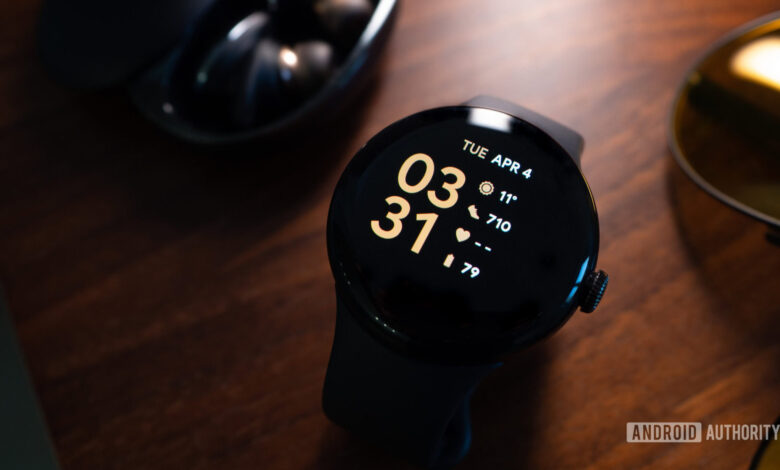
Recently, several first-generation Pixel Watch users were caught off guard by a notification indicating that their devices would no longer support Google Health sync. This led many users to openly voice their concerns on social media regarding Google’s actions. However, the tech giant has since confirmed that this alert was erroneous, assuring users that the older Pixel Watch is still operational.
The alarmist wording of the notification was particularly disconcerting considering the original Pixel Watch has been on the market for several years and has since been succeeded by newer models.

Fortunately, Google has confirmed that there are no plans to terminate support for the original Pixel Watch.
A spokesperson for Google stated, “We noticed this issue and can confirm that both the Google Health App and Coach still support older Pixel Watch and Fitbit devices. We are aware of a bug that mistakenly displayed a message to some users, and it has been corrected.”
This essentially means that if you own an early Pixel Watch and received the warning, you can remain calm. It was merely the consequence of a bug, not a sign of impending support loss.
Nevertheless, it’s crucial to note that there is a software requirement in effect. Google has stated that the Google Health application necessitates Wear OS 4 or newer for both the Pixel Watch and other compatible Wear OS devices.
The original Pixel Watch is capable of receiving the Wear OS 4 update, so eligible devices should adhere to this requirement. To verify your watch’s software version, you can navigate to Settings > System > About > Versions. For updates, check directly on the watch under Settings > System > About > System updates or via the Play Store for Wear OS updates.
We appreciate your engagement in our community. Please review our commenting guidelines before sharing your thoughts.