Exploring iPhone Lockdown Mode: Advantages and Disadvantages of Apple’s Enhanced Security Feature

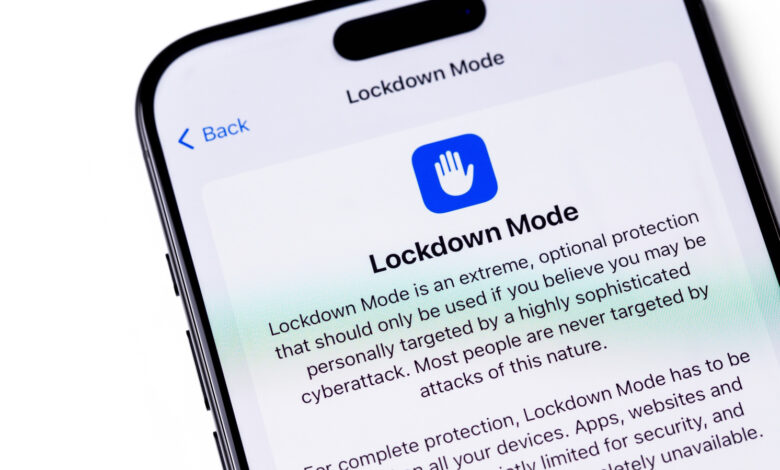
The Lockdown Mode on iPhone enhances security against spyware, but it’s primarily intended for a niche audience.
Since its introduction in 2022, Apple’s Lockdown Mode has been relatively quiet, hidden within the Settings app. Designed as a highly secure option, it’s not intended for everyday users. Apple categorizes it as a protective measure for individuals likely to be targeted by commercial spyware like NSO’s Pegasus, which often seeks out journalists, activists, and politicians.
Anyone with an iPhone on iOS 16 or later can activate Lockdown Mode, which is also supported on iPadOS 16 and beyond, watchOS 10, and macOS 13 Ventura. Activation is straightforward: navigate to Settings, then Privacy & Security. Scroll to find Lockdown Mode, tap Turn On & Restart, and provide your passcode to confirm. Disabling it can also be done in the same menu.
What Lockdown Mode disables on your iPhone
Lockdown Mode significantly enhances security by disabling numerous iPhone features that users regularly utilize. For instance, it blocks most types of attachments in Messages, including link previews that could facilitate spyware access. The mode restricts JavaScript functionality in web browsers, which might slow down page loads or render some sites inaccessible. Additionally, FaceTime calls are limited to only those with whom you’ve communicated recently.
Wired connections are also restricted when Lockdown Mode is active; the device cannot interact with computers or accessories unless it’s unlocked. On the wireless front, your iPhone won’t automatically connect to unsecured networks, and support for 2G and 3G connections is entirely disabled (these networks have largely been phased out in the US). Furthermore, you won’t be able to install configuration profiles, which can be problematic if required by a school or employer. If you own an Apple Watch, notifications for calls made to your iPhone will not be received there. There are also limitations on other Apple services, such as Home invitations and Game Center, along with restricted photo sharing capabilities.
Who should consider enabling Lockdown Mode?
Lockdown Mode’s stringent nature reflects its purpose: to protect users against serious threats. In 2023, a vulnerability named “Blastpass” allowed the installation of Pegasus spyware via iMessage. However, devices in Lockdown Mode proved resistant to this attack. Apple has even incentivized the discovery of bypass methods with a significant bonus through its Security Bounty program, underscoring the feature’s robustness. By curtailing various functionalities, users gain enhanced security at the cost of convenience.
The mode offers some adaptability; for instance, you can exempt certain contacts from messaging blocks, allowing family members to send files or videos. Additionally, it’s possible to exempt specific websites and apps, but relaxing these restrictions could expose your device to increased risks. If you believe you’re a target for surveillance, it’s advisable to maintain the default security settings.
For the average user, engaging Lockdown Mode may be unnecessary, as Apple devices come equipped with built-in security measures. Targets of spyware, such as public figures, politicians, or activists, may find it beneficial. If you’re curious, experimenting with Lockdown Mode for a short period can offer insight into its functionality. However, for most, the inconveniences it introduces may outweigh the extreme protection it provides.