
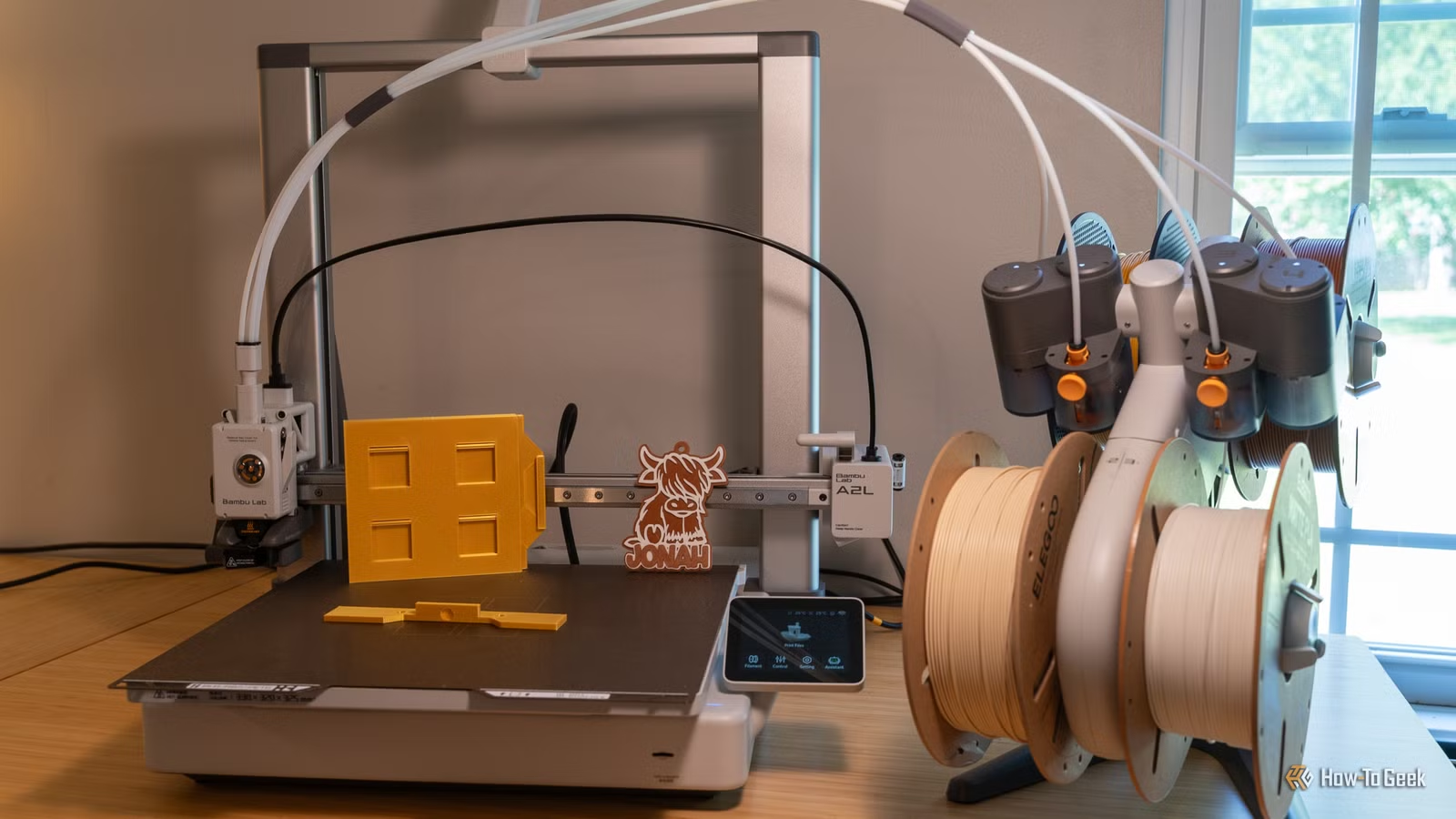
The Bambu Lab A2L has marked a significant advancement from its predecessor, the A1, presenting various enhancements, including an impressive increase in print volume. After utilizing the A2L for several weeks, I can assert that it stands out as one of the top budget-friendly large-format printers available.
Pricing and Availability
The Bambu Lab A2L is sold at major retailers, with prices starting at $469 for the printer alone, $569 with the AMS Lite add-on, and $639 if you opt for the cutting and pen plotting enhancements.
Specifications
- Brand:
- Bambu Lab
- Build Volume:
- 330 × 320 × 325 mm
- Connectivity:
- Wi-Fi, microSD card
- Heated Build Plate:
- Yes
- Feed Type:
- Direct drive, single-nozzle servo extruder
- Dimensions:
- 544 × 529 × 505 mm
- Weight:
- 12.8 kg
- Multifunction:
- Yes; supports 3D printing, blade cutting, and pen plotting with optional modules
- Top Print Speed:
- 500 mm/s
- Max Extrusion Flow:
- 28 mm³/s
- Max Plate Temperature:
- 80°C
- Max Print Temperature:
- 300°C
- Multicolor Printing:
- Yes, supports up to 19 colors with AMS units
The A2L: An Evolution of the A1
Real Upgrades
At first glance, the A1 and A2L appear quite similar, with the A2L simply being a larger model. However, significant enhancements lie beneath the surface. The A2L incorporates a PMSM closed-loop servo motor for the extruder, which allows for the active monitoring of extrusion challenges, such as grinding and clogging—an upgrade not present in the A1.
While I haven’t yet encountered issues that the servo motor addresses due to limited use, it has proven invaluable in preventing extrusion problems on my P2S model, leading me to expect similar reliability from the A2L.
Additionally, the A2L is equipped with adaptive vibration compensation, which maintains stability during printing despite changes in bed loads or toolhead positions. Bambu has also redesigned the frame, integrating an inertial granular dampener in the corners to absorb resonance, which helps improve stability during operation.
However, it’s worth noting that the A2L does have a tendency to shake, especially when printing quickly, impacting stability even on sturdy surfaces.
Furthermore, this model introduces cutting and pen plotting capabilities, expanding its functionality beyond traditional 3D printing, along with broader AMS system support compared to the A1.
Why Opt for Large-Format Printing?
Consider Your Project Scope
Choosing the A2L over the A1 comes down to the necessity of its features. The A2L’s build volume of 330 x 320 x 325 mm offers a substantial increase compared to the 256 mm cube build volume of the A1. This translates to over twice the print volume, allowing for the potential to print larger models without dividing them into smaller segments.
Optional Add-Ons: Useful but Not Essential
The A2L includes options like a pen plotter and blade cutter, allowing for multipurpose functionality akin to a Cricut machine. While I found these features to be interesting and successfully executed during testing, their real-life application may not be widely useful unless you’re particularly interested in those capabilities.
Open-Frame Design Considerations
Entry-Level Characteristics
The A2L remains an open-frame printer, and it offers a lower bed temperature compared to the A1, reaching only 80ºC. This design limits the use of certain advanced materials, making it more suitable for beginner and hobbyist-grade filaments.
AMS Lite Compatibility and Expansion Support
Color Printing Capabilities
While retaining support for the AMS Lite, the A2L permits a greater variety of combinations with AMS systems. This allows for a total of 19 colors—an appealing feature for those interested in multicolor printing.
Final Recommendation
The Bambu Lab A2L emerges as an excellent choice for those in search of a large-format 3D printer, particularly given its budget-friendly pricing. The numerous enhancements, particularly the PMSM servo motor, contribute significantly to its reliability and performance.
I fully endorse the A2L; it operates smoothly and has provided a positive user experience from the start. Just ensure that you place it on a stable surface to maximize performance.




