In Brief
- Amazon is launching a free update for Echo Hub users featuring a revamped interface and enhanced smart home customization options.
- Users now have the ability to personalize their home screens with selected devices, groups, automations, weather forecasts, and calendar widgets.
- The dashboard will improve organization, supporting editing and managing groups with just one tap.
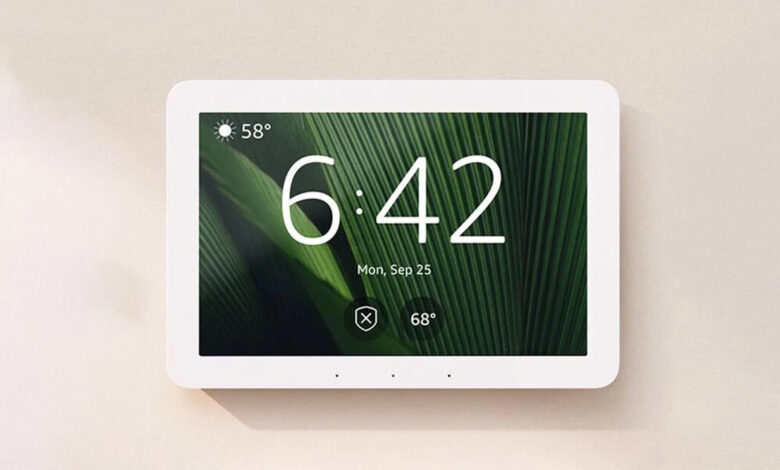
If you find traditional smart home displays limiting, Amazon is bringing a refreshing change. The tech giant is beginning to roll out a complimentary software update for Echo Hub users, introducing a wholly redesigned interface.
Older smart home hubs often had fixed layouts that required users to adapt, but Amazon is now allowing for customization. Users will have total control over what devices, groups, and automations are shown on their home screens, enabling a more personalized smart home experience with easy access to weather and calendar updates.
Customization is made simple through drag-and-drop functionality that allows users to resize and rearrange interface elements. You can also adjust the size of device tiles to make the most frequently used items more accessible.
Stay updated with the latest from our community!
Users can organize their dashboards based on rooms or functions, such as “Living Room,” “Upstairs,” or “Temperature Control.” Simply tap on existing groups at the bottom of the screen to select and edit them by adding or removing devices, rearranging them, and controlling all items in the group quickly. If you wish to create a new group, it’s as easy as clicking the “Add group” button, naming it, and assigning devices, which will be immediately accessible using voice commands or the app.

The update significantly enhances device control. Users can turn devices on or off directly from their tiles. For detailed adjustments, a tap on the three dots of a connected device brings up options for precise dimming (0-100%) and access to a color wheel for compatible bulbs. Frequent Routines can also be accessed directly from the home screen or automation tab, allowing for quick activation.
Note that advanced integrations require a Ring Al Pro subscription. With Alexa Plus, users can receive smart summaries of camera events, like package deliveries or visitors, right on the home screen. This feature integrates with Ring’s Video Search, enabling specific queries like “Show me animals in the yard from this week.” Additionally, routines can be created entirely through voice commands with Alexa+, which also allows users to control multiple devices simultaneously.
No need to search for this update; current Echo Hub owners will receive a notification on their device indicating an “Update available” message once the software is ready. A quick tap will confirm the update, seamlessly transitioning users to the new interface.
Thank you for being part of our community. Please review our Comment Policy prior to posting.