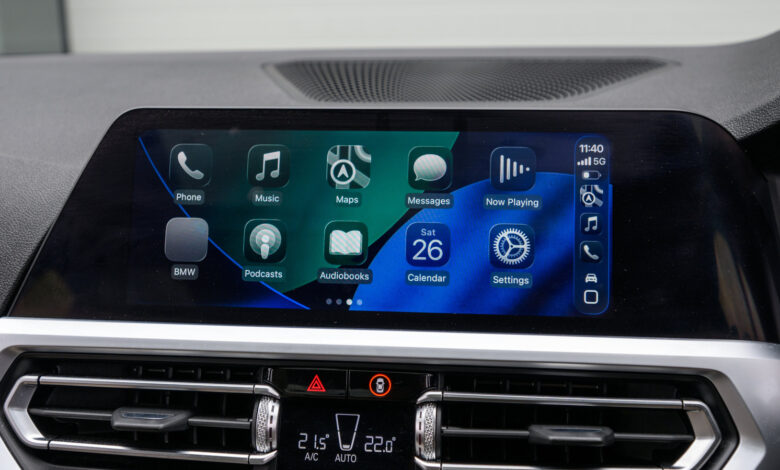
To transition from wired to wireless CarPlay, selecting the appropriate adapter is essential.
Note: We may earn a commission on purchases made.
CarPlay is available in numerous vehicle models, although many require a wired connection to an iPhone. While wired connections tend to be more stable, wireless options allow for greater freedom in phone placement. Fortunately, upgrading your car or infotainment system isn’t necessary for wireless CarPlay; often, a budget-friendly adapter suffices. These adapters typically function as a simple plug-and-play solution, creating a wireless link between your iPhone and the vehicle’s system.
Nevertheless, be mindful of possible issues. Some adapters may have long connection times or compatibility conflicts with specific infotainment systems. Therefore, it’s crucial to select the right adapter. Prior to purchasing, verify that it supports the latest Wi-Fi and Bluetooth standards and check its compatibility with the most recent iOS versions.
Verify Compatibility Before Purchase
First and foremost, ensure that your vehicle is compatible with the adapter you intend to buy. Most adapters are designed for cars with built-in CarPlay, as they convert wired CarPlay to wireless. If your vehicle lacks this feature, an adapter won’t help; you’ll need a portable CarPlay display instead.
High-quality adapters generally support a wide range of vehicles, but some might have compatibility issues. Look for a list of supported models in the adapter’s description or consult automotive forums for more information. For instance, Amzfeel’s adapter claims to support over 800 models. Also, pay attention to the type of ports in your car. Older vehicles may feature USB-A ports, while newer models might use USB-C. Ensure you select an adapter that matches your car’s port type to avoid needing an additional adapter.
Some models do not receive firmware updates, which may cause issues with new iOS versions. Always check that the adapter will work with your current iOS version. If possible, choose an adapter that can be updated to ensure longevity.
Important Features to Consider in Adapters

Once compatibility is confirmed, examine other features. Automatic reconnection is a crucial option, ensuring your iPhone connects to wireless CarPlay right after setup. Adapters lacking this feature will require manual reconnection every time, causing inconvenience.
Consider the supported Bluetooth and Wi-Fi standards. Adapters with 5GHz Wi-Fi and at least Bluetooth 5.0 deliver better performance by minimizing delay and interference. Some budget options may still depend on older standards, resulting in lag during use.
Additionally, not all adapters support steering wheel controls or hands-free Siri functionalities. If these are essential for your experience, confirm that the adapter you are considering includes them. More advanced models may offer features like video streaming or compatibility with Android Auto. If multiple drivers use the vehicle, opt for an adapter that can connect with several iPhones.
Most adapters range in price from $30 to $50, with some higher-end models offering additional features. Selecting a well-reviewed adapter should ensure a satisfying performance with your car and iPhone.