Google Lens: Tackling 5 Uncommonly Specific Challenges I’d Spend Hours Searching For

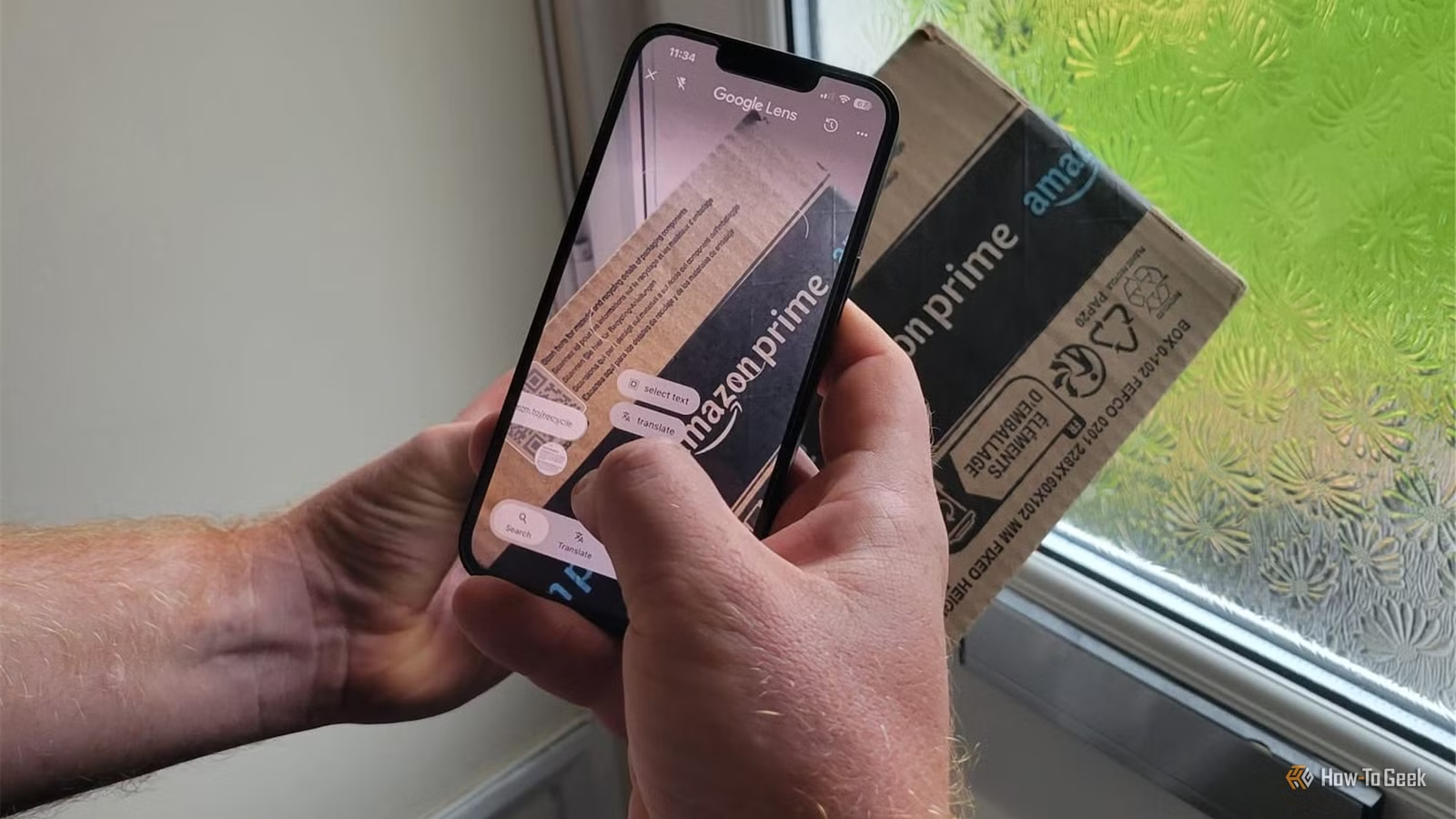
I usually excel at finding the correct keywords for my Google searches. However, occasionally, I face inquiries where I’m unsure of the precise terminology to use or where it requires a lengthy explanation. It’s in these moments that I realize I’ve spent close to half an hour grappling with a problem that could be resolved quickly if I simply utilized my camera. Here are five instances where Google Lens proved invaluable.
Google Lens Clarified a Home Sale Dilemma
Yes, I’m now concerned about cavity wall insulation
This might not seem like the most thrilling application of Google Lens, but I’m in the process of selling my house, and I’ve discovered that worrying about what’s hidden within the walls is part of the experience. In the UK, having spray foam insulation can complicate property sales significantly. Naturally, I wanted to identify the type of insulation present in my home.
After some unsuccessful attempts at finding definitive answers online, I decided to photograph my insulation certificate and run it through Google Lens. It was able to extract relevant logos and text, helping me to understand that I indeed had standard cavity wall insulation and not the spray foam I feared.
While this may not be the most glamorous use of visual search technology, when a tool aids in answering a question that carries significant financial implications, its value becomes clear. Google Lens isn’t just for identifying plants or random objects; it can also assist with the often less exciting challenges of homeownership.
My Plants Required More Than Just Identification
My Greenhouse Has Gained a New Advisor
While it’s well-known that Google Lens can recognize plants, I’ve found it goes beyond simple identification. As winter approaches, I’ve dedicated hours to learning how to care for my plants during the colder months—figuring out watering needs, whether to prune, and how to arrange them in my greenhouse. Searching for each detail individually would have consumed even more time (and I’d probably end up with a smeared screen!).
The key is to provide Lens with context. I took a photo of a plant alongside its care tag and showed it my greenhouse arrangement. Instead of offering generic winter care guidance, it provided tailored suggestions for plant positioning, specifying the appropriate shelf and depth within the greenhouse.
I also used Lens to determine how to nourish hanging baskets filled with a mix of winter flowers and an evergreen hebe, both of which have different nutritional requirements. It advised feeding them every three weeks to meet their needs effectively.
I didn’t expect a tool typically used for identification to assist me so extensively with my gardening tasks, but being able to demonstrate my actual plants and their environment made the recommendations much more applicable.
Google Lens Resolved My Composting Dilemma
Shiny Paper Confused Me
In my household, October means a surge in cardboard and brown paper, as we celebrate three birthdays. With all the packaging accumulating, I’ve been sorting what can be composted versus what should go in the recycling. One item that perplexed me was shiny kraft paper. I thought its smooth finish indicated it had been treated, making it unsuitable for composting, so I turned to Google Lens for clarification.
Lens explained that the smooth surface is achieved by pressing the paper against a heated drum, rather than a treatment that would hinder compostability. I also inquired about the brown packing paper from Amazon, which Lens confirmed was also compostable. It noted that the black ink used is usually water or soy-based, which doesn’t necessarily render the paper unsuitable. However, when I asked about shipping labels, Lens identified them as thermal paper and recommended against composting those.
After eliminating the items Lens flagged, I sought its assistance with the remaining stack. Instead of hunting for answers on each type of packaging separately, I was able to sort through the post-birthday chaos more efficiently with Google Lens’s help.
Two Mystery Aircraft Identified
My Sister Issued a Challenge
My sister is aware of my interest in aircraft, particularly military ones, so when she noticed two during her visit to Poland, she sent me photos. Despite my fascination, I couldn’t identify them myself, so I turned to Google Lens. It recognized one as a Mil Mi-8 helicopter and the other as an Airbus (CASA) C-295M transport aircraft.
Rather than attempting to describe unfamiliar aircraft to a search engine, I simply showed Lens the images. I didn’t need to know their names or models ahead of time to receive useful insights.
This is where Lens surpasses flight-tracking applications. Those are useful for identifying planes currently in the sky but can’t help with photos sent to you or planes parked at an airport. Lens only requires the image.
I Didn’t Want to Risk This Spider
When Eight Legs Appear Suspicious
I noticed a spider nestled in the corner of a window frame that looked different from the usual visitors in my home. Instead of guessing its identity, I snapped a photo and asked Google Lens to identify it. The result was a false widow spider.
While most spiders in the UK are harmless and bites are rare, false widows are an exception as they can bite, though the bites are usually not severe. Naturally, I wished to ascertain what I was dealing with before deciding how to address the situation.
The location made things a bit tricky, but I followed up with inquiries about how to handle this spider in its specific spot. Lens analyzed the setting and helped me devise a plan without needing to get too close.
A Quicker Initial Step
Nowadays, when I’m uncertain about what to type into Google, I turn to Lens first. It’s not infallible, and I tend to verify important results, just as I did with the false widow spider and the insulation information it provided—both were accurate. Whether it’s a niche inquiry or a mundane question, like interpreting a laundry symbol or deciphering an appliance label, a photo often leads me to answers faster than traditional searches ever could.