6 Engaging Tech Practices College Students Can Embrace Without Spending on New Equipment

During my college years, the technology at our disposal was far less advanced than what’s available now. Today, just a phone or laptop, along with some free applications, can enable you to identify birds, produce music, or create entire 3D environments, allowing you to save money for takeout, late-night snacks, or even the occasional outing.
Music Production
Create Beats While Your Roommates Are Out
You don’t need to be an accomplished musician or have a professional studio to begin making music. A laptop can connect you to virtual instruments, drum machines, synthesizers, and loops, enabling you to experiment with sound without incurring extra costs.
Free programs like Waveform Free offer a great starting point for arranging tracks and giving life to your musical ideas. If you’re using an Apple device, GarageBand serves as another user-friendly option. You can create a beat from scratch, layer a bassline over a drum loop, or even try to mimic your favorite song.
Your initial efforts might not sound polished, but that aspect is part of the fun. There’s always a fresh rhythm to explore, another effect to modify, or additional layers to integrate. What begins as a quick break between tasks might easily turn into an evening spent perfecting a track.
Bird Spotting
Transform Your Walk to Class into a Nature Exploration
When you’re hurrying to get to your next class, it’s easy to overlook the world around you. However, your campus, nearby parks, and even the trees outside your dorm could be inhabited by diverse bird species. Once you pay closer attention, your usual walk can feel more engaging.
The free Merlin Bird ID app can assist you in identifying birds by their calls or appearances, with its Sound ID feature even recognizing birds by their songs alone, perfect for spotting those elusive singers hidden in the foliage.
You don’t need specialized equipment to dive into this hobby. A smartphone and a bit of curiosity are sufficient, and you may find yourself taking longer routes just to spot more birds along the way.
3D Modeling
Create an Imaginary World Using Your Student Laptop
If you’ve ever dreamed of designing a futuristic city or crafting a fantasy terrain, 3D modeling allows you to bring those visions to fruition. You can start with simple geometric shapes and gradually transform them into complex designs.
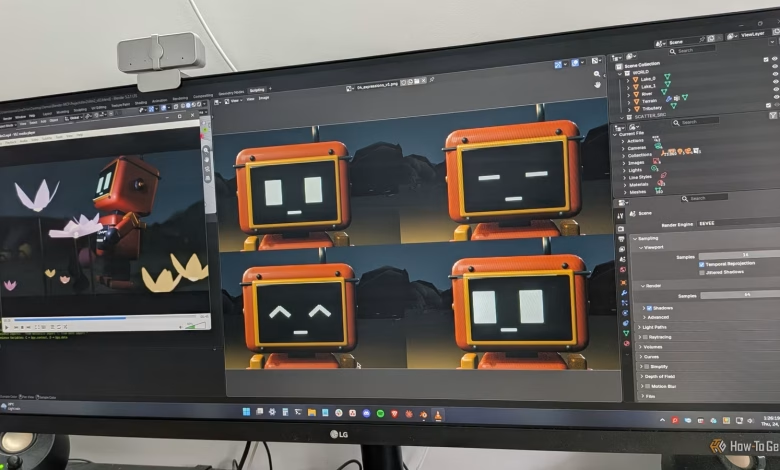
Blender is a free, open-source tool that enables you to create models, develop environments, and even animate your creations. If you prefer an easier starting point, Tinkercad allows you to assemble 3D objects directly in your browser using basic shapes.
Begin with straightforward projects like designing a lamp or character, then progress to building an entire scene. Soon enough, that lamp could be placed within a room you designed in a city of your own creation.
Video Editing
Turn Your Camera Roll into Documentaries of Student Life
Your phone likely holds countless clips that never see the light of day. Instead of letting those images gather dust, consider turning them into a short documentary highlighting student life, a visual tour of your campus, or documenting a memorable week.
Clipchamp is a user-friendly platform for beginners, while DaVinci Resolve provides more intricate tools, assuming your computer has the capacity for it. Both allow you to edit video snippets, add titles, adjust sound, and create compelling narratives. You don’t need elaborate footage; simple shots of campus life can provide ample material to work with.
As you edit, you’ll notice details you missed at the filming stage, and you’ll start to think about how different shots can cohesively fit together, transforming ordinary experiences into potential cinematic moments. Just remember, your roommates agreed to share space, not to star in your documentary.
Laptop Customization
Personalize Your Student Laptop
Your laptop is essential for your studies, but that doesn’t mean it has to look or function identically to everyone else’s. You can customize its look, adjust window arrangements, and create shortcuts that make everyday tasks more efficient.
For Windows users, Microsoft PowerToys offers numerous customization options. FancyZones allows you to create tailored layouts for window management, while PowerRename simplifies bulk file renaming. Additionally, you can explore various wallpapers, color schemes, desktop arrangements, and keyboard shortcuts.
Every change can lead to another, as one adjustment might spark a series of enhancements. You might begin with changing your wallpaper, then spend hours rearranging your desktop and fine-tuning layouts, all while tracking down utilities to resolve minor frustrations you didn’t realize you had.
Personal Knowledge Management
Create a Personal Wiki for Your Learning Journey
Between lectures, assigned readings, and late-night research, students can gather a surprising amount of information. A personal wiki can provide a centralized space to connect all those threads. But be cautious—don’t waste an hour perfecting your note-taking system when you ought to be taking notes!
Applications like Obsidian and Joplin enable you to produce digital notes and arrange them based on topics of interest. You could link ideas from different classes, maintain records of books or articles you wish to revisit, or compile explanations of topics that finally made sense. Over time, these notes can evolve into a valuable resource that remains relevant long after certain assignments are done.
A note from one lecture might connect with something you read months back, prompting you to click through to another idea and create yet another page. Before you know it, you may find yourself deep into a maze of connections you never anticipated.
There Goes Your Evening
You might sit down to create a beat, identify a bird, or design your first 3D model, only to glance at the clock and realize it’s 3 a.m. The assignment due on Friday remains quietly glaring at you from another tab. What was meant to be a quick study break has turned into an unexpected deep dive.