Discover this User-Friendly VLC Alternative for Windows That Retains All the Must-Have Features

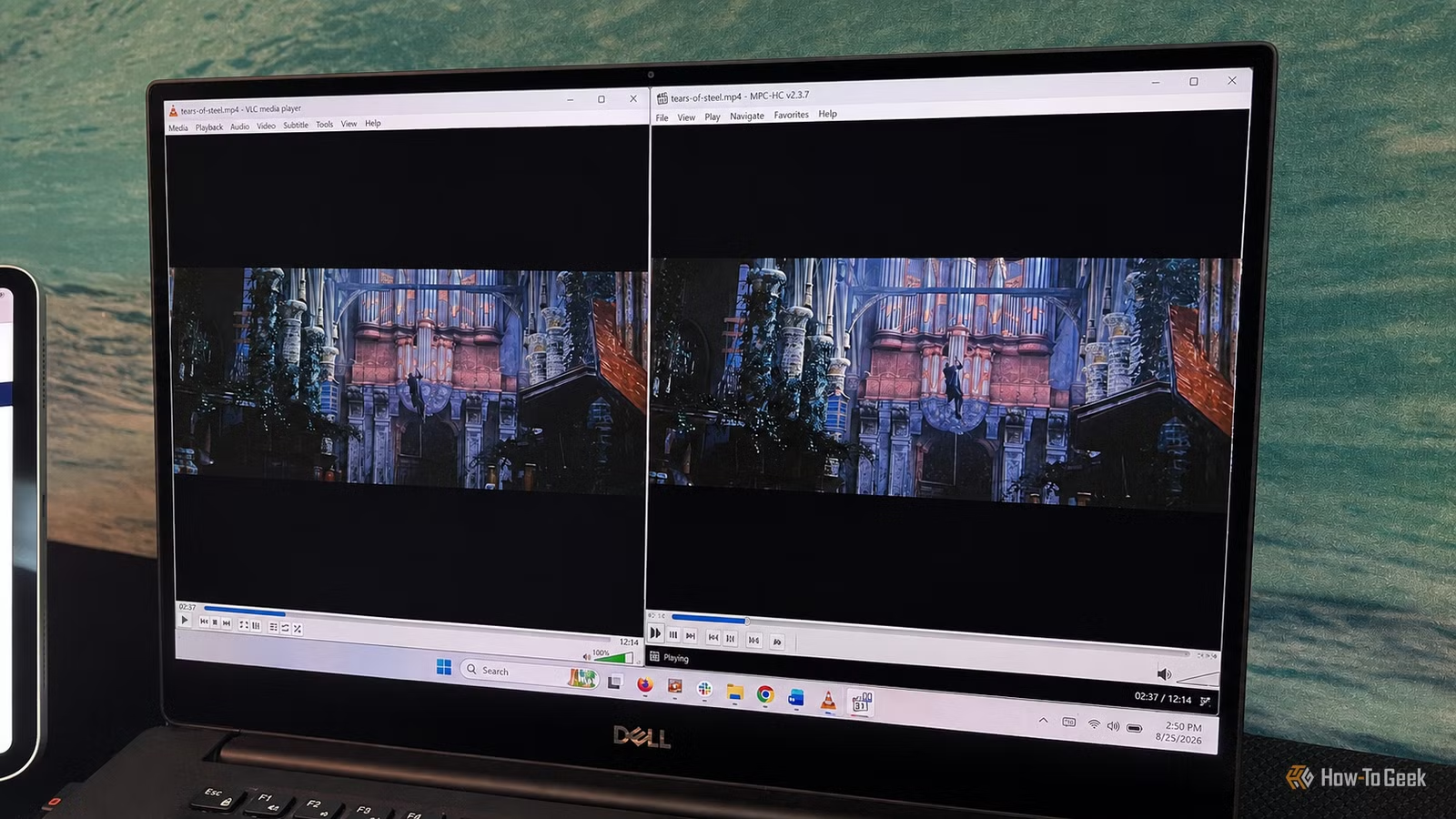
As a long-time user of VLC, I’ve always appreciated its ability to play virtually any video format, its cross-platform compatibility, and its extensive range of features. However, more often than not, my needs are straightforward: I simply want to double-click on a video file and watch it.
This is where MPC-HC has really become appealing for me as a Windows user. It’s free, open-source, tailored specifically for the Windows environment, and is far less complex when it comes to day-to-day video playback. This player feels less like a comprehensive media tool and more like a user-friendly video player, which is exactly what I prefer for simple viewing.
MPC-HC: Streamlined for Easy Playback
A Minimalist Interface with Hidden Features
The first aspect that struck me about MPC-HC was its simplicity from the moment I launch a video. The interface is straightforward, featuring a classic menu bar, playback controls, a seek bar, and volume control, with no distracting side panels or clutter. I can even minimize the controls further during playback by hiding them or pressing a single key to focus on the video itself.
However, this minimalism doesn’t mean the interface lacks modern touches. The actively updated version of MPC-HC includes options like light and dark themes and customizable elements like the toolbar and seek bar, which remain out of sight until needed. For my typical video-watching experience, this is perfect; I open a file, hit play, and let the player take a backseat.
Effortless File Compatibility
No Codec Concerns
One of the main reasons I relied on VLC for so long was the assurance that nearly any file I had would play without issues. MPC-HC has proven to be equally reliable. Utilizing LAV Filters for decoding, its current build supports widely used formats like H.264, HEVC, VP9, AV1, MPEG-2, along with a variety of older formats.
This compatibility means I can play my various MP4, MKV, and legacy video files without worrying about installing additional codecs. For a media player to be a viable VLC alternative, it doesn’t need to outshine it in the number of formats supported; it simply needs to play my existing files smoothly and effortlessly.
Handling High-Resolution Video with Ease
Leveraging Hardware Acceleration
A lightweight player is of little use if it struggles with high-resolution videos. Thankfully, MPC-HC managed to play 1080p HEVC files without any noticeable lag, efficiently using the GPU for playback rather than relying solely on the CPU for decoding.
While VLC also offers GPU acceleration, MPC-HC feels lighter and more efficient in managing demanding files. I can open a challenging video and let the hardware do the work behind the scenes without needing to think about it.
Enhanced Playback Controls
Simple Frame-by-Frame Navigation
One area where MPC-HC excels is in its precise frame navigation. It provides dedicated controls to step through frames one at a time, allowing me to easily find a specific moment—useful for tasks like screenshot capturing or reviewing fleeting details. Additionally, it supports A-B repeat for looping a section of video, further enhancing its usability.
While VLC does have frame-by-frame capabilities, its backward navigation options have often been lacking. Users have called for a better way to move back one frame, indicating it’s a recognized limitation. While I don’t need this feature all the time, when it’s necessary, MPC-HC offers a more intuitive solution.
The Ideal Choice for Windows Users
Having used MPC-HC extensively, I’ve found myself turning to it over VLC on Windows. It launches quickly and provides essential playback controls as needed. Unlike VLC, it doesn’t feel like a scaled-back version of a larger player; instead, it’s designed for users who primarily seek a straightforward viewing experience without unnecessary complications. So far, I’ve encountered no playback issues with my files, and the added functionality is there whenever I require it.
While VLC remains a strong choice for users seeking compatibility across different operating systems, MPC-HC stands out as a more simplified and capable option for Windows users wanting an efficient playback experience.




