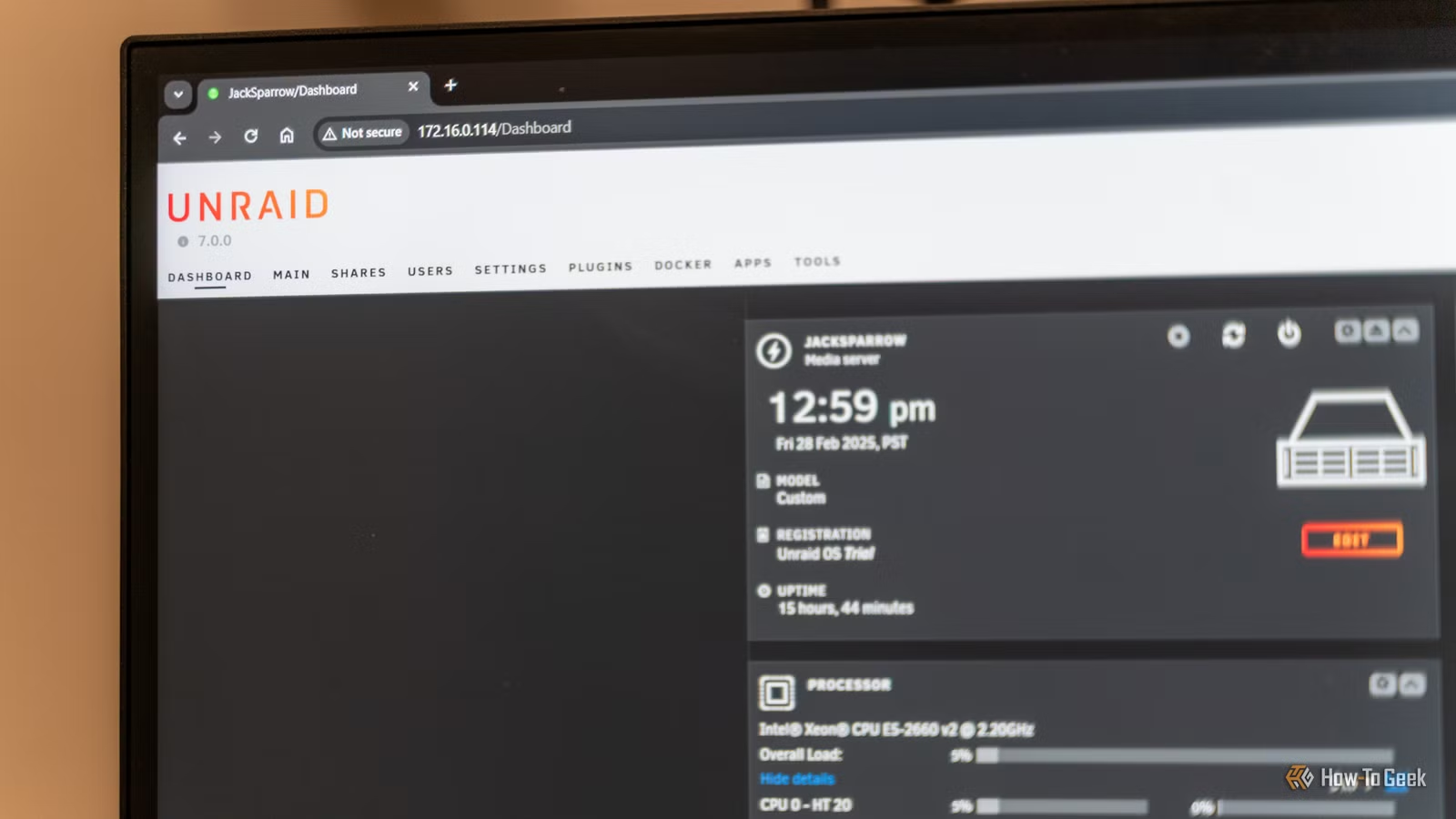
The ongoing discussion about Unraid versus TrueNAS is as intense as the rivalry between Plex and Jellyfin. However, while Plex and Jellyfin cater to comparable needs, Unraid and TrueNAS focus on distinct functionalities. Therefore, it’s crucial to select the right NAS operating system tailored to your specific requirements.
TrueNAS: Tailored for Large-Scale Enterprises
Also Suitable for Home Labs
TrueNAS has its roots dating back to 2005, stemming from a project initiated by developer Olivier, who aimed to convert an old PC into a NAS solution. This project evolved into FreeNAS, which was subsequently acquired by iXsystems in 2009 and rebranded as TrueNAS, positioning it as an enterprise product.
Although FreeNAS continued to be available as an open-source community version, in 2019, iXsystems combined the two offerings into TrueNAS Community Edition and TrueNAS Enterprise. Today, TrueNAS is fundamentally designed for enterprise applications, but it is equally applicable in a home lab environment. The core technology, ZFS, serves as a reliable file system ideal for corporate needs, enabling robust data management through the creation of drive vdevs for enhanced redundancy.
This emphasis on redundancy is what sets TrueNAS apart as one of the most reliable NAS operating systems available, suitable for both personal and professional applications. However, while ZFS is a stellar feature, it can also be limiting. In fact, it was my primary reason for opting against TrueNAS for my home setup back in 2021.
ZFS operates similarly to traditional RAID systems, with its dedicated terms for various redundancy levels. For instance, RAIDZ1 offers single-drive failure tolerance, akin to RAID 5, while RAIDZ2 can withstand two concurrent drive failures similar to RAID 6. Unique to ZFS is the capability of RAIDZ3, which permits resistance against three simultaneous drive failures.
A notable advantage of ZFS lies in its ability to combine multiple vdevs within a single drive pool. For instance, if you have six drives—three 4TB and three 8TB—you can create a RAIDZ1 vdev from the 4TB drives and another RAIDZ1 vdev from the 8TB drives, thereby consolidating them into a larger 24TB pool. This flexibility is not achievable with conventional RAID setups.
Ultimately, TrueNAS excels in enterprise functionality, adeptly managing extensive drive configurations while maintaining exemplary stability. However, its rigid structure influenced my decision to choose Unraid for my server in 2021.
Unraid: Designed for Drive Freedom
No RAID: A Positive Aspect
In contrast to TrueNAS’s near-limitless scalability, Unraid supports a maximum of 30 drives in a single array, with only one array permitted per server.
The defining trait of Unraid is its array system, which allows the inclusion of drives of various sizes, aggregating their capacities—except for the largest one or two drives, which function as parity. For example, instead of juggling with RAIDZ1 and being restricted to certain drives, within an Unraid setup, a mix of drive sizes can contribute to a more flexible storage capacity, maximizing usage without the loss seen in RAID configurations.
The flexibility of Unraid was my main motivation for choosing it. My current Unraid configuration consists of 12 drives with a single parity disk, providing the ability to lose one drive without data loss. However, data is compromised if another drive fails during the rebuild process—this reflects Unraid’s independent drive management system, establishing it as somewhat of a hybrid between traditional RAID and its own structure.
Although Unraid supports only one array and relies on its unique parity system, it can also integrate various pools mimicking ZFS, Btrfs, or XFS for larger multi-drive configurations. Nonetheless, these setups do not benefit from Unraid’s usual parity mechanism.
In essence, Unraid is not developed for enterprise-level environments. In the best scenario, it offers two-drive redundancy while TrueNAS and ZFS provide elaborate configurations with multiple redundancies housed in one storage cluster.
Selecting the Right NAS OS for Your Needs
Both Are Excellent Tools for Different Challenges
No single NAS operating system stands out as unequivocally better; instead, the evaluation hinges on your individual needs. If redundancy and reliability are paramount for your home lab, TrueNAS is the superior choice. It has modernized significantly, now featuring Docker support among other enhancements.
Conversely, if your focus is on experimentation with an appreciation for some level of redundancy, Unraid is a potent option. It offers greater customization, extensive features, and is an ideal platform for gaining practical experience in homelabbing.
Avoid the trap of labeling one option as superior to another. Spend time assessing your specific requirements and select the NAS OS that meets your unique preferences.
Critical Thinking Over Online Opinions
There’s a wise adage that goes, “Opinions are like armpits; everyone has them, and most don’t smell great.” This rings especially true for the commentary often found online. During my journey toward choosing Unraid, I encountered numerous opinions declaring it inferior, echoing the mantra that “ZFS is best.”
Such sentiments may be valid from their perspective, yet it’s essential to remember that both Unraid and TrueNAS address unique challenges in storage management. When making decisions for your homelab, don’t let the opinions of others dictate your choices.