Photo by Joe Maring
Not long ago, many Android phones featured a dedicated, multicolored notification LED. Usually located above the screen, this light was an effective way to inform users about messages, alerts, battery status, and more. As someone who appreciated notification LEDs, it was great to see if I needed to act just by glancing at my phone. Always-on displays attempt to replicate this function but lack the subtlety of a mere light.
This could explain the demand from Android enthusiasts for the return of the notification LED, as design trends often reemerge. With the introduction of the Pixel 11 Pro series, Google has taken notes.
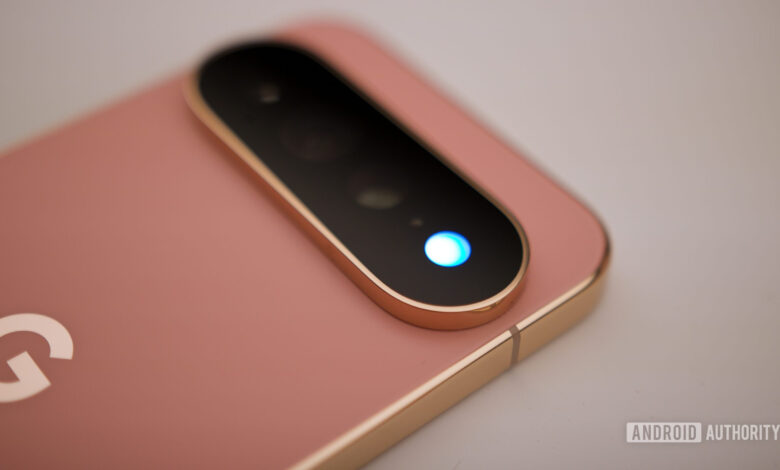
The company has introduced what they refer to as “HiLight.” This new feature combines a nostalgic nod to classic Android with modern tech. Positioned in the camera bar of the Pixel 11 Pro, Pixel 11 Pro XL, and Pixel 11 Pro Fold, this LED array provides subtle, vibrant notifications and AI status signals.
While it looks impressive, there’s a significant drawback that’s apparent almost instantly. Google has placed the lights on the back of the Pixel 11 Pro models, making them largely ineffective based on typical usage patterns.
Would you prefer thicker bezels for a notification LED?
6 votes
A Modern Approach to Notification LEDs
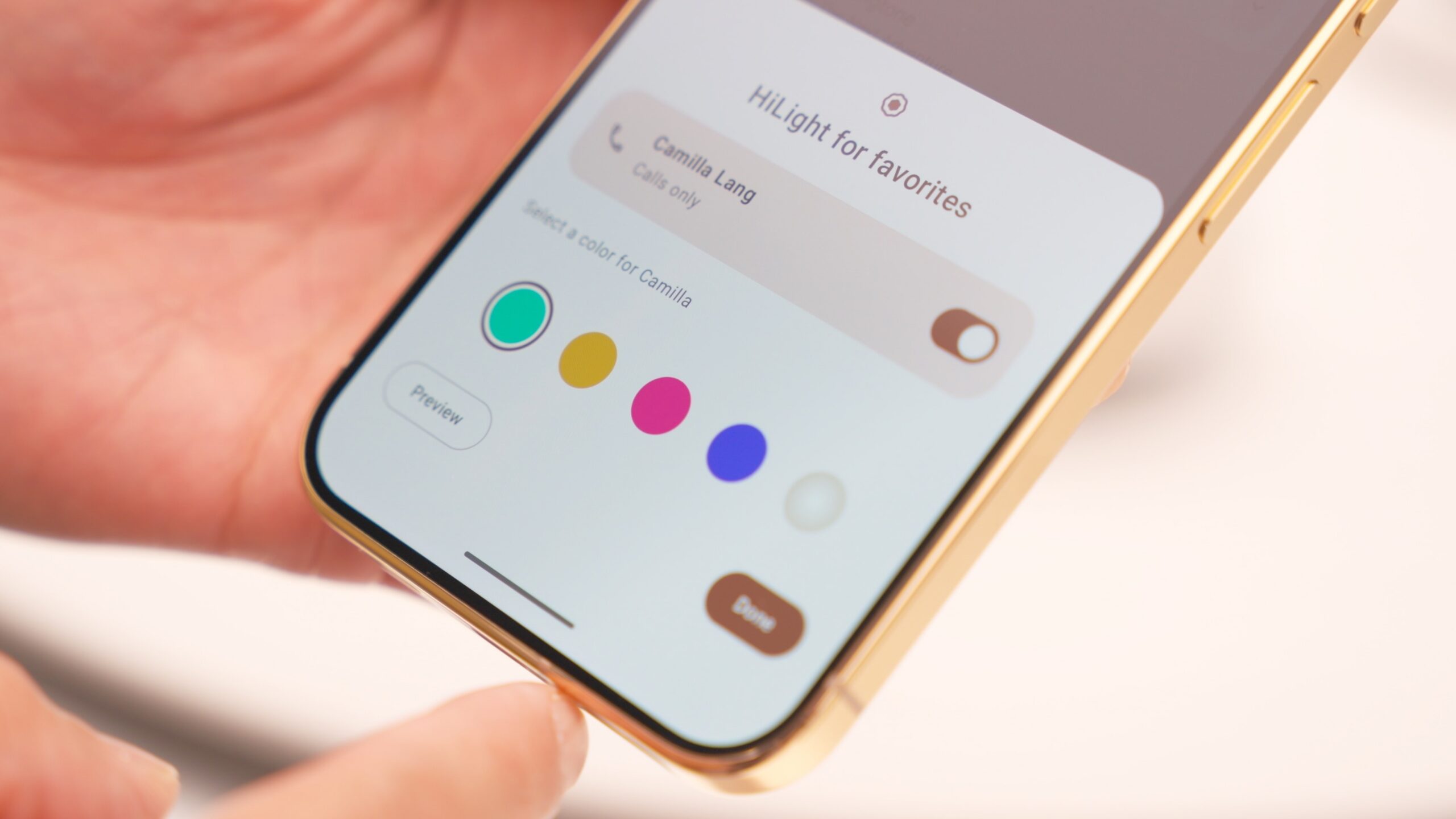
Photo by Paul Jones
While the Pixel 11 Pro series hasn’t strayed far from the design of its predecessor, it features notable upgrades. The newly designed camera bar boasts edge-to-edge glass that seamlessly integrates with the metal frame. HiLight LEDs are integrated here, and when off, they blend into the camera setup, producing a diffused glow when activated. This visual enhancement is a step up from traditional notification lights.
Google has also clearly focused on the software aspect. HiLight’s main function is delivering customized alerts for calls from the Google Phone app and WhatsApp. When the phone is laid screen down on a surface, the notification lights can signal calls from designated favorites. Users can assign different colors to different contacts; for instance, a bright red may indicate a call from a boss. This basic functionality is just what one would expect from a contemporary version of the notification LED.
HiLight fulfills all expectations of a modern notification LED.
Another notable feature is its connection with Gemini, which lights up the LED array to indicate what the assistant is doing during hands-free use. The LEDs change color to show whether Gemini is listening, processing, or responding. This smart feature provides visual feedback while engaging with the AI without the need to check the screen.
Theoretically, HiLight accomplishes the role of a modern notification light effortlessly, keeping users informed without drawing them back to the screen repetitively.
The Downside of Rear Placement
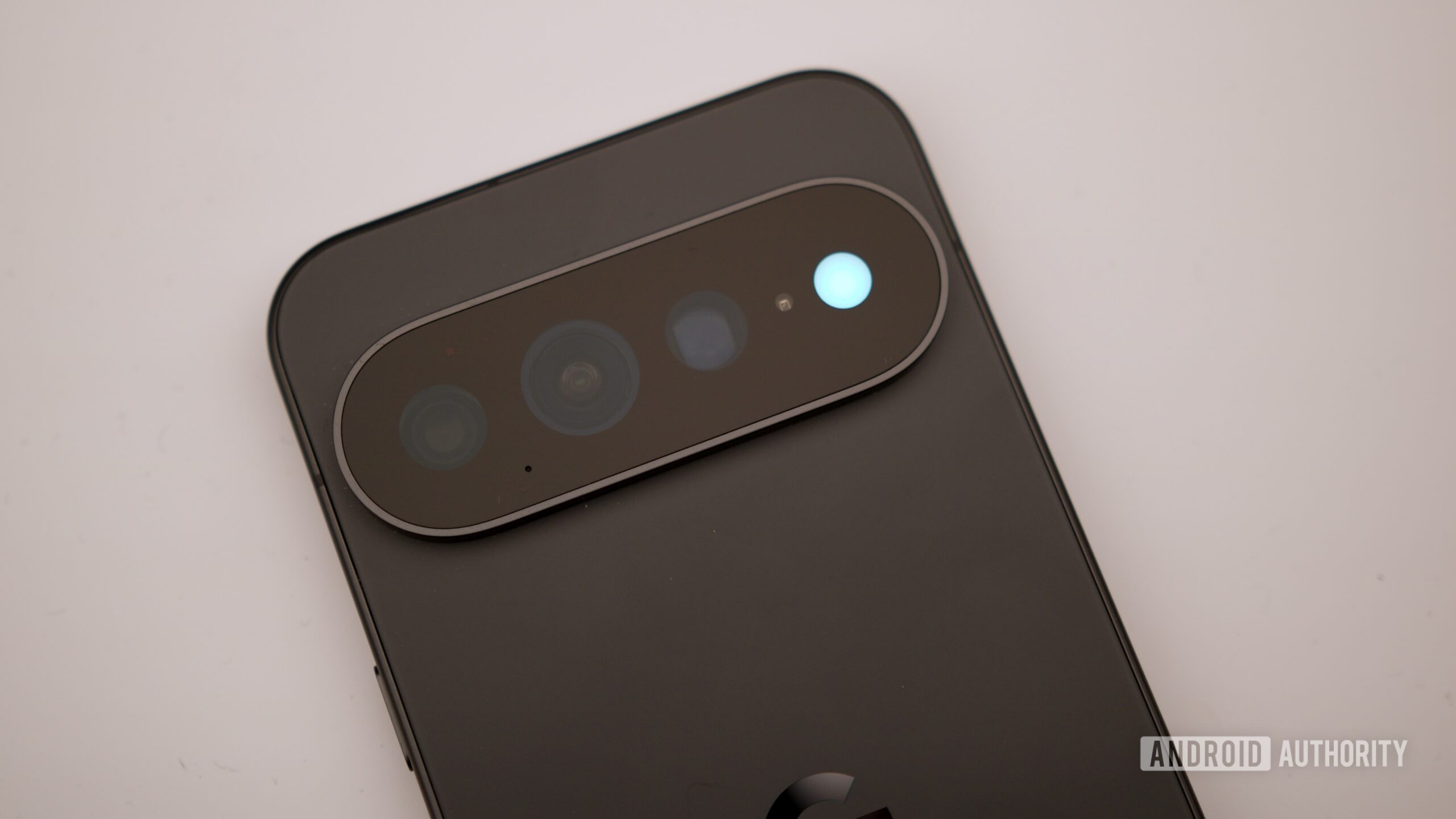
Photo by Joe Maring
Despite the appeal of these features, the issue with HiLight is glaring. For a notification light to be effective, it must be visible. Situating HiLight on the back of the device means it becomes nearly invisible unless the phone is consistently placed screen down.
Many users, myself included, usually keep their phones screen-up, allowing easy glances at the time or notifications without picking them up. Given that my phone is often on silent, I rely on vibrations and bright displays to catch my attention. Google’s decision hides this potentially convenient feature.
Positioning HiLight on the back undermines its purpose as a discreet notification tool.
Unless you’re in a dark environment or the light is excessively bright, it’s probable the LED won’t be noticed. Moreover, the Pixel 11 series supports Qi 2.2 and relies on Pixelsnap magnetic charging accessories designed to prop the phone up, further complicating visibility. This raises questions about the decision to place HiLight on the back.
Google seems to expect users to adjust their habits for a feature that might be phased out by the time the next model arrives. This rarely yields successful outcomes. Good hardware design should enhance user interaction, not require users to adapt.
Alternative Locations for HiLight
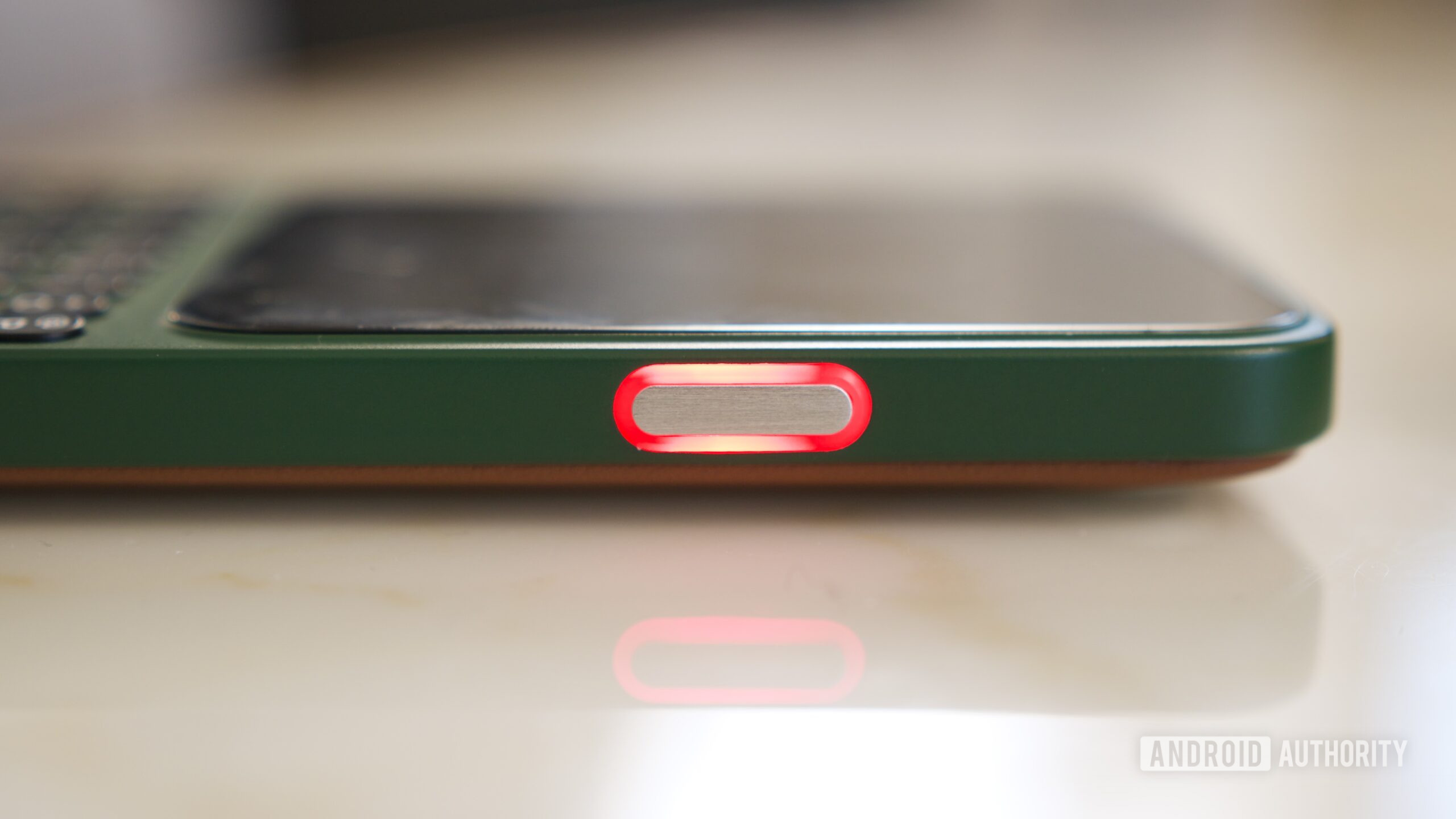
Photo by Joe Maring
The frustrating aspect is that there are certainly better placements for the notification light. Ideally, positions at the top of the screen would be optimal, but I understand the constraints of minimal bezels.
Sometimes, sticking to tried-and-true solutions is simply better.
Could it not be placed around the power button or even the volume rocker? If a smaller device like the Clicks Communicator can achieve this, there’s no reason Google can’t follow suit. We have seen this work before, and I would even welcome an LED beside the front-facing camera. Despite the retro aesthetic, it’s a solution that functions well, and retro is trendy again.
None of these alternatives would require a complete redesign, but they would create a much more practical and sensible solution.
A Great Concept, Poor Implementation
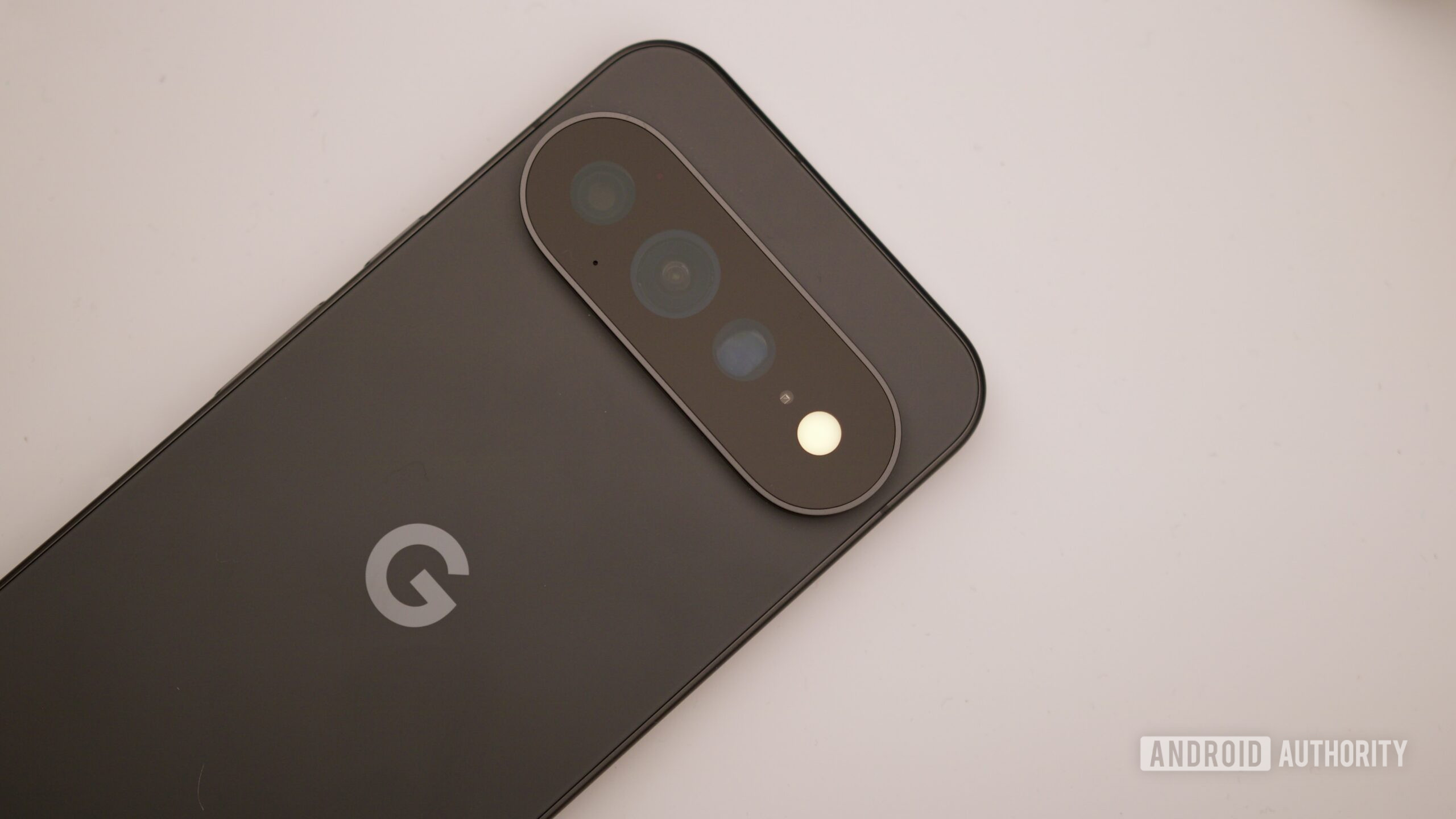
Photo by Joe Maring
I appreciate Google’s efforts with HiLight. In an age where silent mode is often the standard, it addresses a real challenge that many, including myself, face. The concept of keeping users updated without being annoying is commendable, as is providing visual feedback of the AI assistant’s activity. Moreover, visually, HiLight is very appealing.
However, all of this is moot if visibility is compromised. Currently, HiLight serves as a nostalgic nod to a beloved Android feature but is unfortunately located where it will hardly be noticed. If the lights could be relocated to a more visible area, I can envision HiLight becoming one of my favorite aspects of the Pixel. For the moment, it remains a fun but ultimately ignored feature.
Thank you for being part of our community. Please review our Comment Policy before contributing.