Unlocking Deep Bass in Your Headphones: Essential Tips for Optimal Sound Quality

Make these tweaks before considering a new purchase.
While it might seem necessary to buy new headphones to achieve strong bass, often it’s a matter of adjusting the settings on your current pair. Enhanced bass isn’t merely about volume; instead, the objective is to achieve deeper, punchy bass that complements other sounds rather than overwhelming them. Here are some straightforward methods to improve your listening experience.
Check Your Fit
Before adjusting settings, confirm that your headphones fit well. A poor seal can severely affect bass performance.
The design of the headphones plays a significant role. Closed-back designs and earbuds that create a tight seal are generally effective for producing strong bass. Open-back headphones, while offering a natural sound, may lack in punchy bass. Similarly, newer open-fit earbuds like the AirPods and Shokz OpenFit Pro may provide improved bass, but they might not deliver the desired impact.
If using earbuds with replaceable tips, experiment with different sizes. Inappropriately sized tips may weaken bass response. Foam tips can offer a better seal compared to silicone ones. Additionally, fit tests available in some apps, such as Apple’s for AirPods Pro, can help identify what works best for you.
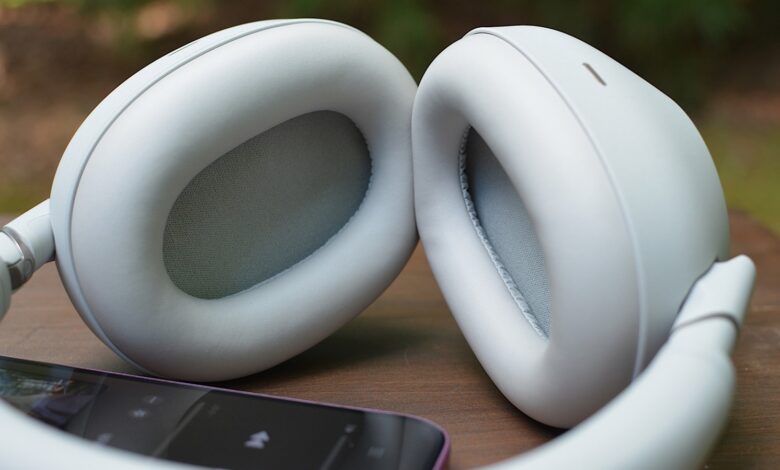
For over-ear headphones, ensure the ear cups adequately cover your ears. Factors like eyeglasses, hair, or worn pads could also disrupt the seal; being aware of these factors can help manage your expectations regarding sound quality.
EQ: Start with the Headphone App
A frequent error is layering equalizer (EQ) settings; for instance, boosting bass in both the music app and the headphone app can lead to distorted sound. It’s advisable to reset all EQ settings and then gradually make adjustments within the headphone’s dedicated app.
If your headphones lack an app with EQ settings, using the music app’s EQ option is a good alternative. To check if it’s active in Spotify, go to the settings in the app. For Apple Music, EQ settings can be located within the general app settings. Bear in mind that some music services might not offer in-app EQ adjustments.
While tweaking settings, avoid modes labeled “bass boost,” as they may induce a bloated bass that quickly becomes fatiguing to listen to. Focus instead on refining the EQ curve.
Understanding the EQ Curve
The EQ curve enables you to adjust specific parts of the frequency range, changing the overall sound balance. Bass refers to low frequencies, mids encompass most vocals and instruments, while treble captures the higher sounds. Altering the EQ curve affects the volume of each section.
For bass enhancement, focus primarily on the lower end of the spectrum. The bass range from 20 to about 150 Hz influences the deep rumble and impact. Going beyond this range usually leads into the low mids.
Be mindful that not all EQ settings allow for precise tuning; some apps provide a limited number of bands instead of a complete graph, which might restrict your options.
Adjusting the EQ
Creating an ideal bass EQ isn’t simply about boosting everything on the left side of the graph. A subtle rise in the lowest frequencies may achieve a better result than an overall increase. The goal is to enhance the bass for impact without overwhelming other frequencies.
Monitor how the bass interacts with mids and highs. It’s best to start with minor adjustments and listen to a variety of songs at typical volumes before adding more boost. If stronger bass leads to overshadowed vocals or a muddy sound, scale it back. Incremental changes are key.
Test different genres in your music library. Settings that benefit only a single track may not be worthwhile. Remember, what sounds good in a brief test may not sustain your enjoyment during prolonged listening sessions.
If you frequently switch between different sound modes, consider how that interacts with your EQ settings. Many headphone models have normal, noise-canceling, and ambient options, which can result in varied bass responses. Make sure to test your settings in the modes you use the most.
The optimal settings will differ from person to person. Experimentation is essential, so try various adjustments with different songs, aiming for bass that’s both robust and controlled. Trust your longer-term impressions rather than quick judgments.