New updates allow game gifting without a Steam account and improved wishlist organization.
Valve has enhanced Steam’s gifting and wishlist functionalities to simplify game purchasing. Users can now use guest accounts to buy not just gift cards or hardware but also games. Additionally, the wishlist feature now allows users to categorize their saved games.
The updates to guest accounts streamline the purchasing process significantly. Users can now gift games via email, eliminating the previous requirement to know the recipient’s Steam ID. You can send a link to claim the game as long as the recipient is in the same country, and if they fail to accept it within 30 days, the purchase will be refunded. For gifting to friends in other countries, you still need to be connected on Steam, but pricing will automatically adjust to match the friend’s location at checkout. These improvements aim to make it simpler for those unfamiliar with gaming to buy PC games for friends and family.
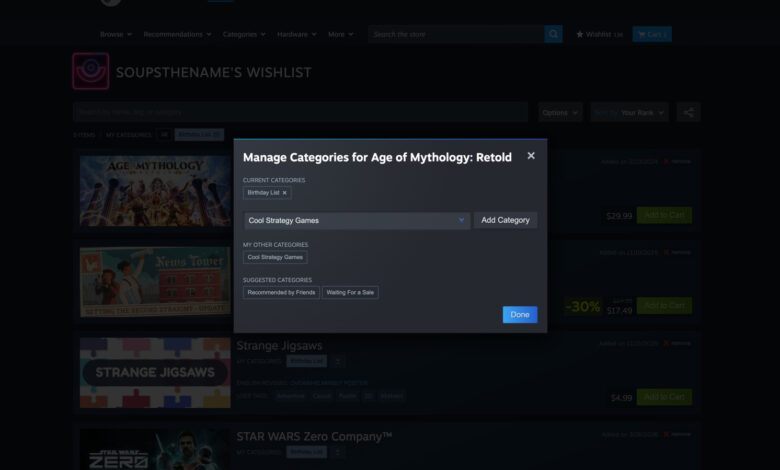
Enhancements to the wishlist feature also aim to improve organization and utility. Users can now create categories, which function like folders or tags for games. You can label categories in any way you like and easily sort games into these categories from the store or your wishlist. By selecting a category at the top of the wishlist page, users can filter to see only the games within that category. Furthermore, users can manage notification settings for individual categories instead of the entire wishlist. Alongside these major updates, smaller features have been introduced, including options to generate shareable links to wishlists or specific categories, check for demo availability on saved games, and view trailers by hovering over the games.