In Summary:
- Google is reportedly working on a significant redesign of the Google Translate app for Android.
- The updated interface includes repositioned language selectors, a revamped bottom navigation bar, and a reorganization of translation tools for easier usage.
Over the years, Google Translate has transformed from a basic words and phrases translator into a comprehensive tool that enables multilingual conversations and language practice. However, the overall design of the app, particularly its home screen, has remained largely unchanged, making it seem outdated compared to other Google applications. Fortunately, it appears that a significant update is on the way.
In a recent review of version 10.25 of the Google Translate app on Android, a refreshed home screen was discovered, showcasing a modernized layout that better showcases an array of features. Translation tools have been reorganized, although these changes are not yet live, indicating active development on the new interface.
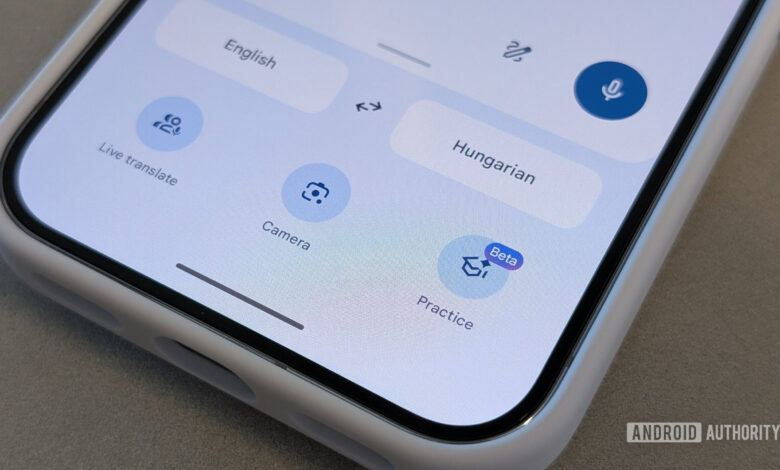
The most noticeable change includes a new bottom navigation bar that features a pill shape, providing four sections:
- Translate for the primary translation function.
- Live for real-time communication.
- Camera for visual translation tasks.
- Practice for language skills development.
Additionally, language selectors have been relocated to the top, allowing a more spacious translation area and a cleaner layout.
The translation input box now sits at the bottom instead of dominating the center of the screen. This card includes quick action options like a three-dot menu for more choices, a Paste shortcut, and a microphone button for voice input.
Furthermore, contextual shortcuts will be displayed above the input card. Users will see options to continue language practice if applicable, along with shortcuts for resuming recent conversations.
A small yet significant update is the replacement of the standalone Saved shortcut with a traditional hamburger menu in the top-left corner, which likely allows for better organization of options in the future without cluttering the main interface.
Accessing the hamburger icon will lead you to a “Your activity” screen, consolidating translation histories, saved translations, and transcripts organized efficiently. Previously scattered through various menus, this streamlined approach aims to enhance how users can revisit past interactions.
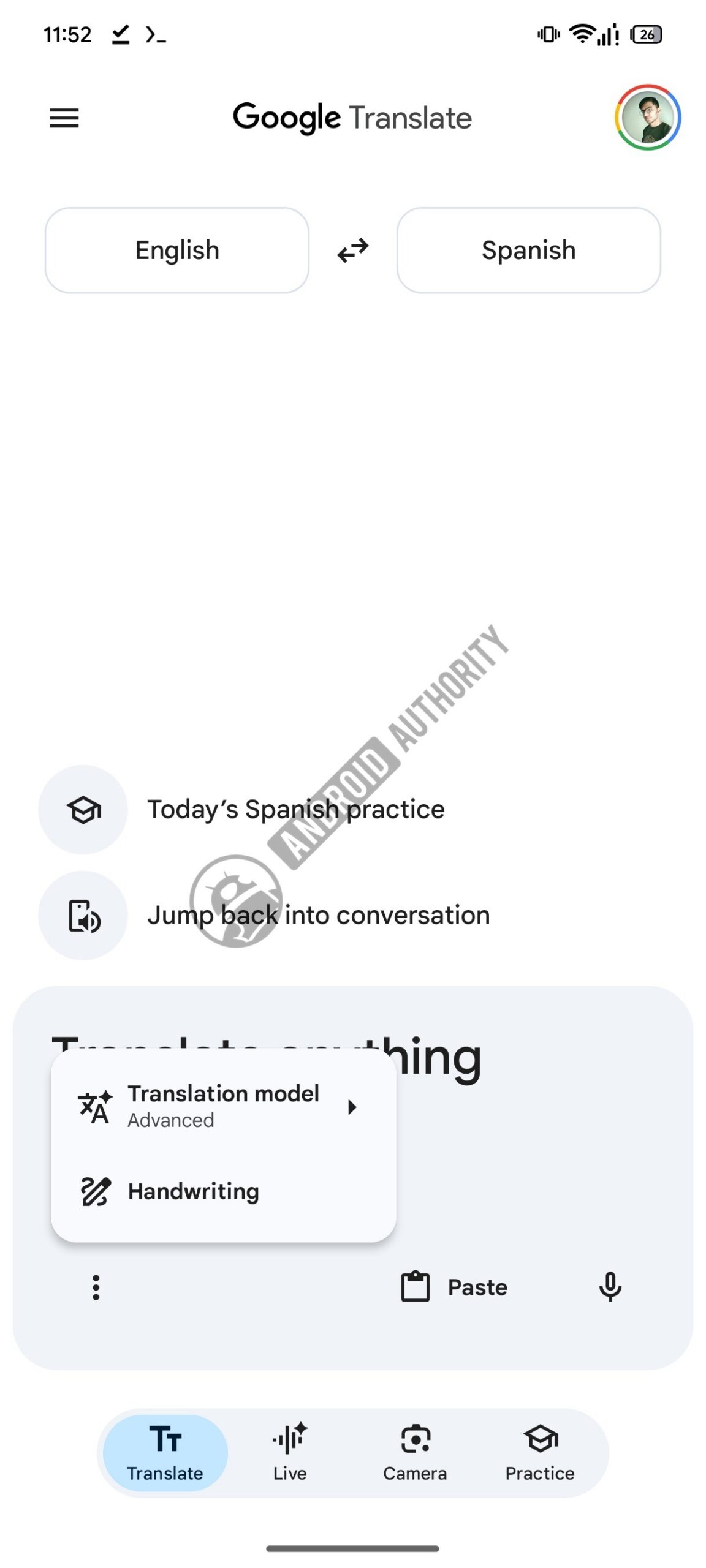
Secondary tools have also been integrated into the new translation input card. The three-dot menu on the input box now includes the Translation model picker, enabling users to choose different models, along with the Handwriting option for input.
The redesign extends to the text input screen, which has been significantly modernized. UI components have been rearranged for a more efficient use of space, with the language selectors at the top and the translation area formatted as a rounded card that aligns with the rest of the app’s design. Recent translations will also appear within the input card while typing.
The results page after performing a translation is also receiving a refresh. The new design adopts a card-based structure for the source and translated text, promoting a more organized feel than the previous layout.
The layout adjustments include repositioned action buttons while retaining the language picker at the top for easy swaps or initiating new translations without having to navigate away from the page. Several options have been moved to the overflow menu to declutter the top bar, including History and Save functions, alongside others like Reverse translate and Share.
In conclusion, the redesign of Google Translate aims for a cleaner, more modern look. However, as with many in-progress interface changes, the final rollout may differ from what is currently shown, with no confirmed timeline for its release.
⚠️ An APK teardown allows us to identify future features based on initial codes but does not guarantee inclusion in public updates.
Thank you for being a valued member of our community. Please review our Comment Policy before contributing.