Is your UniFi networking arrangement looking a bit cluttered? If you have an access point awkwardly placed on your desk or want your Dream Router to blend in better with your decor, consider enhancing your setup with 3D printing. Here are five innovative ways to tidy up your UniFi equipment.
Access Point Stand
Access Points That Don’t Need Wall Mounting
Although access points are typically intended for wall or ceiling installation, there are situations where that isn’t feasible. In such cases, many people simply place them on a surface, which can be visually unappealing.
This is where a custom access point stand proves invaluable. You can find numerous designs compatible with your specific model within the 3D printing community. After selecting one, it’s a straightforward print job—just twist your access point into the stand, which often includes built-in cable management to hide any unsightly wires.
If your access point is currently sitting idle on a desk, consider printing a stand for it. This will not only enhance its appearance but may also improve coverage.
UFO Stand
Transform Your Access Point’s Appearance
Similar to the basic stand, there’s also the whimsical UFO stand, which has become a playful staple in the UniFi community due to the access points’ resemblance to UFOs. Why not embrace the humor?
Instead of having it statically placed, you can create a stand that actually looks like a UFO. Various designs are available, with some even depicting the UFO as if it’s lifting something with a beam.
This print is simple to execute and won’t use much material, making it a fun addition that adds a unique touch to your setup.
Mini Rack
Organize Your Networking Equipment
If your UniFi setup includes several desktop components, a small 3D-printed rack could be just the solution for tidying up.
There is a myriad of mini rack designs to choose from, enabling you to find one that fits your needs perfectly. These racks can accommodate various devices like a Cloud Gateway, switches, patch panels, and even some non-UniFi gear such as Raspberry Pis or mini PCs.
A mini rack is an essential addition to any home lab, whether you’re just starting out or have been operating one for years.
URD2 Stand
Channel Your Inner Star Wars Fan
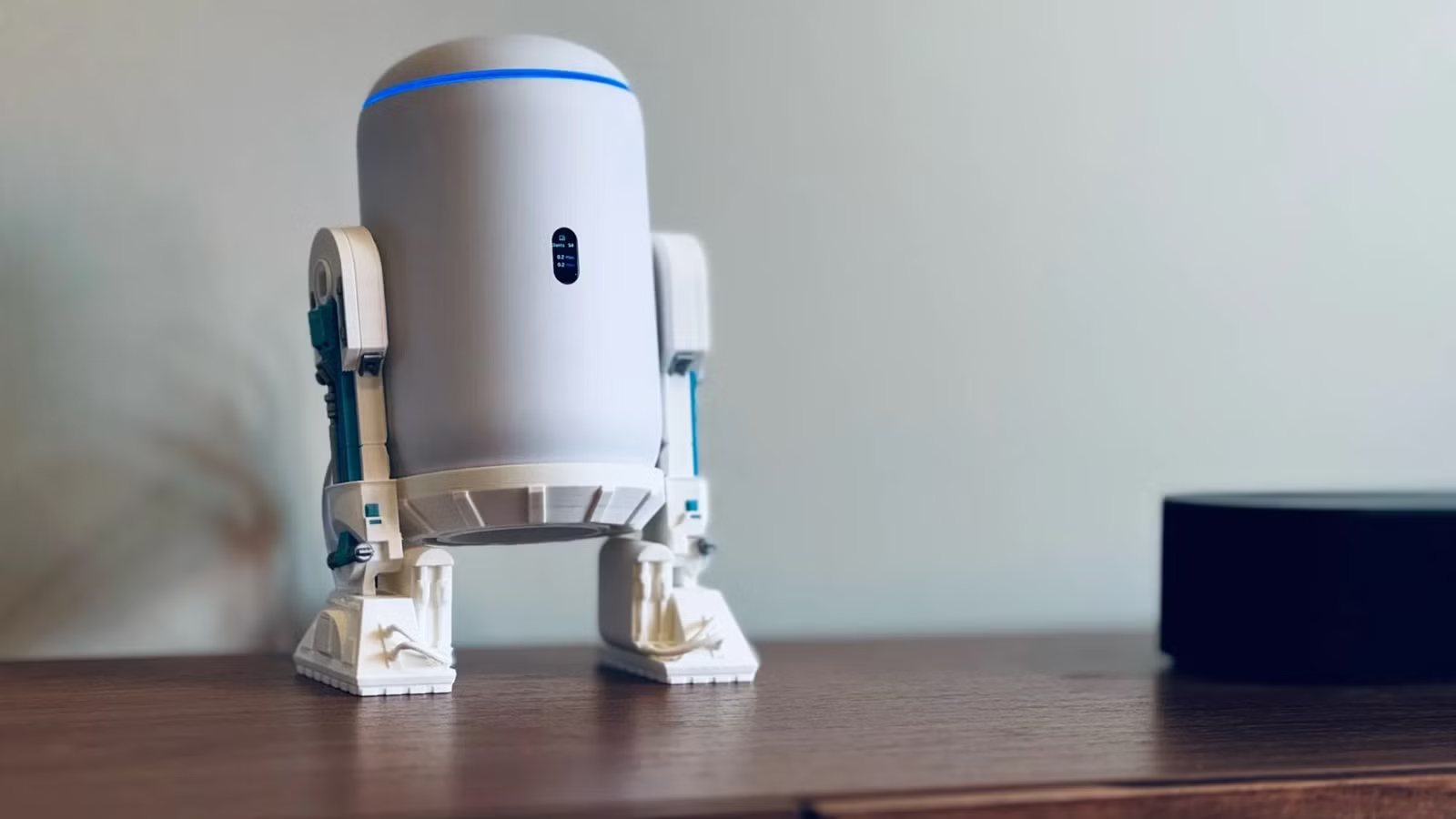
For the Star Wars enthusiasts, consider placing your UniFi Dream Router 7 on a stand styled like R2-D2. It perfectly mimics the look of a beloved droid, blending seamlessly into a Star Wars-themed environment.
Keep in mind, this print can be time-consuming, requiring a thoughtful amount of filament, so it’s not for the impatient. However, it offers a striking visual that elevates your router from mere tech to a stylish decor piece.
Travel Router MagSafe Adapter
Effortless Magnet Attachment
The UniFi Travel Router is a handy device for gaining Wi-Fi connectivity when only wired connections are available. However, using it on the go can be cumbersome, especially when it comes to holding and plugging it in.
This is where a 3D-printed MagSafe case comes into play. Designed with embedded magnets, it allows you to attach your Travel Router to various surfaces, including battery packs or even your own phone, eliminating the need for makeshift solutions like rubber bands.
Exploring the World of 3D Printing
One of the most rewarding aspects of 3D printing is discovering new, essential items that seemed impossible to find. It’s thrilling to bring these ideas to life, often for less than a dollar.
3D printing opens up a wealth of possibilities, especially for organizational and functional tools that mass production might overlook. If you’ve been hesitant about investing in a 3D printer, the time has come. They are more affordable and capable of higher-quality prints than ever, making it an ideal time to dive into this creative hobby.