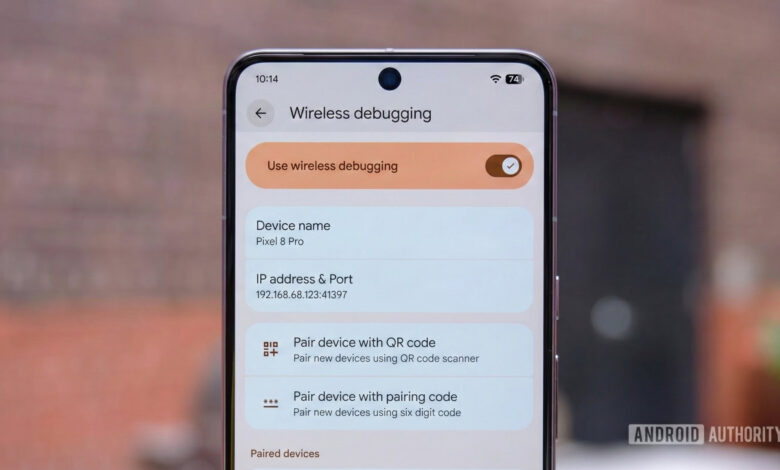
An illustration showing the wireless debugging settings on a Pixel device.
Summary
- Initial wireless ADB launched with Android 11 was prone to crashes due to bulky third-party libraries.
- Android 17 introduces ADB Wi-Fi 2.0, a revamped version utilizing a streamlined Rust library, enhancing stability.
- Devices now automatically reconnect to trusted networks, while Android Studio presents an improved device pairing window.
For Android enthusiasts, the Android Debug Bridge (ADB) is likely a familiar tool. ADB allows users to operate Android devices from a PC, functioning over both wired and wireless connections. While wired connections are often favored, the wireless experience has traditionally been less reliable. With the release of Android 17, Google is addressing these issues through ADB Wi-Fi 2.0.
As noted in prior Android Canary builds, Android 17 includes ADB Wi-Fi 2.0, a complete redesign of the wireless ADB framework that promises improved stability and usability.
Insights from Fabien Sanglard, a lead engineer for ADB at Google, reveal the shortcomings of the previous ADB iteration during a recent session.
The initial ADB Wi-Fi, launched alongside Android 11 in 2020, depended on large third-party libraries, specifically mDNSResponder from Apple and Open Screen from Chrome, which were not optimal for mobile operations. This led to frequent disconnections during network changes, requiring users to restart the pairing process.
With ADB Wi-Fi 2.0, Google has eliminated these external dependencies, introducing a lightweight 4,000-line Rust library tailored to effectively manage network changes across platforms. The device now takes advantage of the NsdManager system built into Android.
This upgrade brings substantial practical benefits. ADB Wi-Fi 2.0 can now automatically check network status and reconnect to trusted networks seamlessly when the user returns to their device. Besides, it incorporates a smarter mechanism for identifying trusted networks based on both SSID and BSSID to avoid disruptions.
Furthermore, Android Studio will feature an enhanced UI for pairing. Instead of a generic QR code that may fail to connect if the network blocks it, the new interface will present an active list of available devices, showing customized names.
Even though ADB Wi-Fi 2.0 improvements require Android 17, developers using older Android versions will still reap some stability advantages by updating to ADB 37 and the newest versions of Android Studio.
Thank you for being a part of our community. Please review our comment policy before sharing your thoughts.