I Explored the Toyota Tundra’s 640-Page Manual and Uncovered 3 Surprising Features with Claude’s Help

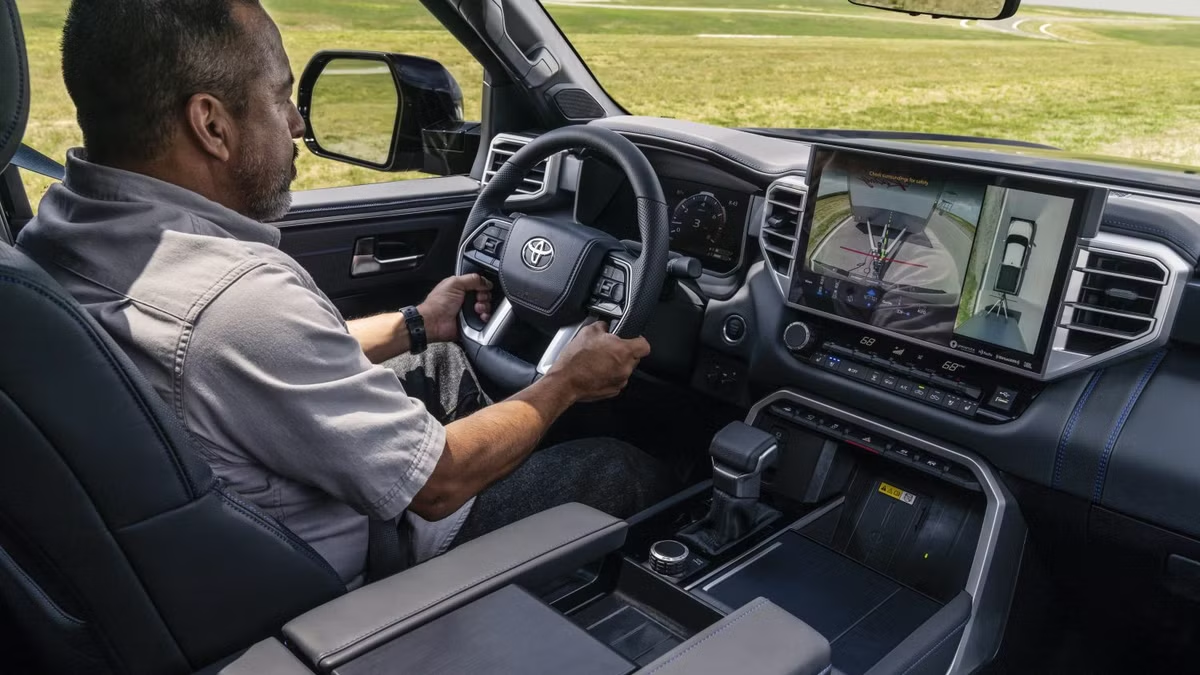
The Toyota Tundra has been a staple in the full-size truck market in the U.S. since 1999, vying for attention in a sector traditionally led by American manufacturers. The most recent iteration, the third generation of the Tundra, was launched in 2022, featuring a comprehensive redesign that continues with the 2026 model year.
One of the standout improvements in this latest version is its engine options. The standard option is the i-FORCE, a twin-turbocharged 3.4-liter V6 that delivers an impressive 389 horsepower and 479 lb-ft of torque. For those seeking more power, the i-FORCE MAX adds an electric motor, pushing performance to 437 horsepower and 583 lb-ft of torque. Both configurations use Toyota’s 10-speed automatic transmission.
The interior of every 2026 Tundra is well-equipped, featuring standard connectivity options like Apple CarPlay and Android Auto, along with a built-in Wi-Fi hotspot and the Toyota Safety Sense suite. For added luxury, buyers can opt for a 14-inch touchscreen paired with Toyota’s multimedia system, along with a 12.3-inch digital gauge display.
New Tundra owners may find a plethora of features to learn about, as the owner’s manual is nearly 640 pages long. However, for those less inclined to read such a lengthy document, there is an alternative. Users can upload the manual to an AI tool like Claude and pose questions about its contents.
When I inquired, “What beneficial features might a Tundra owner overlook?” I leveraged this method to extract insights on the 2026 Toyota Tundra from the owner’s manual.
Brake Hold Keeps the Tundra Stationary
A Game-Changer for Urban Driving
Among the hidden gems in the 2026 Toyota Tundra is the Brake Hold button, located near the center console. When activated, this feature automatically keeps the brakes engaged when the vehicle is at a stop, allowing drivers to remove their foot from the brake pedal without the vehicle rolling. Simply pressing the accelerator will release the hold, and the system will remain on for subsequent stops.
A green light indicates that the Brake Hold is ready to engage. When it is actively holding, the light changes to yellow.
However, there are some conditions for usage: the system won’t activate if the driver’s door is open, the seatbelt isn’t fastened, or if the parking brake is applied. After three minutes of brake pedal depression, the system will trigger the parking brake with an accompanying warning sound.
Navigating through city traffic in a full-size truck can be cumbersome, but Brake Hold simplifies driving significantly. Once experienced, drivers are likely to want this feature on every journey.
Drive Mode Select with Versatile Options
Experiment with Custom Mode
The 2026 Tundra features a Drive Mode Select system, with the number of available modes depending on your chosen trim. Every Tundra comes equipped with three basic modes: Eco, Normal, and Sport. Eco reduces throttle response and minimizes air conditioning use to enhance fuel efficiency, while Sport heightens throttle and transmission responsiveness for a more engaging driving experience. Normal mode provides a balanced setting for everyday driving.
Higher trims, like the Platinum, 1794 Edition, and Capstone, offer Toyota’s Adaptive Variable Suspension, unlocking three additional modes. Comfort mode prioritizes ride quality for long journeys, while Sport S+ optimizes the steering, suspension, and engine for a more dynamic feel. Custom mode allows drivers to tailor settings for powertrain, chassis, and air conditioning preferences, and these preferences can be saved in the multimedia system.
Crawl Control for Off-Road Ease
Five Terrain-Specific Modes
Available on 4×4 models, the Crawl Control feature allows the Tundra to maintain a consistent low speed without the need for input from the accelerator or brake pedals, letting drivers concentrate solely on steering through challenging terrain. This system is engaged via the DAC/CRAWL button when the vehicle is in 4L and the doors are closed. Users can select from five speed settings tailored to different surfaces.
The modes include Lo for rocky terrains, Lo-Mid for steep and bumpy inclines, and Mid for uneven inclines. Mid-Hi and Hi modes are versatile, handling conditions like snow, mud, gravel, and grass. This capability allows Tundra owners to safely navigate tough off-road environments without added stress.
Crawl Control can also function alongside Multi-Terrain Select when available, enhancing traction control and speed management for different conditions.
Utilize AI to Decode Your Owner’s Manual
Toyota provides electronic copies of owner’s manuals for all its models through its portal. Tundra owners can upload their specific manual to Claude and ask questions about features and functionalities. This method can uncover useful features that might otherwise remain unknown, as many buyers do not take the time to read through dense manuals. User-friendly tools like Claude expedite this process, allowing individuals to ask direct queries for instant information.
Especially with advanced vehicles like the 2026 Toyota Tundra, it’s easy for valuable functionalities to go unnoticed if they aren’t highlighted at the point of sale. Features such as Brake Hold and customizable driving options can substantially enhance the driving experience once owners discover them.