When exploring the top Linux distributions suitable for beginners, two names frequently come up: Linux Mint and Ubuntu. These choices are popular for valid reasons—both offer robust operating systems backed by extensive communities, ensuring ample support is available.
Nonetheless, I prefer using Kubuntu. It shares many benefits with Ubuntu but also brings unique features that are particularly advantageous for newcomers to Linux.
Kubuntu Offers a Unique Experience
A Combination of Ubuntu and KDE Plasma
At its core, Kubuntu is built on Ubuntu, maintaining the same kernel and repositories, along with a prolonged support timeline—five years of support for the underlying Ubuntu system and three years for KDE components.
The main distinction is that Kubuntu employs KDE Plasma rather than GNOME. For users transitioning from Windows, KDE Plasma often feels more intuitive than GNOME. The default setup includes a bottom panel, an app menu, and a system tray, which can resemble the familiar Windows interface. Furthermore, Plasma 6 introduces features like native fractional scaling for improved text and UI element display on high-resolution screens, HDR capabilities, and variable refresh rate support on Wayland. This places it ahead of Cinnamon and other X11-based desktops like Mint.
Kubuntu also features superior tiling through KWin, offering functionality better than Snap Layouts on Windows 11, plus options for virtual desktops and per-window rules directly integrated into the system. Users won’t need to search for third-party extensions that could cause issues following updates—a common frustration for GNOME users.
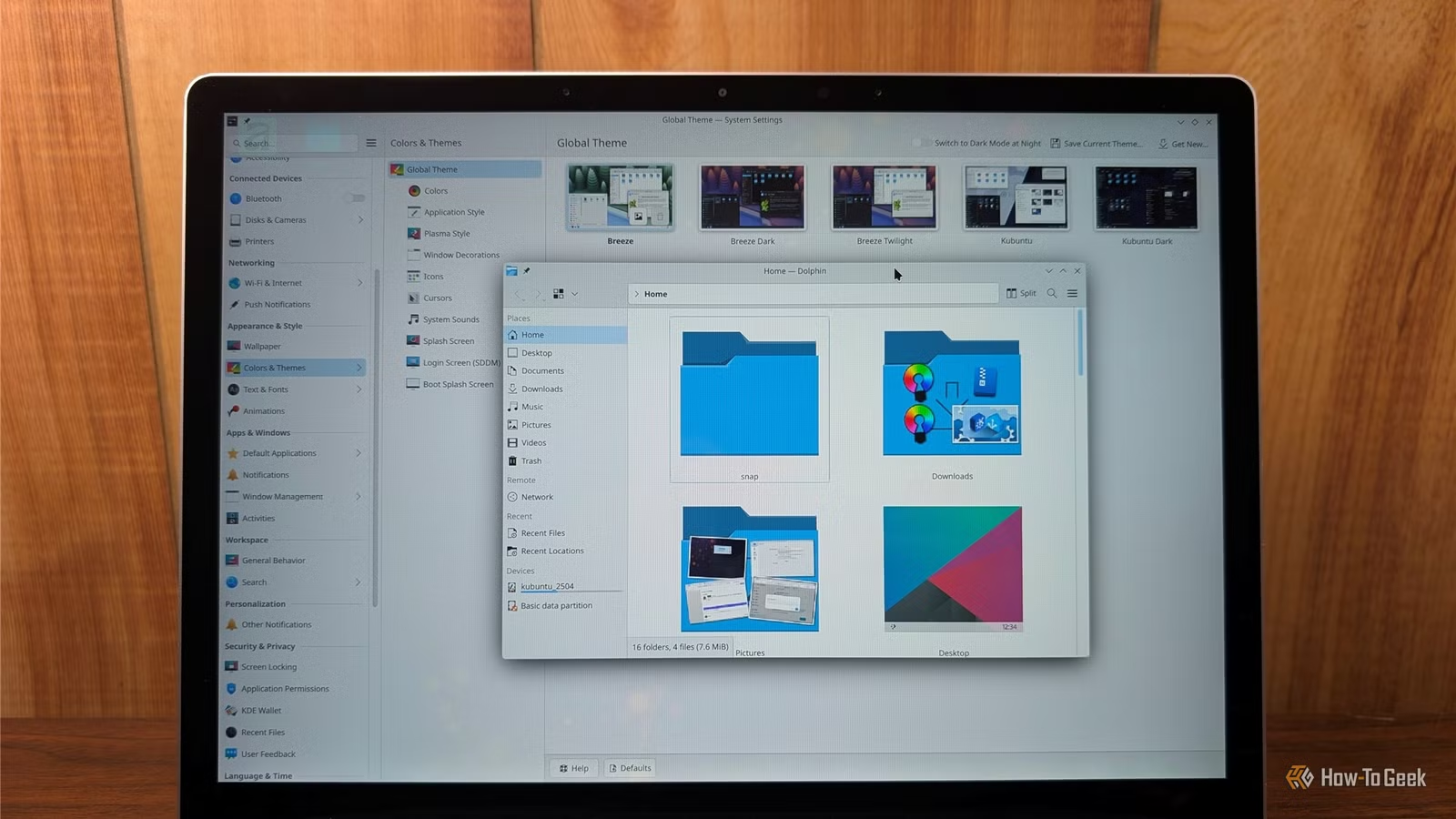
Moreover, performance is impressive. My Surface Laptop 4, which struggles with Windows 11, runs smoothly on the latest version of Kubuntu; I now only switch to Windows when absolutely necessary.
Retaining Ubuntu’s Ecosystem
Consistent Drivers, Documentation, and Support
One key advantage of Kubuntu is its strong connection to the Ubuntu ecosystem. It provides the same hardware support, NVIDIA driver assistance, and firmware as the primary Ubuntu version.
Similarly, most tutorials tailored to Ubuntu will apply to Kubuntu, as long as they aren’t desktop-specific. Any DEB files developed for Ubuntu are very likely to function seamlessly on Kubuntu.
Additionally, users will benefit from ongoing developments within Ubuntu, such as the introduction of Rust-based core utilities that came with versions 25.10 and 26.04 LTS.
If you desire a system that operates smoothly with minimal intervention and is easy to manage should issues arise, this aspect makes a significant difference.
KDE’s App Suite Excels
Exceptional Applications for Users
Kubuntu comes pre-installed with a range of applications from the KDE Suite, which saves users from the hassle of searching for alternative software.
Not all KDE Suite applications are included by default, but they are all designed to integrate smoothly with Kubuntu.
The Dolphin file manager supports features like split views and tabs, and includes a built-in terminal. For users with dedicated network storage, Dolphin simplifies adding network drives for easy access as if they were local.
For those in need of a powerful text editor, Kate offers functionalities comparable to software like VS Code.
My personal favorite is KDE Connect, which allows your phone to integrate with your PC over the home Wi-Fi. It supports notifications on your desktop, clipboard synchronization, remote control capabilities, and file transfers without requiring an account.
For screenshot needs, Spectacle is by far the best included application on any OS, featuring a selection of typical functions and enhanced capabilities like built-in optical character recognition (OCR), which allows you to extract text from screenshots—something I use regularly.
Other noteworthy apps include Kdenlive (similar to Adobe Premiere), Okular for PDF viewing, and Krita, a painting application that ranks among the best free tools available. If you seek a general image editor, GIMP may be a more suitable option.
Kubuntu: Suitable for All Users
Kubuntu serves as an excellent choice for individuals new to Linux after using Windows, with a layout and behavior that feels familiar right out of the box.
Additionally, for those keen to customize their interface to precisely match their preferences, KDE Plasma offers significant flexibility without depending on third-party extensions, reducing the likelihood of issues arising with updates.