Introducing Victoria Launcher: The Ultimate Free Alternative to Niagara for Android Users

Andy Walker
Despite its merits, Niagara Launcher has faced criticism, particularly regarding the pricing of its Pro version. Early users may have enjoyed a lower price during its beta phase, but now users must choose between a limited free version or a costly subscription for full features.
Why do you select a home screen launcher?
1 votes
While the current price of Niagara may not be excessive considering its capabilities, it does stir debate among users who expect free launchers or have already invested in alternatives. So, what if you’re seeking a similar experience to Niagara without the financial commitment? The answer lies in a promising alternative: Victoria Launcher.
Victoria Launcher Has Arrived

Andy Walker
Recently, I stumbled upon Victoria Launcher. Although I wasn’t specifically seeking an open-source alternative to Niagara, its resemblance caught my attention. Named after a well-known waterfall, it creatively draws inspiration from the design principles of its predecessor.
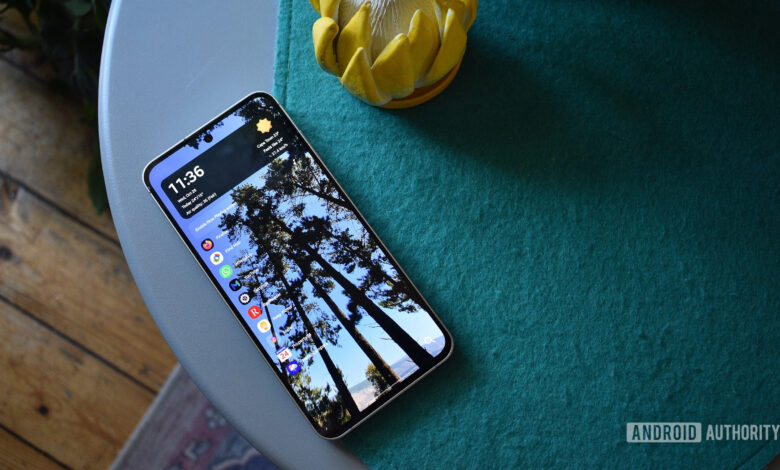
From the moment you set it up, you’ll recognize features reminiscent of Niagara. You can choose favorite apps to pin on the home screen and long-press an app to add it to a folder—functionality that applies universally across the launcher. An alphabetical jump list on the right allows for easy navigation of your apps.
The top of the home screen accommodates multiple widgets and a music player bar for currently playing media. Additionally, a customizable multifunction button at the bottom right can be set for searches or shortcuts.
The developers crafted a launcher that closely mirrors its source of inspiration.
Good Imitation and Unique Features
Victoria Launcher introduces innovations and enhancements while maintaining the core principles of its counterpart.
While Niagara’s free version lacks widget stacking, Victoria makes this a key feature. The settings menu is built with Material 3 elements, offering a more cohesive user experience than its competitor.
Victoria’s straightforward settings layout addresses a notable flaw found in Niagara, simplifying the search for specific toggles significantly.
Though Victoria doesn’t include ready-made themes like Niagara, it features many customization options for texts, icons, spacing, and even wallpaper colors. Recent updates have added significant features, such as support for widgets within folders and notification lists on the home screen, enhancing its usability.
Rapid Development and Refinement

Andy Walker
In just five days, Victoria Launcher has already received several updates, with some introducing significant improvements and others focusing on minor bug fixes. Since its initial launch on GitHub, it has seen nearly seventy versions released—an impressive pace of development, though it might cause instability for users seeking a reliable experience.
I initially noted performance issues in my review, but they were resolved in the subsequent update. Features like the Popup equivalent were added shortly after I remarked on their absence. This fast-paced development means that even a stable layout can change with a new update. Until the app matures, it may not serve as a dependable daily driver for everyone, though its potential is clear.
Comparative Evaluation

Andy Walker
Determining which is the superior list-based launcher is complex. For those prioritizing stability and a wealth of features, Niagara remains the preferred choice. However, its subscription model can be a barrier for users wary of spending money, especially amid economic uncertainty.
In contrast, Victoria Launcher offers a no-cost, open-source solution resembling Niagara’s functionality. While it lacks some of the polish and reliability of its competitor, its rapid updates and dedicated team offer an exciting glimpse into its evolving capabilities. Currently, it’s too unstable for regular use, but it’s undoubtedly one to watch in the future.